


Building an admin panel from scratch in Next.js still costs most teams the first two to three weeks of a project. Route groups, shared layouts, sidebar state, authentication pages, and data tables must all be wired before a single product feature ships.
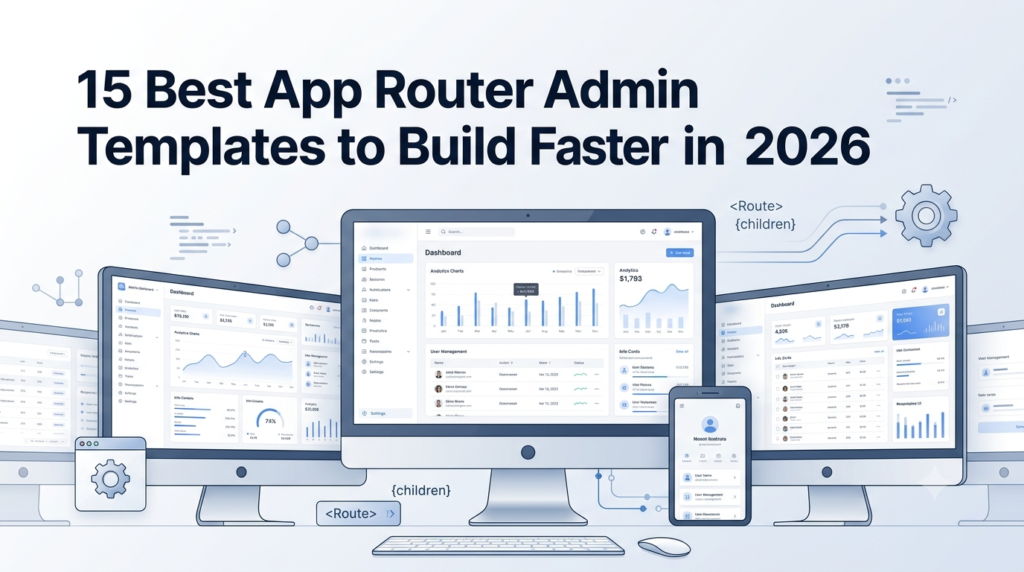
App Router dashboard templates remove that setup. You start with the routing, the layout system, the server components, and the core admin pages already built, then add your product on top.
This guide reviews 15 of the best App Router admin templates for 2026 across Material UI, Tailwind CSS, Mantine, and Bootstrap. Every pick is built on the Next.js App Router and ships with a live demo you can open before committing. Four are premium and production-ready out of the box. The other eleven are free and open-source. We also cover what to check before you commit and how to make a router template setup work for your stack.
What Is an App Router Admin Template?
An App Router admin template is a ready-made dashboard project built on the Next.js App Router, the routing system introduced in Next.js 13 and standard from Next.js 14 onward. It organizes routes inside the app directory, using folder-based routes, shared layout files, route handlers, and React Server Components.
In practice, the template provides an app router layout structure that is already wired: a root layout, nested dashboard layouts, server components for data-heavy pages, and client components for interactivity. You also get the admin pages that take the longest to build, including data tables, charts, user management, and authentication, organized the way the App Router expects.
Why Use App Router Admin Templates in 2026?
The App Router is now the default for new Next.js projects, so an app router template keeps your codebase aligned with current framework conventions rather than legacy patterns. The practical reasons developers reach for App Router dashboard templates:
- Server Components reduce client bundle size by rendering data-heavy admin pages on the server.
- The app router layout model shares navigation, sidebars, and headers across routes without re-rendering them on every page change.
- Route handlers replace a separate API setup, so backend endpoints live alongside the pages that use them.
- Streaming and Suspense let large dashboards load in stages instead of blocking on the slowest query.
- TypeScript-first structure keeps the project maintainable as the team and feature set grow.
For a SaaS dashboard, a CRM, or an internal operations tool, this is the same infrastructure you would build by hand. Starting from an app router admin template puts it in place on day one. For a SaaS-specific breakdown, see Best Next.js Admin Templates for SaaS Projects.
The 15 App Router Admin Templates at a Glance
These App Router dashboard templates span shadcn/ui, Material UI, Tailwind CSS, Mantine, and Bootstrap. Full reviews follow, grouped into premium picks, modular UI kits, and open-source starters.
| Template | Stack | License | Best for |
| MyCreativeTemplates Next.js Collection | Next.js 14, TypeScript, Tailwind, NextAuth | from $24 | Production-ready SaaS, ecommerce, dealer, LMS |
| Apex Dashboard | Next.js 16, shadcn/ui, Tailwind v4 | $69+ | Full-featured premium SaaS admin |
| Materio MUI Next.js | Next.js 14, Material UI, TypeScript | MIT + Pro | Enterprise Material Design |
| Admindek Next.js | Next.js 16, shadcn/ui, TypeScript | Free demo, $69+ | Trying a full admin before buying |
| Next.js shadcn Dashboard Starter | Next.js 16, shadcn/ui, Tailwind | MIT | Best overall free starter |
| Shadboard | Next.js 15, shadcn/ui, Radix | MIT | Most pages and features are free |
| TailAdmin Next.js | Next.js 15, Tailwind, ApexCharts | MIT | 200+ UI components |
| Next.js shadcn Admin (arhamkhnz) | Next.js 16, shadcn/ui, Tailwind v4 | MIT | Navigation-heavy admins |
| Horizon UI shadcn Boilerplate | Next.js 14, shadcn/ui, Tailwind | MIT | AI and SaaS chat UIs |
| shadcn Dashboard + Landing | Next.js 14, shadcn/ui, Tailwind | MIT | Dashboard plus marketing page |
| Vercel Admin Dashboard | Next.js 14, NextAuth, Postgres | MIT | Full-stack starter with database |
| Tremor Dashboard | Next.js, Tremor, Recharts | Apache 2.0 | Analytics and metrics |
| Devias Kit | Next.js 14, Material UI | MIT | Material Design teams |
| Mantine Analytics Dashboard | Next.js 16, Mantine 8, ApexCharts | MIT | Mantine ecosystem |
| CoreUI Next.js Dashboard | Next.js 14, Bootstrap 5, TypeScript | MIT | Bootstrap teams |
Premium and Production-Ready App Router Templates
1. MyCreativeTemplates Next.js App Router Collection
- Stack: Next.js 14 (App Router), TypeScript 5, Tailwind CSS, NextAuth
- License/Price: From $24
- Best for: Teams that want a production-ready App Router admin without assembling parts
This collection is a focused set of Next.js App Router templates built on the app directory, with server and client components used correctly and TypeScript across every layer. It covers 90+ pages and 100+ components, including data tables with sorting and filtering, ApexCharts integrations, KPI widgets, and authentication screens wired to NextAuth (login, registration, password reset, and two-factor flows).
The lineup includes general-purpose and vertical options: ApexSuite for a broad SaaS dashboard, AutoDash for auto dealer platforms, Storely for ecommerce management, and Acadx for education and LMS products. Each ships with a live preview, dark mode, ESLint and Prettier configs, and a documented setup. Browse the full set on the Next.js admin templates page, or start with the general-purpose ApexSuite Next.js admin dashboard.
2. Apex Dashboard
- Stack: Next.js 16 (App Router), React 19, shadcn/ui, Tailwind CSS v4
- License/Price: $69+
- Best for: A full-featured premium SaaS admin
Apex is one of the most complete premium App Router templates available. It ships 125+ routes, five dashboard variations (Overview, Analytics, eCommerce, CRM, SaaS), a Cmd+K command palette, internationalization, and Storybook component stories. Under the hood, it runs Recharts for charts, TanStack Table for data grids, and React Hook Form with Zod for type-safe forms. If you want a premium App Router admin template with every module built in, Apex has you covered.
3. Materio MUI Next.js
- Stack: Next.js 14 (App Router), Material UI, Tailwind CSS, TypeScript
- License/Price: Free, with a Pro upgrade
- Best for: Enterprise Material Design projects
Materio brings an enterprise-grade Material Design admin to the Next.js App Router. The free version includes dashboard analytics, form layouts, table management, account settings, and authentication pages, with ESLint, Prettier, and VSCode configs pre-set. MUI theming flows through the theme provider, so color, spacing, and typography stay consistent across the project. The Pro tier adds more layouts and pages for larger builds.
4. Admindek Next.js
- Stack: Next.js 16 (App Router), React 19, TypeScript
- License/Price: Free demo, $69+ for source
- Best for: Trying a full App Router admin before buying
Admindek pairs a public demo with a premium source license, so you can explore all 30+ pages and nine dashboard variants before committing. It uses Server Components, route handlers, and the Turbopack dev server, with shadcn/ui primitives, TanStack Table for server-side grids, and a full auth suite including two-factor, OAuth, and password reset.
Modular UI Kits and shadcn-Based Starters
Each of these is free and open-source, so anyone can work with it as a free app interface template you can clone, extend, and ship without a licensing cost.
5. Next.js shadcn Dashboard Starter
- Stack: Next.js 16 (App Router), shadcn/ui, Tailwind CSS
- License/Price: MIT
- Best for: Starting any new App Router admin project
This is the most popular open-source App Router dashboard on GitHub, with around 5.9k stars and weekly commits. It includes a Kanban board, user management tables, analytics charts, authentication pages, and a collapsible sidebar with built-in search. The app router layout uses server components for data and client components for interactivity, and the TypeScript codebase adheres to best practices throughout. For a new project in 2026, this is the safest free starting point.
6. Shadboard
- Stack: Next.js 15 (App Router), shadcn/ui, Radix UI, Tailwind CSS
- License/Price: MIT
- Best for: The most pages and features out of the box
Shadboard is close to a full SaaS skeleton. Alongside analytics, ecommerce, and CRM dashboards, it ships an inbox, chat interface, calendar, kanban board, file manager, profile, settings, pricing, and error pages. Built on Next.js 15 with Radix primitives, the component quality is high, and the page count is hard to match in a free App Router template.
7. TailAdmin Next.js
- Stack: Next.js 15 (App Router), Tailwind CSS, ApexCharts
- License/Price: MIT
- Best for: A feature-rich admin with 200+ components
TailAdmin’s Next.js version is one of the most feature-rich free options here. You get 200+ UI components, ApexCharts, a calendar view, data tables with sorting and filtering, form elements, profile pages, and auth flows. Dark mode works across every component, and the structure follows Next.js conventions, so it slots into an App Router project cleanly.
8. Next.js shadcn Admin Dashboard (arhamkhnz)
- Stack: Next.js 16 (App Router), shadcn/ui, Tailwind CSS v4
- License/Price: MIT
- Best for: Navigation-heavy admin panels
This shadcn entry stands out for navigation: a polished collapsible sidebar, breadcrumbs, and a complete notification system. Data tables support pagination, sorting, and column visibility, and the charts are built to be useful rather than decorative. It runs Next.js 16 with TypeScript throughout and includes several color theme presets.
9. Horizon UI shadcn Boilerplate
- Stack: Next.js 14 (App Router), shadcn/ui, Tailwind CSS
- License/Price: MIT
- Best for: AI and SaaS products with chat interfaces
Horizon UI’s shadcn boilerplate is built around AI product interfaces. A ChatGPT-style chat UI sits inside the dashboard, alongside analytics views, data tables, and auth pages. For an AI-adjacent SaaS product, it saves you from retrofitting a generic admin to fit a chat-first experience.
10. shadcn Dashboard + Landing
- Stack: Next.js 14 (App Router), shadcn/ui, Tailwind CSS
- License/Price: MIT
- Best for: Products that need a dashboard and a marketing page
This template pairs an admin dashboard with a marketing landing page in one project, sharing a single design system. The dashboard side has analytics, charts, sidebar navigation, and data tables, while the landing page covers the public-facing homepage. A Vite and React variant is available if you do not need server-side features.
Open-Source and Developer-First Starters
These developer-first picks are open-source, which makes each a free app interface template with no licensing cost for commercial use.
11. Vercel Admin Dashboard
- Stack: Next.js 14 (App Router), Tailwind CSS, NextAuth, Postgres
- License/Price: MIT
- Best for: A starter with real database integration
Straight from Vercel, this is the canonical App Router starter. It ships with NextAuth authentication, a Postgres database connection, a user management table with search and filter, and server actions. There are fewer pages than other picks, but everything included is production-ready, which makes it the shortest path from clone to a working backend.
12. Tremor Dashboard
- Stack: Next.js (App Router), Tremor, Radix UI, Recharts
- License/Price: Apache 2.0
- Best for: Analytics and metrics dashboards
Built by the Tremor team, this template is one of the cleanest free analytics interfaces. KPI cards, area charts, bar charts, donut charts, and filterable data tables are composed from Tremor’s Radix and Recharts components. It is built on the Next.js App Router and written in TypeScript, and the design keeps the focus on the data rather than decoration.
13. Devias Kit
- Stack: Next.js 14 (App Router), Material UI
- License/Price: MIT
- Best for: Teams invested in Material Design
Devias Kit has been a staple in the React dashboard space for years, and the current version pairs the Next.js App Router with Material UI. The free tier includes an analytics overview, customer management tables, product listings, account settings, and full authentication pages with Firebase and Auth0 integration paths. With around 5.6k stars, the code is clean enough to use as a reference for your own MUI work.
14. Mantine Analytics Dashboard
- Stack: Next.js 16 (App Router), Mantine 8, ApexCharts
- License/Price: MIT
- Best for: Teams that prefer Mantine
For teams that favor Mantine over Tailwind or MUI, this is the strongest free App Router dashboard in that ecosystem. It includes ApexCharts visualizations, a Mantine DataTable, drag-and-drop, a full calendar, a Tiptap rich text editor, map visualization, and NextAuth authentication. The analytics focus makes charts and data displays first-class.
15. CoreUI Next.js Dashboard
- Stack: Next.js 14 (App Router), Bootstrap 5, TypeScript
- License/Price: MIT
- Best for: Teams that prefer Bootstrap over Tailwind
If your team knows Bootstrap, CoreUI’s Next.js port gives you a mature, class-based admin with widgets, charts, data tables, form elements, modals, and sidebar navigation. TypeScript support is included, and the folder structure maps cleanly to App Router conventions, so you get a familiar styling approach without learning Tailwind first.
Technical Architecture: App Router vs Pages Router
Not every template labeled Next.js uses the App Router. Many older ones still run the Pages Router, which changes how routing, layouts, and data fetching work, so it helps to know the difference before you commit.
App Router templates organize routes in the app directory, with layout files that persist across navigation, server components by default, and route handlers for API logic. Pages Router templates keep routes in the pages directory, use getServerSideProps or getStaticProps for data, and re-render shared UI on each route.
For a new build in 2026, an App Router template is the better default. It matches current Next.js conventions, ships smaller client bundles through server components, and shares an app router layout across pages without extra work. A Pages Router template can still suit an existing Pages Router app, but for a fresh admin, the App Router is where the framework is heading.
Essential Features to Look for in an App Router Admin Template
A strong app router admin template covers the full infrastructure layer, including routing, data, and auth, with the visual shell built on top. Check for:
- An app directory with a root layout and nested dashboard layouts already in place.
- Server Components for data-heavy pages, with client components only where interactivity is needed.
- Route handlers set up for API endpoints.
- Data tables with sorting, filtering, pagination, and search.
- Chart integrations for analytics and reporting views.
- Authentication pages wired to a provider such as NextAuth: login, registration, password reset, and two-factor.
- TypeScript types across components and data.
- Responsive layouts and dark mode across every page.
A template that genuinely uses the App Router gives you all of this in a structure your team can extend without fighting the framework.
How to Choose the Right App Router Admin Template
Across these App Router dashboard templates, the right pick depends on your UI library, your page needs, and your timeline. Run through this before downloading or buying:
- Confirm it is the App Router. Check that routes live in the app directory and that the template uses server components, rather than a Pages Router project relabeled as Next.js.
- Match your UI library. Pick shadcn/ui, Material UI, Tailwind, Mantine, or Bootstrap based on what your team already knows. Switching mid-project is costly.
- Check the license. MIT and Apache 2.0 allow commercial use. Read the LICENSE file before shipping to a client.
- Count pages and components. A solid baseline is 10+ page layouts and a real component set. Fewer is fine for an MVP, and a free app interface template is enough for a prototype.
- Check maintenance. For open-source picks, look for recent commits and a working live demo.
- Preview on mobile. Open the demo on a phone. If it breaks there, it will break in your product.
For a deeper walkthrough, see our guide on how to choose the right admin template. Working in another stack? Compare React admin templates and Angular admin templates.
How to Make a Router Template From Scratch (and Why a Template Is Faster)
You can make a router template yourself. The steps are well documented:
- Create the project with create-next-app and select the App Router.
- Set up the app directory: add a root layout, then nested layouts for the dashboard and auth sections.
- Build the layout shell: sidebar, top bar, and navigation that persist across routes.
- Add server components for data pages and client components for interactive widgets.
- Wire route handlers for your API endpoints and connect authentication.
- Add data tables, charts, and forms, then style with your chosen UI library.
Building one this way is worth doing once to understand the App Router model. For a real project on a deadline, starting from one of the templates above saves the two to three weeks it would take to build all of this by hand. The understanding still pays off later, since knowing how the layout and routing model fits together makes customizing any template faster.
Benefits of Using Pre-Built App Router Admin Templates
The payoff of starting from an app router admin template:
- Faster launch. Routing, layouts, auth, and dashboards are built, so you skip the two- to three-week setup phase.
- Current architecture. You inherit App Router conventions, server components, and TypeScript, rather than legacy patterns.
- Smaller bundles. Server components keep data-heavy pages light on the client.
- Consistent layout. The shared app router layout keeps navigation and structure uniform across every page.
- Easier scaling. Clean component and route boundaries let you add modules without restructuring what exists.
- Lower maintenance. A typed, conventional codebase is easier for a team to extend six months later.
For data-heavy or user-management-heavy products, these benefits compound across the life of the project.
Build Your Next App Router Dashboard Faster
Every hour spent wiring, routing, layouts, and auth from scratch is an hour not spent on your product. The App Router dashboard templates in this guide put that infrastructure in your hands on day one, whether you start with a free open-source pick or a premium template that is ready to ship.
For a production-ready option, the Next.js App Router collection at MyCreativeTemplates covers SaaS, ecommerce, auto dealer, and LMS dashboards, each built on Next.js 14 with TypeScript, Tailwind, and NextAuth. Browse the full set on the Next.js admin templates page, compare other stacks across the admin templates collection, or grab a no-cost starter from the free admin templates page.
Frequently Asked Questions
Q: Why should developers use App Router admin templates?
They remove two to three weeks of setup. Routing, the app router layout, server components, auth pages, and dashboards come pre-built, so developers start on product features instead of infrastructure. The structure also aligns with current Next.js conventions, which helps keep the codebase maintainable as the project grows.
Q: What features should I look for in an App Router admin template?
Look for an app directory with a root layout and nested dashboard layouts, server components for data pages, route handlers for APIs, data tables with sorting and filtering, chart integrations, authentication pages, TypeScript types, responsive layouts, and dark mode. These cover the full admin infrastructure, not only the visual shell.
Q: Are App Router admin templates suitable for enterprise applications?
Yes. The App Router, server components, and TypeScript suit large internal tools, SaaS platforms, and operational dashboards. Templates built on these conventions support lazy loading and clean module boundaries, so they scale for teams rather than solo projects. They are a production-grade starting point for enterprise-scale builds.
Q: Can I customize an App Router admin template for my own project?
Yes. These are standard Next.js projects. You can edit components, change the app router layout, add routes and modules, swap UI libraries, and connect your own backend through route handlers. The component-based structure makes customization straightforward without disrupting the rest of the codebase.
Q: Is the App Router better than the Pages Router for admin dashboards?
For new dashboards in 2026, yes. The App Router ships smaller client bundles through server components, shares layouts across routes, and matches current Next.js conventions. The Pages Router still works for extending an existing Pages Router app, but a fresh admin is better built on the App Router.