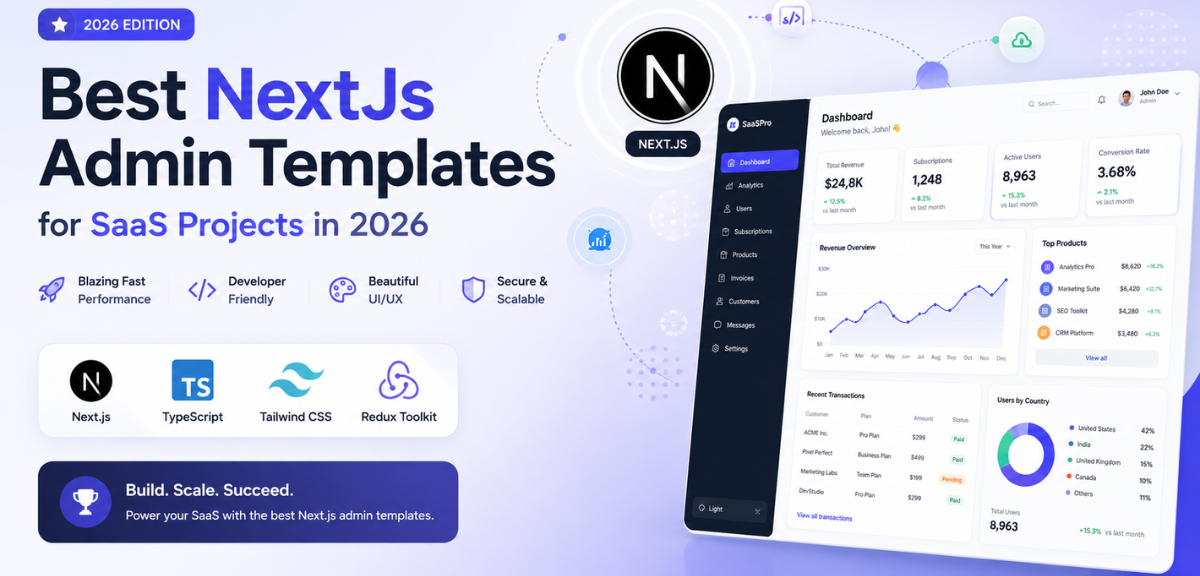
Next.js admin template cuts that timeline to hours, with routing, components, auth pages, and layout already in place before you write a single line of business logic.
This guide covers the best Next.js admin templates for SaaS projects in 2026, spanning free and premium options, so you can pick the right one and ship faster. Each template listed here is real, production-tested, and built on modern tooling. By the end, you will know which one fits your use case, what to check before downloading, and how to avoid the mistakes most teams make when choosing a dashboard template.
You can browse the full collection of admin dashboard templates to compare options by framework, price, and use case.
What Is a Next.js Admin Template?
A Next.js admin template is a pre-built dashboard UI built on the Next.js framework. It gives developers a ready-made layout, component library, and routing structure so they can skip setup and start building features from day one.
Instead of spending the first two weeks of a sprint setting up navigation, authentication flows, and data tables, you start with those already done. Your team focuses on the product logic that actually differentiates your SaaS, not the scaffolding underneath it.
Common use cases include:
- SaaS dashboards with multi-tenant data views
- Analytics panels for tracking KPIs and business metrics
- CRM backends with user management and activity logs
- Internal tools for operations, support, and finance teams
- eCommerce admin panels with order and inventory management
Why Next.js for SaaS Dashboards?
Next.js has become the standard choice for SaaS dashboard development. Here is why teams keep picking it over plain React or other frameworks:
Server-Side Rendering (SSR). Data loads on the server before it reaches the browser. That means a faster initial paint and better SEO for any public-facing panel pages. For SaaS products where the dashboard is part of the logged-in experience, SSR also means data is ready the moment the page appears, not after.
Automatic code splitting. Next.js splits your code by page automatically. Users only download what the current page needs. The dashboard stays fast even as the codebase grows to dozens of views and hundreds of components.
File-based routing. New pages map directly to files. Adding a new section to your admin does not require touching a router config or registering a route manually. This saves meaningful time on growing SaaS products where new dashboard sections ship every sprint.
Built-in API routes. Backend endpoints live inside the same project. For lightweight operations like form submissions, user settings, or webhook handlers, there is no need to spin up a separate server.
TypeScript support out of the box. Next.js has first-class TypeScript integration. Type errors are caught at compile time, which matters in production dashboards where data shapes change often and bugs in the admin panel can affect paying customers directly.
App Router architecture. From Next.js 13 onward, the App Router supports React Server Components, nested layouts, and streaming, giving SaaS dashboards a significant performance advantage over older setups.
According to the Next.js documentation, the framework supports static generation, server-side rendering, and client-side rendering in the same project, which is exactly the flexibility complex SaaS dashboards need.
Best Next.js Admin Templates for SaaS in 2026
The templates below are the strongest options available for SaaS projects this year. Each entry covers the tech stack, key features, pricing, and the ideal use case.
1. TailAdmin: Best Overall Next.js Admin Template
Pricing: Free Tech Stack: Next.js 16, Tailwind CSS 4, React 19, TypeScript
TailAdmin is the strongest all-round pick for SaaS teams in 2026. It ships with 500+ dashboard UI elements, 7 dashboard variations (SaaS, Stock, Analytics, eCommerce, Marketing, CRM), and support for Next.js 16 alongside Angular, Vue, React, HTML, Laravel, and Figma. The free version alone gives you 30+ components and a working TypeScript dashboard.
Key features:
- 7 unique dashboard variations in the Pro version
- 120+ dashboard UI components and 500+ total UI elements
- Collapsible sidebar, chat screens, and advanced data visualisation
- Full Figma design source included
- Supports Next.js 16, Tailwind CSS 4, React 19, TypeScript
Free version includes: 1 dashboard, 30+ components, 50+ UI elements, TypeScript support, Figma sample
Best for: SaaS teams that need a complete Next.js admin template covering multiple dashboard types, with the option to start free and upgrade when the product scales.
2. NextAdmin: Best Free Next.js Dashboard Template
Pricing: Free Tech Stack: Next.js 16, Tailwind CSS, TypeScript, React 19, PostgreSQL (Prisma ORM), NextAuth, Algolia
NextAdmin is a free and open-source Next.js admin dashboard template built for efficiency and flexibility. It ships with 200+ UI components, multiple dashboard templates, and seamless integrations, making it one of the most complete free options available. The inclusion of NextAuth for authentication and Algolia for search sets it apart from most free starters.
Key features:
- 200+ UI components built for modern, responsive admin panels
- NextAuth integrated for authentication out of the box
- Algolia search integration ready to connect
- PostgreSQL with Prisma ORM for the data layer
- Built on Next.js 16 and React 19
Best for: Developers who want a genuine Next.js template free option with authentication and search already wired in, not just a UI shell.
3. Modernize: Best for Material UI Dashboards
Pricing: Free Tech Stack: Next.js 16, Material UI, TypeScript, React 19
Modernize combines Material UI with Next.js16 and TypeScript in a free, fully open-source package. It is one of the most actively maintained free Next.js admin templates, built specifically for modern web development. The Material UI foundation gives it a familiar, polished look that works well for enterprise-adjacent SaaS products.
Key features:
- Built on Material UI with full TypeScript support
- Next.js 16 and React 19 for modern performance
- Clean, component-rich layout suitable for data-heavy dashboards
- Completely free with no feature restrictions
Best for: Teams building SaaS dashboards with a Material Design aesthetic, or those migrating from a Material UI project who want a familiar starting point.
4. Horizon UI: Best for Chakra UI Dashboards
Pricing: Free Tech Stack: Chakra UI, Next.js 15, React 19, TypeScript, ApexCharts, Framer Motion
Horizon UI is an open-source admin template that uses Chakra UI alongside Next.js 15 and React 19. It is packed with design blocks, fully coded pages, and modern UI elements. The Framer Motion integration adds smooth transitions that give the dashboard a polished, premium feel without extra configuration.
Key features:
- Chakra UI component library with extensive customisation options
- ApexCharts for data visualisation, pre-integrated
- Framer Motion for animations and transitions
- Fully coded pages with a strong focus on visual design
- Next.js 15 and React 19 for up-to-date performance
Best for: Product teams building analytics dashboards or SaaS platforms where visual polish and smooth UI interactions matter as much as data density.
5. Monster Next.js : Best Premium Template for SaaS
Pricing: Premium Tech Stack: Next.js 15, React 19, Axios, Redux Toolkit, Sass, Firebase, JavaScript
Monster Next.js Admin is a premium dashboard template built on Next.js 15 and React 19, designed specifically for complex web applications. The Firebase integration makes it a strong choice for SaaS products already using Google’s backend stack. Redux Toolkit is included for state management across large data sets, which becomes important as admin panels grow in complexity.
Key features:
- Next.js 15 and React 19 with Redux Toolkit for state management
- Firebase integration ready to connect to Firestore or Authentication
- SEO-friendly architecture built in
- Multiple ready-to-use components and dashboard layouts
- Sass for flexible theming and custom styling
Best for: SaaS teams that need a premium Next.js admin template with Firebase backend integration and robust state management for complex, data-heavy dashboards.
6. DashCode: Best for Multi-Dashboard SaaS Products
Pricing: Premium Tech Stack: Next.js14, React 18, Tailwind CSS, JavaScript, Sass
DashCode is described as one of the most powerful premium Next.js dashboard templates available, covering analytics dashboards, project management views, eCommerce dashboards, CRM systems, and banking applications all in one package. For SaaS products that need multiple dashboard types for different user roles, this is the most practical premium option.
Key features:
- Multiple dashboard types: analytics, project management, eCommerce, CRM, banking
- Built on Next.js 14 with Tailwind CSS and Sass
- Highly customisable themes, layouts, and components
- Developer-friendly codebase designed for fast iteration
- Extensive page and component library
Best for: Product teams building a Next.js SaaS dashboard that needs to serve different user roles with distinct dashboard views, without building each view from scratch.
7. Ample Next.js Admin: Best Bootstrap-Based Dashboard
Pricing: Premium Tech Stack: Next.js15, App Router, React 19, Bootstrap 5, Redux Toolkit, JavaScript, Feather Icons
Ample Next.js Admin uses the Next.js15 App Router alongside Bootstrap 5 and Redux Toolkit. For teams familiar with Bootstrap who want to move to Next.js without abandoning a component system they know, this is the cleanest path. The colour scheme options and variety of page templates make it one of the more visually flexible premium options.
Key features:
- Next.js 15 App Router with Bootstrap 5
- Redux Toolkit for predictable state management
- Multiple colour schemes and dashboard variations
- Wide range of page templates, components, and UI elements
- Feather Icons included throughout
Best for: Development teams coming from Bootstrap-based projects who want a production-ready Next.js dashboard template without learning a new component system.
8. Vercel Next.js 15 Admin Template: Best for Auth-Ready Dashboards
Pricing: Free Tech Stack: Next.js 15, TypeScript, Auth.js, PlanetScale, Tailwind CSS
This template was officially built by the Vercel team as a reference implementation using the Next.js App Router. It comes pre-connected to Auth.js (formerly NextAuth) and PlanetScale for the database layer. For teams deploying on Vercel who want an opinionated, production-ready starting point from the framework creators themselves, this is the most trustworthy free option.
Key features:
- Officially built by Vercel using the Next.js App Router
- Auth.js integrated for secure, session-based authentication
- PlanetScale database connection configured out of the box
- Tailwind CSS for styling with TypeScript throughout
- Designed as a reference implementation for production dashboards
Best for: SaaS teams deploying on Vercel who want a Next.js admin template free option with authentication already wired in and maintained by the framework team.
Quick Comparison: All Templates at a Glance
| Template | Free / Paid | Auth Support | UI Library | Best For |
|---|---|---|---|---|
| TailAdmin | Freemium | NextAuth | Tailwind CSS | Full-featured SaaS dashboards |
| NextAdmin | Freemium | NextAuth + Algolia | Tailwind CSS | Feature-rich free dashboards |
| Modernize | Free | Custom | Material UI | Material design SaaS |
| Horizon UI | Freemium | Custom | Chakra UI | Visually polished analytics |
| Monster Next.js | Premium | Firebase Auth | Sass + Redux | Firebase-backed SaaS |
| DashCode | Premium | Custom | Tailwind + Sass | Multi-role SaaS products |
| Ample Next.js | Premium | Custom | Bootstrap 5 | Bootstrap-familiar teams |
| Vercel Template | Free | Auth.js | Tailwind CSS | Auth-ready Vercel deployments |
How to Choose the Right Next.js Admin Template for Your SaaS?
Five things to check before committing to a template:
1. UI component library. Templates built on Tailwind CSS, Material UI, Chakra UI, or Bootstrap each have a different visual language and different community support. Pick one your team already knows or is prepared to adopt. Switching component libraries after building twenty pages is painful and expensive.
2. Authentication support. Check whether the template ships with pre-built auth flows for NextAuth, Auth.js, Clerk, or Firebase Auth. Retrofitting authentication into an existing layout wastes time and often requires reworking the navigation and protected route logic from scratch.
3. Framework version. Confirm the template targets Next.js 14 or higher with App Router support. The Pages Router is legacy at this point. Templates still on Next.js 12 or 13 with Pages Router will cause problems as the framework moves forward. Check when the repository was last updated.
4. Responsive layout quality. Test the template at 375px and 1440px before committing. Admin dashboards increasingly get used on tablets by field teams and on phones by executives checking key numbers. A mobile-first approach prevents redesign work later that nobody budgeted for.
5. Free vs premium depth. Free templates like TailAdmin, NextAdmin, and the Vercel template give you a solid working foundation. Premium templates add multi-dashboard types, more component depth, and more polished page sets. If your SaaS needs multiple distinct dashboard views for different user roles, the cost of a premium template is almost always less than the time it takes to build that depth from a free starter.
All admin dashboard templates are reviewed for quality and framework compatibility. That saves you the time of sorting through dozens of community projects that look good in screenshots but fall apart in production.
Key Features Every SaaS Admin Dashboard Needs
A production-ready Next.js admin template should cover these essentials. If a template is missing more than two, it will need significant custom work before it is ready for real users:
- Analytics charts and data visualisations (bar, line, area chart types at minimum)
- Sortable, filterable, and paginated data tables
- Role-based access control with at least admin and viewer roles
- Notifications and alerts panel with unread state management
- Fully responsive layout across mobile, tablet, and desktop
- Light and dark mode with theme switching support
- API-ready data structure for REST or GraphQL endpoints
- Pre-built authentication and onboarding flows
These are not optional extras. SaaS users expect them, and adding them after launch is always more expensive than choosing a template that ships with them from the start.
Why Teams Choose MyCreativeTemplates?
MyCreativeTemplates is built for teams that move fast. Every template ships ready to use, with no rebuilding from scratch and no missing features discovered mid-sprint.
- Production-ready components and layouts included from day one
- Works for solo developers and growing product teams alike
- Consistent, clean foundation that cuts setup time significantly
- No extra configuration needed to get started
Pick a template, plug it in, and start shipping.
Conclusion
Picking the right Next.js admin template is one of the fastest ways to cut weeks off a SaaS build. TailAdmin suits most teams as an all-round pick. NextAdmin and the Vercel template are the strongest free options for teams that need auth wired in from day one. Monster NextJs and DashCode work best for SaaS products with complex, multi-view dashboard requirements.
- Want fastest free setup → NextAdmin
- Want auth wired in from day one → Vercel template
- Want a polished SaaS dashboard → TailAdmin
- Want complex, multi-view dashboards → Monster Next.js or DashCode
The comparison table above is the fastest way to narrow down the right fit. Start there, match the tech stack to what your team already uses, and check the framework version before committing.
Frequently Asked Questions
What is a Next.js admin dashboard template?
A Next.js admin dashboard template is a pre-built UI kit that provides the layout, components, and routing structure needed to build a web application backend or internal tool. It is built on Next.js , so developers get server-side rendering, fast file-based routing, and TypeScript support without additional configuration.
Why is Next.js good for SaaS applications?
Next.js combines server-side rendering with a flexible client-side layer, making it fast for data-heavy dashboards and straightforward to deploy on platforms like Vercel. Its file-based routing and built-in API routes reduce the amount of external tooling a SaaS team needs to maintain.
Are there free Next.js admin templates available?
Yes. Templates like TailAdmin, NextAdmin, Modernize, and the official Vercel template are all free options with full source code. These are genuine free options, not feature-limited trials. They include responsive layouts, TypeScript support, and enough components to build a working SaaS dashboard without spending anything.
Which Next.js template is best for SaaS projects?
TailAdmin is the strongest all-round pick for most SaaS teams because it covers multiple dashboard types and has active maintenance. For teams on Firebase, Monster Next.js is the better fit. For teams who want the most trustworthy auth-ready free option, the Vercel-built template is hard to beat. Match the template to your stack rather than picking on design alone.
Do Next.js templates support authentication?
Most do. NextAdmin ships with NextAuth, the Vercel template uses Auth.js, Monster Next.js integrates Firebase Authentication, and TailAdmin supports NextAuth in its pro version. Always verify what auth provider a template supports before downloading, especially if you are already using a specific identity provider in your backend.
Can I use Next.js templates for commercial SaaS products?
Yes. Free templates like TailAdmin and NextAdmin ship under open-source licences that permit commercial use. Premium templates include a commercial licence with purchase. Check the specific licence on each template page before using it in a client or commercial project.
What features should a SaaS dashboard template include?
A production-grade SaaS dashboard needs analytics charts and KPI cards, sortable data tables, role-based access control, a notifications panel, responsive layout, light and dark mode support, an API-ready data structure, and pre-built authentication flows. If a template is missing several of these, the cost of building them yourself will exceed the price of a premium template that already includes them.