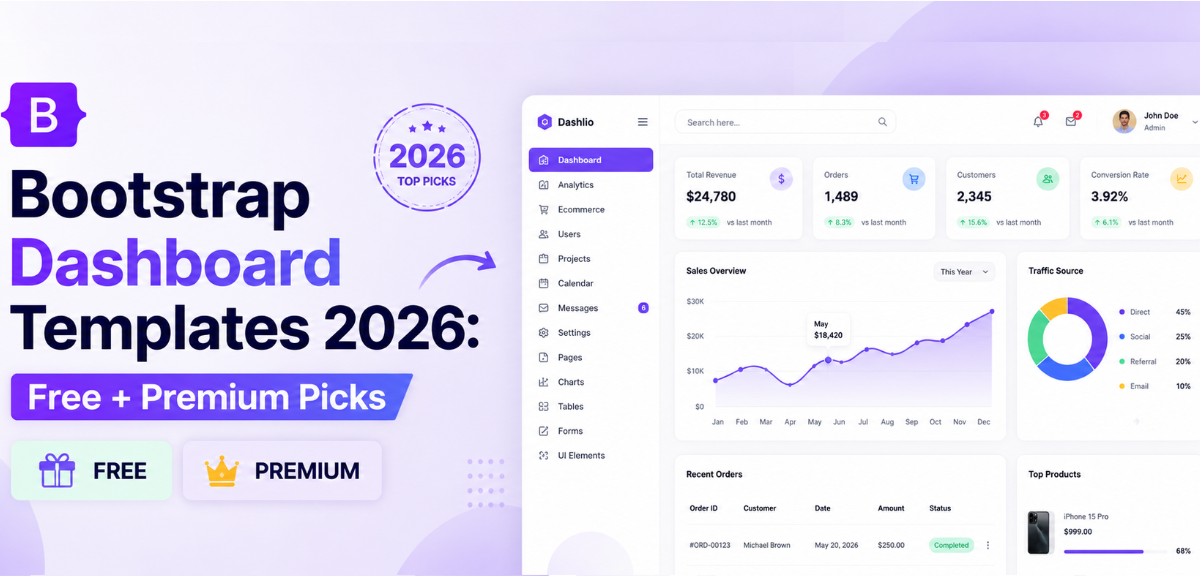
Building an admin UI from scratch wastes days of work. A good bootstrap dashboard template gives you a fully structured, responsive interface with charts, tables, navigation, and UI components ready to wire up from day one.
This guide covers the best free and premium bootstrap dashboard template options for 2026, with clear notes on what each one is good for so you can pick one and ship faster.
What is a bootstrap dashboard template?
It’s a pre-built, responsive admin interface built on the Bootstrap framework. It ships with navigation, charts, tables, and UI components ready to use. Browse our full collection of Bootstrap admin dashboard templates to find the right fit for your project.
Quick Picks
| Use Case | Best Template | Stack |
|---|---|---|
| Best overall free | AdminLTE | Bootstrap 5 |
| Best modern design | Tabler | Bootstrap 5 |
| Best enterprise free | CoreUI Free | Bootstrap 5 |
| Best lightweight | SB Admin 2 | Bootstrap 5 |
| Best feature-rich | Gentelella | Bootstrap 5 |
| Best premium pick | Metronic | Bootstrap 5 + Multi-framework |
What Is a Bootstrap Dashboard Template?
A Bootstrap dashboard template is a pre-built frontend UI for admin panels, SaaS back offices, CRM tools, and internal tools. It comes with a sidebar navigation, responsive grid layout, data tables, chart components, and a full library of UI elements, styled and structured so you don’t have to build from zero.
Bootstrap handles the grid system and component library. The template layers on top with a working layout, color scheme, and component set. A solid template typically saves 40 to 80 hours of frontend setup time on a typical project.
For a reference point on what a mature, production-ready template looks like in practice, the AdminLTE blog covers what the framework ships with in detail.
Why Use Bootstrap for Dashboards?
Bootstrap 5 is actively maintained, well-documented, and backed by a large community. For dashboard projects, that means you can find answers quickly and rely on stable components across releases.
The pre-built component library covers around 90% of admin UI needs: modals, dropdowns, cards, badges, navbars, forms, tables, and alerts. You’re not patching together a dozen libraries to get a working interface.
Bootstrap 5 dropped the jQuery dependency, which means leaner builds and cleaner integration with modern JavaScript. It works with Angular admin templates, React, and Vue wrapper libraries.
The ecosystem is large. Plugins, themes, open-source templates, and community extensions are easy to find. For dashboard work specifically, Bootstrap has the widest template ecosystem of any CSS framework. Browse the full admin dashboard template collection to see what’s available.
Key Features of a Good Bootstrap Dashboard Template
Not all templates are worth building on. These are the features that separate a solid foundation from one that creates problems six months into a project.
Responsive Layout
Admin tools get used on tablets and smaller screens more than most developers expect. A good template handles this properly from the start, not as an afterthought.
- Built on Bootstrap 5’s grid system with tested breakpoints across all screen sizes
- Sidebar navigation that collapses cleanly on mobile without breaking the layout
- Tables, charts, and cards that reflow correctly rather than overflowing or truncating
Chart Integration
Most dashboards exist to display data, so chart support has to be built in. If the template doesn’t ship with Chart.js or ApexCharts already configured, you’re doing that integration yourself before you even start on actual features.
- Multiple chart types included out of the box: bar, line, donut, and area at minimum
- Charts should work with the template’s color scheme without manual overrides
- No separate library install or configuration required to get a working chart on screen
Dark Mode
Dark mode is a baseline expectation in 2026, not a premium feature. The right implementation uses CSS variables and a native toggle built into the template itself, not a third-party plugin added on top.
- Switches cleanly without breaking chart colors, table borders, or card contrast
- Consistent across every component, not just the main layout
- Should require a single class or attribute change, not a full stylesheet swap
Authentication Pages
Login, register, forgot password, and two-factor authentication screens are part of almost every project. A template that includes them saves meaningful setup time before you write a single line of backend code.
- Pages should match the template’s design system exactly, not look like they were added separately
- Lockscreen, 404, and 500 error pages are worth checking for too
- Form validation states and error messages should be included, not left to build manually
Component Library Quality
The best templates maintain their own component library rather than stitching together a collection of third-party packages. Third-party dependencies go unmaintained, create version conflicts, and introduce inconsistencies across the UI.
- Consistent design language across every component, not just the featured demo pages
- Accessible markup that meets WCAG standards out of the box
- Clean, commented HTML and CSS throughout the codebase, not just in the showcase files
- Modular structure so you can remove components you do not need without breaking others
Framework Compatibility
Confirm the template works with your stack before committing to it. Angular, React, and Vue versions should be native framework builds, not HTML templates with a framework label attached.
- Bootstrap 5.3 or above with no jQuery dependency
- Modern build tooling such as Vite or Webpack 5
- TypeScript support if your team uses it
Active Maintenance
A template that has not been updated in over a year will accumulate security issues, compatibility problems, and broken dependencies. This is worth checking before anything else.
- Look at the GitHub commit history and confirm recent activity within the last three months
- Check the issue tracker to see how quickly bug reports get a response
- Templates maintained by a company rather than a solo developer tend to have more reliable update cycles
Best Bootstrap Dashboard Examples & Templates in 2026
These are the top picks for 2026, covering the strongest free options and the best premium choices. Browse the full list of admin dashboard templates to compare more options.
1. AdminLTE
AdminLTE is the most widely used open-source bootstrap admin template, with over 43,800 GitHub stars. It runs on Bootstrap 5 and ships with a full set of UI components, multiple page layouts, charts, form elements, and authentication screens. The codebase is clean, well-commented, and straightforward to extend.
Why use it:
- Largest community of any free Bootstrap admin template, which means fast answers and plenty of third-party extensions
- Ships with ready-made pages for login, registration, lockscreen, 404, and 500 errors
- Full set of widgets and components covering most admin panel needs
Best for: General admin panels, internal tools, and projects that benefit from a large community and long-term maintainability.
Stack: Bootstrap 5 | License: Free (MIT) | Stars: 43.8k | Download on GitHub
2. Tabler
Tabler is the most design-forward free Bootstrap dashboard available in 2026. It runs on Bootstrap 5 and delivers a clean, modern interface that doesn’t look like a typical admin template. Over 38,200 GitHub stars confirm it has traction well beyond developers who just want something functional.
Why use it:
- Modern, clean design that’s immediately production-ready without customisation
- Dark mode built in as a CSS toggle, no plugin required
- Comprehensive icon set and large component library
Best for: SaaS products and tools where the admin panel is user-facing and design quality matters.
Stack: Bootstrap 5 | License: Free (MIT) | Stars: 38.2k | View on GitHub
3. CoreUI Free
CoreUI Free is built by the CoreUI team, who also produce one of the most widely downloaded Bootstrap component libraries. The free version is production-ready and covers the core needs of most admin projects. The CoreUI blog covers what each version includes in detail.
Why use it:
- Built by a team focused on UI systems, so component quality is high
- Ships with dark mode, multiple layout options, and chart integration
- React, Angular, and Vue versions available. Browse free Bootstrap admin templates for framework-native builds
Best for: Enterprise projects and teams that want a well-supported free base with a clear upgrade path to PRO.
Stack: Bootstrap 5 | License: Free (MIT) | Stars: 12k | Download at CoreUI
4. Gentelella
Gentelella has over 21,000 GitHub stars and a proven track record across a wide range of project types. It includes a large variety of widgets, chart types, and UI elements, which makes it a solid pick for data-heavy dashboards.
Why use it:
- Large library of widgets, form elements, and UI components out of the box
- Multiple chart libraries included, covering most data visualisation needs
- Strong community with plenty of forks and customisations available
Best for: Data-heavy dashboards and analytics panels where you need a wide variety of chart and table components.
Stack: Bootstrap 5 | License: Free (MIT) | Stars: 21k | Download on GitHub
5. SB Admin 2
SB Admin 2 is a lightweight, beginner-friendly bootstrap admin panel template from Start Bootstrap. With 9,700 GitHub stars, it’s a reliable starting point for smaller projects or teams that want a simple, well-structured base without much complexity layered in.
Why use it:
- Clean, minimal codebase that’s fast to learn and easy to extend
- Good for prototypes and MVPs where speed of setup matters more than feature depth
- Well-documented and maintained by the Start Bootstrap team
Best for: Beginners, prototypes, and smaller admin panels that don’t need a full component library.
Stack: Bootstrap 5 | License: Free (MIT) | Stars: 9.7k | Download at Start Bootstrap
6. Adminator
Adminator is a clean, flat-design bootstrap admin dashboard with around 5,000 GitHub stars. It’s a good pick when you want something lightweight and easy to work with, without the feature overhead of larger templates.
Why use it:
- Flat, clean design that’s easy to rebrand with minimal CSS work
- Covers core components without the complexity of larger templates
- Good starting base for teams that want to build up rather than trim down
Best for: Small admin panels and internal tools where simplicity is the priority.
Stack: Bootstrap 5 | License: Free (MIT) | Stars: 5k | Download on GitHub
7. Metronic
Metronic has sold over 117,000 copies on ThemeForest and supports Bootstrap 5 alongside React, Angular, Vue, and Django. The component library is comprehensive, the design is polished, and the bundle includes dozens of pre-built application pages for SaaS products, CRMs, e-commerce back offices, and more.
Why use it:
- Largest template bundle available, covering SaaS, CRM, ecommerce, and analytics app layouts
- Full dark mode, multiple color themes, and RTL support included
- Regular updates and priority support included with purchase
Best for: Production SaaS products and client-facing admin panels where design quality and long-term support matter.
Stack: Bootstrap 5 + Multi-framework | License: Premium ($49) | Sales: 117k+ | View on ThemeForest
8. CoreUI PRO
CoreUI PRO extends the free version with a full UI kit, additional application pages, extended chart options, and priority support. It has recorded over 55 million downloads across its free and paid tiers.
Why use it:
- Extends the free version with a complete UI kit and full application pages
- React, Angular, and Vue versions included at no extra cost
- Enterprise-grade support and regular release cycle
Best for: Enterprise teams building SaaS products or large-scale internal tools that need a robust, maintainable foundation.
Stack: Bootstrap 5 | License: Premium ($79) | Downloads: 55M+ | View at CoreUI
Summary of Popular Choices
The table below covers the most common decision points at a glance.
| Template | Free/Paid | Dark Mode | Charts | Auth Pages | Best For |
|---|---|---|---|---|---|
| AdminLTE | Free | Yes | Yes | Yes | General admin |
| Tabler | Free | Yes | Yes | Yes | Modern design |
| CoreUI Free | Free | Yes | Yes | Yes | Enterprise |
| SB Admin 2 | Free | No | Yes | No | Beginners |
| Gentelella | Free | No | Yes | No | Feature-rich |
| Metronic | Premium | Yes | Yes | Yes | Production SaaS |
| CoreUI PRO | Premium | Yes | Yes | Yes | Enterprise teams |
For most new projects, AdminLTE or Tabler covers the majority of needs. Teams building production SaaS products should look at Metronic or CoreUI PRO for the additional components and support.
Free vs Premium Bootstrap Dashboard Templates
Choosing between free and premium depends on your project’s complexity, timeline, and commercial requirements.
| Free Templates | Premium Templates | |
|---|---|---|
| Price | Free | Paid (one-time or subscription) |
| Source code | Full HTML/CSS/JS | Full code + extended components |
| Commercial use | Check license per template | Included with purchase |
| Components | Core UI components | Full UI kit + app pages |
| Updates | Varies | Regular updates included |
| Support | Community / GitHub | Priority support |
| Best for | MVPs, prototypes, learning | Production SaaS, client work |
Free templates like AdminLTE and CoreUI Free are solid for most projects. If you’re building for a paying client or a production SaaS product, the investment in a premium admin template pays off through saved development time and access to a wider component library.
Always check the LICENSE file on free templates before commercial use. Most use MIT licensing, but it’s worth confirming before you ship.
How to Choose the Right Bootstrap Dashboard Template
Use this checklist before committing to a template. For a deeper breakdown of every evaluation factor, the CoreUI guide on choosing a Bootstrap admin template is a thorough reference.
- Match to your framework: Bootstrap 5 is the right choice for most new projects in 2026
- Check that charts and data tables are included, not a separate install
- Confirm dark mode is built in if your product requires it
- Verify authentication pages (login, register, forgot password) are in the bundle
- Check the LICENSE file for commercial use rights before starting
- Test the live demo on mobile to confirm responsive behaviour is solid
- Review the HTML and CSS structure to confirm the code is clean and commented
For broader frontend needs beyond admin panels, Bootstrap website templates cover landing pages, marketing sites, and product pages built on the same framework.
Find the Right Template for Your Project
AdminLTE and Tabler lead the free tier. CoreUI PRO and Metronic lead on the premium side. The right pick depends on your timeline, team, and what you’re building.
Browse free and premium Bootstrap admin templates at MyCreativeTemplates for curated, tested options across every use case.
Frequently Asked Questions
What is a Bootstrap dashboard template?
A Bootstrap dashboard template is a pre-built, responsive admin UI built on the Bootstrap framework. It includes navigation, charts, data tables, form components, and a grid layout, ready to connect to your backend without building the frontend from scratch.
Are Bootstrap dashboard templates free to use?
Many are MIT-licensed and free for commercial use. AdminLTE, Tabler, CoreUI Free, Gentelella, SB Admin 2, and Adminator all use MIT licensing. Always check the LICENSE file before using a template in a commercial project.
Which is the best bootstrap admin template in 2026?
AdminLTE is the best all-around choice for most projects. CoreUI Free is the strongest option for enterprise use. Tabler is the pick if modern design quality is a priority. For production SaaS, Metronic is the leading premium option.
Can I use Bootstrap dashboards for SaaS projects?
Yes. CoreUI PRO and Metronic are built for SaaS back offices and include pre-built application pages for CRM, analytics, user management, and billing. CoreUI Free works well as a starting point for smaller SaaS projects.
What features should a dashboard template include?
A solid bootstrap admin panel template should include responsive layout, chart integration (Chart.js or ApexCharts), dark mode, authentication pages, data tables, and clean commented code. Cross-browser support and framework compatibility are worth checking for team projects.
Is Bootstrap still good for dashboards in 2026?
Yes. Bootstrap 5 is actively maintained, has the largest admin template ecosystem of any CSS framework, and works across every major browser. The community is large, documentation is thorough, and the component library covers most dashboard UI needs. A free Bootstrap 5 admin template like AdminLTE or Tabler proves the framework is still a practical first choice.
How do I customise a Bootstrap dashboard template?
Update CSS variables for brand colors and typography, swap in your logo, and adjust the sidebar links and structure. Most templates use clear variable naming in a root CSS file. For deeper changes, the component HTML is structured to make layout adjustments straightforward without touching the whole codebase.
Do Bootstrap templates include backend functionality?
No. Bootstrap dashboard templates are frontend only. They provide the HTML, CSS, and JavaScript for the interface. You connect to your backend separately, whether that’s Node.js, Laravel, Django, PHP, or another stack.