
You want Bootstrap’s responsive grid and ready-made components inside your React project. Straightforward enough. But the moment you search how to do it, you hit three different approaches, half a dozen Stack Overflow threads, and conflicting advice on whether you even need React-Bootstrap at all.
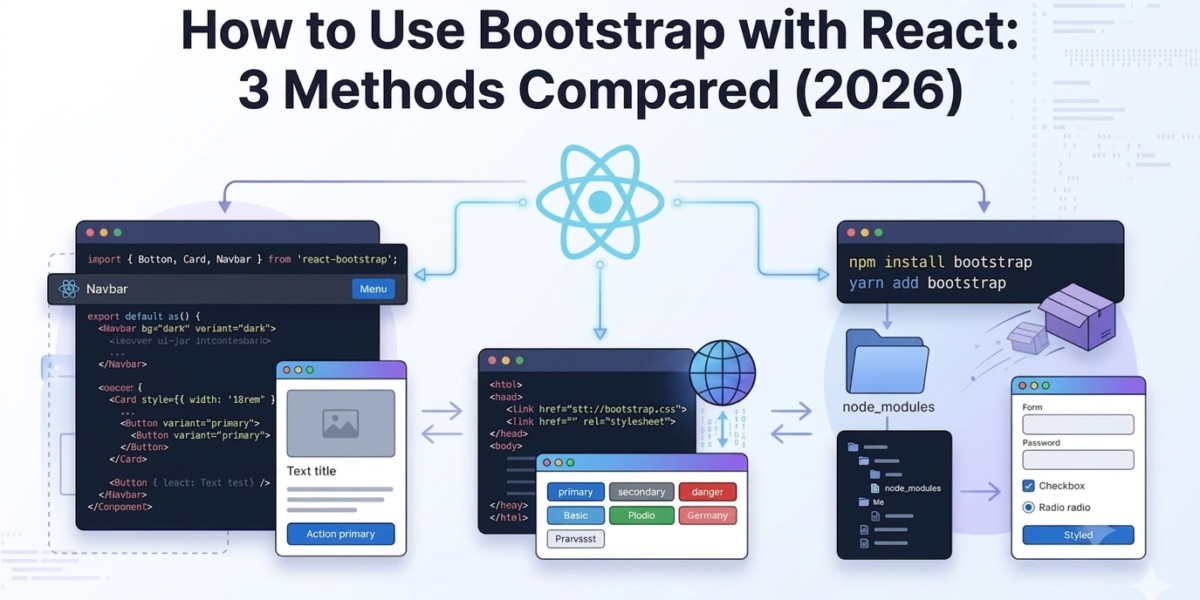
This guide cuts through that. There are three ways to use react bootstrap in a React project: add it via CDN, install it with npm, or use the React-Bootstrap library. Each one suits a different situation. We will cover all three with step-by-step instructions, then compare them in a table so you can pick the right one for your project.
What is Bootstrap and React?
Bootstrap:
Bootstrap is the most widely used open-source CSS framework for building responsive websites. It gives you a 12-column grid, a set of pre-styled HTML/CSS/JS components, and enough utility classes to build a full layout without writing a line of custom CSS. Bootstrap 5 is the current version, and it dropped jQuery entirely, which matters a lot for how it works inside React.
- Bootstrap was built to solve a real problem: developers spending hours writing repetitive CSS for buttons, navbars, modals, and grid layouts that look different across browsers.
- The framework standardizes all of that. You get consistent, tested components out of the box, and you only write custom CSS for the parts that genuinely need it.
React:
React is an open-source JavaScript library from Meta for building component-based user interfaces. You break your UI into reusable components, each managing its own state and props, and React handles updating the DOM efficiently when data changes. React 18 is the current version, with updates to concurrent rendering that make complex UIs smoother.
- React does not have opinions about styling. It gives you the rendering architecture and leaves visual decisions to you, which is exactly why pairing it with Bootstrap makes sense.
- The two complement each other cleanly: Bootstrap handles how things look, React handles how things behave.
- React gives you the component architecture and state management.
React Bootstrap is a front-end library that replaces Bootstrap’s jQuery-dependent JavaScript with native React components, giving developers Bootstrap’s design system without any jQuery dependency. This is different from simply using Bootstrap CSS classes inside a React app.
That last distinction matters and trips people up, so we will come back to it when we cover the React-Bootstrap library in Method 3.
Why Use Bootstrap with React?
The main reason developers reach for Bootstrap in a React project is speed. You get a complete design system on day one, and the components are production-ready without extra work. Here is what that looks like in practice:
• Rich component library: buttons, navbars, forms, modals, carousels, cards, alerts. All styled, all responsive, all ready to drop in. You are not starting from an empty stylesheet.
• Responsive grid system: Bootstrap’s 12-column grid handles breakpoints across mobile, tablet, and desktop. You get consistent layouts without writing a single media query from scratch, and the breakpoint system is well-documented and predictable.
• Flexibility and customization: you can override any Bootstrap style with custom CSS, swap design tokens via Sass variables, or extend components as needed. Bootstrap’s defaults are a starting point, not a constraint.
• Active maintenance: Bootstrap 5 and the React-Bootstrap library are both actively maintained and widely used in production. You are not taking a bet on an abandoned project.
• Faster development: skipping hours of manual CSS work and cross-browser testing is the most practical benefit, especially on deadline-driven projects. Bootstrap’s components are already tested across major browsers.
• Smooth onboarding: if your team already knows Bootstrap, the ramp-up for a new React project is close to zero. The class names and component patterns carry over directly.
Bootstrap is still relevant in 2026. It remains the most downloaded front-end framework on npm, and its grid and component patterns are familiar to the majority of frontend developers. Choosing Bootstrap is a low-risk decision when team familiarity and time-to-production matter.
Different Ways to Use Bootstrap in React
There are three main approaches. Which one you use depends on whether you need a quick prototype, full Sass control, or a clean React-native component structure.
| Method | Best For | Pros | Cons |
| Bootstrap via CDN | Prototypes, demos | Zero install, up in 2 minutes | Full bundle loads, no tree-shaking |
| npm install bootstrap | Production projects with Sass | Full control, lightweight with purge | Manual JS wiring, needs Popper.js |
| React-Bootstrap library | React-first projects | Native React components, no jQuery | Extra dependency, slightly larger bundle |
| Reactstrap | Bootstrap 5 + React hooks | Hooks-ready API, clean integration | Smaller community, less documentation |
Method 1: Using Bootstrap via CDN
A CDN (Content Delivery Network) lets you load Bootstrap directly from a hosted URL, no install required. This is the fastest way to get Bootstrap into a React project. You add two tags to your HTML file and you are done.
- When to use it: prototypes, demos, learning projects, or anything where you want Bootstrap running in under two minutes without touching your package.json. It is also useful when you are testing whether Bootstrap fits a project before committing to a full install.
- The downside: the entire Bootstrap bundle loads on every page. There is no tree-shaking, so unused components still add to your load time. For a production app with performance requirements, this adds unnecessary weight. Use CDN to move fast early, then switch to npm when you are ready to ship.
Here is how to do it:
Open the public/index.html file in your React project (works with Create React App or Vite). Inside the <head> tag, add the Bootstrap CSS link:
<link rel=”stylesheet” href=”https://cdn.jsdelivr.net/npm/bootstrap@5.3.2/dist/css/bootstrap.min.css” integrity=”sha384-T3c6CoIi6uLrA9TneNEoa7RxnatzjcDSCmG1MXxSR1GAsXEV/Dwwykc2MPK8M2HN” crossorigin=”anonymous”>
Just before the closing </body> tag, add the Bootstrap JS bundle (includes Popper.js):
<script src=”https://cdn.jsdelivr.net/npm/bootstrap@5.3.2/dist/js/bootstrap.bundle.min.js” integrity=”sha384-C6RzsynM9kWDrMNeT87bh95OGNyZPhcTNXj1NW7RuBCsyN/o0jlpcV8Qyq46cDfL” crossorigin=”anonymous”></script>
That is it. Now you can use Bootstrap classes directly in your JSX. A responsive navbar, a grid layout, a modal: all of them are available with standard Bootstrap class names, same as you would use in plain HTML.
Get the latest CDN links directly from getbootstrap.com to make sure you are on the current Bootstrap 5 version.
Method 2: Installing Bootstrap via npm
This is the standard approach for production React projects. You install Bootstrap as a package, import only the CSS you need, and have full access to Sass variables for customization.
When to use it:
Any project where you want control over the bundle size, need Sass customization, or are building something that will go to production.
Step 1: Create your React project if you have not already.
npx create-react-app my-app
cd my-app
Step 2: Install Bootstrap.
npm install bootstrap
Step 3: Import the Bootstrap CSS in your src/index.js file. Add this line at the top, before anything else:
import ‘bootstrap/dist/css/bootstrap.css’;
That covers Bootstrap’s styles across your entire app. You can now use Bootstrap class names in any component’s JSX.
Step 4: If you need Bootstrap’s JavaScript components (dropdowns, modals, tooltips), you also need to import the JS. Bootstrap 5 uses Popper.js for positioning, so install that too:
npm install @popperjs/core
Then import Bootstrap’s JS in index.js:
import ‘bootstrap/dist/js/bootstrap.bundle.min.js’;
Step 5: Apply Bootstrap classes in your components. For example, a responsive container with a button:
<div className=”container”>
<button className=”btn btn-primary”>Get Started</button>
</div>
From here you can also import Bootstrap’s Sass files if you want to override variables like font sizes, breakpoints, and colors before Bootstrap compiles them. That gives you a genuinely customized design system rather than default Bootstrap.
Use ‘className’ instead of ‘class’ in JSX. React uses className to avoid conflicts with the JavaScript reserved word class.
Method 3: Using the React-Bootstrap Library
React-Bootstrap is a separate library that rebuilds Bootstrap’s UI components as native React components. Instead of using Bootstrap’s JavaScript to handle things like modal toggles or dropdown state, you get actual React components with props and state management built in.
This is important to understand because it is where most of the confusion about react bootstrap components comes from. Using Bootstrap CSS classes inside React (Methods 1 and 2) is different from using the React-Bootstrap library. With Methods 1 and 2, you are applying Bootstrap classes to HTML elements in your JSX. With React-Bootstrap, you are importing Bootstrap-styled React components and composing them like any other React component.
The practical difference shows up with interactive components. A Bootstrap modal in vanilla HTML needs JavaScript to open and close it. In React-Bootstrap, the same modal is a React component with a ‘show’ prop tied to state. You toggle state, React updates the modal. No event listeners, no DOM queries, no jQuery.
When to use it:
React-first projects where you want components that integrate cleanly with React state, hooks, and the component lifecycle. If you are building a component library, a dashboard, or anything with complex UI interactions, this is the cleanest option.
Step 1: Install React-Bootstrap and Bootstrap together. React-Bootstrap uses Bootstrap’s CSS for its styles, so you need both packages.
npm install react-bootstrap bootstrap
Step 2: Import Bootstrap’s CSS in src/index.js:
import ‘bootstrap/dist/css/bootstrap.min.css’;
Step 3: Import and use components in your JSX. You only import what you need:
import Button from ‘react-bootstrap/Button’;
import Modal from ‘react-bootstrap/Modal’;
import Navbar from ‘react-bootstrap/Navbar’;
function App() {
return (
<div>
<Button variant=”primary”>Click me</Button>
</div>
);
}
The components available through React-Bootstrap cover everything you would expect: Button, Modal, Navbar, Nav, Form, Card, Alert, Carousel, Tabs, Accordion, Dropdown, Spinner, and more. Each one accepts props that map to Bootstrap’s class-based options, so variant=”primary” maps to btn-primary, size=”lg” maps to btn-lg, and so on.
Full component documentation is at the React-Bootstrap official docs. Worth bookmarking.
Which Method Should You Use?
Here is the short version:
• Building a prototype or learning: use the CDN. It is the fastest setup, nothing to install, and you can delete it later when you are ready to do things properly. Good for when you just want to see Bootstrap working in a React component without a build step.
• Production project with custom styling: install Bootstrap via npm. You get Sass access, smaller bundle sizes when combined with PurgeCSS, and full control over what gets shipped. This is the right call for any project that needs a custom color palette or brand-specific spacing.
• React-first project with a component architecture: use React-Bootstrap. No jQuery dependency, components that work with React state and hooks, and a much cleaner way to manage interactive UI elements like modals, accordions, and dropdowns.
Most teams building serious React applications land on either npm install or React-Bootstrap. CDN is a shortcut that makes sense during prototyping and rarely anywhere else.
If you are weighing React-Bootstrap against Reactstrap, both are solid for Bootstrap 5 projects. React-Bootstrap has a larger community and more documentation. Reactstrap has a slightly leaner API. For most projects the difference is minor and either works.
Start Building
You now have three working methods to bring Bootstrap into a React project. CDN for quick setups, npm for production control, React-Bootstrap for a clean component architecture. Try the one that fits where your project is right now.
If the setup is not the part you want to spend time on, MyCreativeTemplates has site templates and admin dashboard templates with Bootstrap already configured inside a React structure.
Pick a template, plug it in, and start shipping.
FAQs About Using Bootstrap with React
Can Bootstrap be used with React?
Yes. Bootstrap works with React in multiple ways: you can add it via CDN, install it with npm and use its CSS classes in JSX, or use the React-Bootstrap library for native React components. All three approaches are valid depending on your project’s needs.
What is the best way to use Bootstrap in React?
For production projects, installing Bootstrap via npm gives you the most control. For React-native component architecture, React-Bootstrap is the cleanest option. CDN works for quick prototypes but is not recommended for production.
Is React-Bootstrap better than Bootstrap?
They solve different problems. Bootstrap gives you a CSS framework with class-based styling. React-Bootstrap gives you Bootstrap’s components rebuilt as React components. If your project is React-first and you need interactive components like modals and dropdowns to integrate cleanly with React state, React-Bootstrap is the better choice.
Do I need jQuery for Bootstrap in React?
No. Bootstrap 5 removed the jQuery dependency. If you use the React-Bootstrap library, it also has no jQuery dependency. jQuery is not required for any of the three methods covered in this guide.
Can I customize Bootstrap in React projects?
Yes. If you install Bootstrap via npm, you can import its Sass source files and override variables before Bootstrap compiles them. This lets you change default colors, font sizes, breakpoints, and spacing across the entire framework. CSS class overrides also work if you prefer not to use Sass.
Is Bootstrap still relevant with React in 2026?
Yes. Bootstrap 5 remains the most downloaded front-end CSS framework on npm and is actively maintained. It is widely used in production applications alongside React. If your team knows Bootstrap, there is no practical reason to replace it unless a different design system fits your project better.
How do I install Bootstrap in a React app?
Run npm install bootstrap in your project directory, then add import ‘bootstrap/dist/css/bootstrap.css’ at the top of your src/index.js file. After that, Bootstrap classes are available in all your components. See the full step-by-step walkthrough in the npm install section above.
What are alternatives to Bootstrap in React?
Tailwind CSS is the most popular alternative, using utility classes instead of pre-built components. Material UI (MUI) is a component library based on Google’s Material Design. Chakra UI focuses on accessible, composable components. Ant Design is popular for enterprise dashboards. Each has a different philosophy, so the right choice depends on your design requirements and team preferences.