


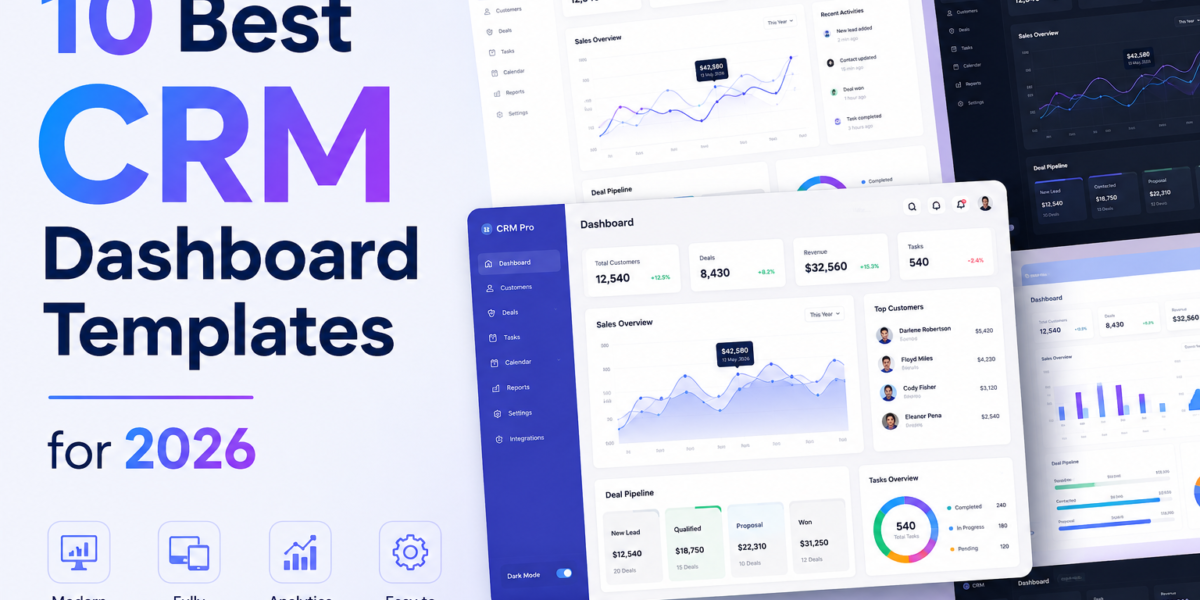
Most CRM products are not built from scratch. Building a pipeline view, contact management interface, deal analytics, and role-based navigation from the ground up takes two to four months of frontend work before a single line of business logic is written. That is a timeline most teams cannot afford, and it is why CRM dashboard templates have become a standard starting point for serious development work.
The catch is that not every template sold as a CRM admin template earns the label. Many are general-purpose admin panels with a pipeline screenshot in marketing. What distinguishes a real crm admin template is its specific features: Kanban deal boards, contact and company detail pages, lead tracking, revenue analytics, an email inbox UI, and auth flows, all built to production standards, not demo quality.
This guide reviews the best CRM admin dashboard templates available in 2026, evaluated across Bootstrap, React, Vue, Next.js, and open-source stacks. Every pick has been checked for tech stack accuracy, page depth, and suitability for production use. Free and premium options are included, with pricing verified at the time of writing.
What Is a CRM Dashboard Template?
A CRM dashboard template is a pre-built frontend interface designed specifically for customer relationship management applications. It provides development teams with a working structure that includes the pages, layout patterns, and components a CRM product needs from day one: pipeline boards, contact lists, deal-tracking views, analytics charts, and authentication flows.
The difference between a generic admin template and a genuine CRM admin panel template lies in intent and depth. A general admin template gives you a sidebar, some chart widgets, and a data table. A real CRM admin template includes Kanban deal stages, individual contact profiles with associated deals and notes, lead-scoring pages, revenue reporting by rep, an email inbox UI, and invoice management. These are the pages that take the longest to build and the ones most likely to block a release.
For developers, starting from a CRM-specific template compresses weeks of layout and architecture work into a setup day. For product teams, it means sales users get a working interface faster, and the development budget stays on features that actually differentiate the product.
Essential Features of a Modern CRM Dashboard
Before downloading any crm admin template, verify these features are actually present in the demo.
- Kanban Deal Pipeline
The pipeline is the core of any CRM interface. It needs stage-based columns with draggable deal cards showing value, owner, and close date, along with filtering by rep, stage, and date range. A static visual mockup is not a pipeline. Check that the board is interactive in the live demo before evaluating anything else about the template.
- Contact and Company Pages
A list view of contacts is not contact management. A production crm admin panel template needs individual contact detail pages with associated deals, communication history, tasks, notes, and tags. Company pages with linked contacts and hierarchy views separate a real CRM template from a styled table component.
- Lead Management
Lead pages with status tracking, source attribution, priority scoring, and stage progression are standard in 2026. If a template skips the lead management section entirely, the pipeline will lack context on where deals originated.
- Revenue Analytics and Reporting
Win rate, average deal size, pipeline value by stage, revenue by period, and sales rep performance charts should be ready to wire up. Templates that skip analytics force you to build the most data-intensive section from scratch, which is usually the section that takes the longest.
- Email Inbox UI
CRM users manage customer communication through email daily. A mail client UI, even a basic one, means the interface covers the full workflow rather than pushing users to a separate tool for every email thread. This is a detail most generic admin templates skip entirely.
- Authentication and Role Pages
Login, register, and password reset pages are table stakes. Templates that also include settings and profile pages with role configuration give teams a head start on user management, which is a common early requirement in any CRM build.
- Dark Mode and RTL Support
CRM teams operate across time zones and often in global markets. Dark mode is a daily usability concern for users who spend six to eight hours in the interface. RTL support matters the moment a client operates in Arabic-, Hebrew-, or Farsi-speaking markets. Both should be built in, not patched on later.
Best CRM Dashboard Templates Compared in 2026
The following templates have been selected based on CRM-specific readiness: pipeline depth, contact management coverage, analytics quality, and production-grade architecture. Framework details and pricing are verified as of May 2026.
1. Accountix: Best Purpose-Built Bootstrap CRM Admin Template
| Framework | Price | License | Best For |
| Bootstrap 5.3 + jQuery 3.7 + ApexCharts | $24 Regular / $99 Extended | Commercial | Teams building dedicated CRM systems, sales dashboards, and business management apps on any backend stack |
Accountix is built specifically for CRM from the ground up, and every page in the template reflects that focus.
The page coverage covers the full CRM workflow without gaps: a KPI dashboard with charts and analytics, a Contacts page for people management, a Companies directory, a Deals Pipeline with Kanban deal tracking, a Leads page with scoring and status, Tasks, a Calendar for event scheduling, an Email Inbox UI, Invoices for billing and payments, Products catalog, Reports with analytics and insights, Customers, Profile, Settings, Login, and Register. That is 17 pages, each designed with realistic data and consistent styling across all six layout variants.
Those six layouts are where Accountix earns its keep for teams working across different client requirements: Light Sidebar, Dark Sidebar, Horizontal Menu, RTL Direction, Dark Theme, and Collapsed Sidebar. Theme switching happens via a URL-based settings API, so previewing any layout combination is a parameter change, not a code rebuild. Dark and light modes switch without a page reload using CSS custom properties throughout.
The ApexCharts integration covers area, bar, donut, radial, and combo chart types. FullCalendar powers the scheduling page. SortableJS handles the Kanban board interactions. RTL support includes a dedicated stylesheet for Arabic, Hebrew, Farsi, and other right-to-left languages. The code is modular and well-documented with lifetime free updates included.
At $24 for a Regular License covering a single project, Accountix is the most complete purpose-built Bootstrap CRM template available at that price point. Teams building a SaaS CRM with multiple deployments should consider the $99 Extended License.
2. Twenty: Best Open-Source CRM Dashboard Template
| Framework | Price | License | Best For |
| React 19 + NestJS + PostgreSQL + Redis + GraphQL | Free (self-hosted) | AGPL-3.0 | Teams wanting a complete self-hosted CRM that they own and can customize at the data model level |
Twenty is the most-starred open-source CRM on GitHub and positions itself as a modern alternative to Salesforce. The object and field customization engine lets teams reshape the entire data model through configuration rather than code: add custom entities, define relationships, configure views, and build workflows without touching the backend.
Kanban and table views, role-based permissions, native email and calendar integration, and a workflow automation system with triggers and conditional actions put it on a par with commercial CRM platforms in depth of capabilities. The latest release, v1.18.0 from February 2026, reflects ongoing active development. For teams that want a fully self-hosted CRM they permanently own, Twenty is the strongest free option available.
3. Apex Dashboard: Best CRM Template for Next.js
| Framework | Price | License | Best For |
| Next.js 16 + React 19 + TypeScript 5 + Tailwind CSS v4 + shadcn/ui | From $69 | Commercial | Teams building polished Next.js CRM admin panels with a dedicated pipeline view |
Apex ships a dedicated CRM dashboard variant that provides real sales pipeline intelligence, rather than generic chart widgets relabeled as CRM. The CRM view covers deal-stage breakdowns across Qualified, Proposal, Negotiation, Won, and Lost; quarterly target progress bars; per-rep performance cards; and lead-source analysis.
TanStack Table v8 powers the contact and deal tables. React Hook Form with Zod handles pipeline entry forms, and Recharts 3 covers visualization. A live theme customizer, Command Palette via Cmd+K, CSV export, and i18n support for three languages round out an exceptionally complete Next.js CRM template.
4. Shadcn Admin: Best Free React CRM Admin Template
| Framework | Price | License | Best For |
| React 19 + Vite + Tailwind CSS + TypeScript | Free | MIT | React teams building CRM tools that want complete component ownership with no upstream dependency risk |
Shadcn Admin is the fastest-growing free React admin template with CRM-applicable architecture. The key decision that makes it different is that shadcn/ui components are copied into your project rather than installed as an external dependency.
Every component is owned permanently. No upstream version bumps break the CRM interface six months after launch. The template includes collapsible sidebar navigation, global command search via cmdk, full dark and light mode, RTL support, and ten-plus application pages. For a free crm admin panel template in React, this is the most architecturally sound starting point on the list.
5. Vuestic Admin: Best CRM Dashboard Template for Vue
| Framework | Price | License | Best For |
| Vue 3 + Tailwind CSS + Pinia | Free | MIT | Vue 3 CRM applications where accessibility and component quality are priorities |
Vuestic Admin is the community standard for free Vue 3 admin templates. Maintained by Epicmax with professional release cycles, it ships 40-plus UI components, a complete chart library, data tables, and full layout variants. Accessibility is a first-class concern throughout, with proper ARIA labels on every interactive component.
CRM teams building interfaces that end users spend hours in daily will notice the difference. Among free Vue options for CRM use cases, nothing else on the market matches this level of build quality.
6. Admindek Next.js: Best CRM Template with Pipeline Pre-Wired
| Framework | Price | License | Best For |
| Next.js 16 + React 19 + TypeScript 6 + Tailwind CSS v4 | From $69 | Commercial | Teams that want a pipeline-ready CRM where every section ships with realistic, interactive demo data |
Admindek ships a dedicated CRM dashboard populated with working demo data from the first install. The deal pipeline, lead funnel by source, sales rep rankings, and quarterly targets are all active and interactive rather than static screenshots. Nine total dashboard variants accompany the CRM view, plus chat, calendar, Kanban, and 30-plus pages.
TanStack Table v8, React Hook Form with Zod v4, and Recharts 3 power the data-heavy sections. For teams evaluating fit before customizing, having realistic data in every view saves significant evaluation time.
7. CoreUI: Best Multi-Framework CRM Admin Template
| Framework | Price | License | Best For |
| Bootstrap 5 / React / Vue / Angular | Free | MIT | Agencies delivering CRM systems across different client tech stacks from one design system |
CoreUI is the only free admin template that uses the same design system across four frameworks. Bootstrap, React, Vue, and Angular variants all stem from a single design system, which matters for agencies moving between client projects across different stacks.
The free version is not a limited demo: it ships a full admin layout, dashboard components, charts, responsive navigation, and a widget library. CRM-relevant components, including data tables, forms, and chart panels, are included and functional.
8. Flux Dashboard: Best CRM Template for SaaS Startups
| Framework | Price | License | Best For |
| Next.js 16 + React 19 + Tailwind CSS v4 + shadcn/ui + Framer Motion | From $69 | Commercial | SaaS startups where the sales team and engineering team share the same admin panel |
Flux combines CRM with startup-specific pages that most CRM templates lack: Product Roadmap, Kanban, Feature Flags, Sprint Board, and Deployment Logs. The CRM variant features a deal pipeline funnel from Lead through Closed Won, with per-stage deal counts and dollar values, top-deal rankings, team performance metrics, and a timestamped activity feed. For a startup building a product where CRM is one section of a broader operations dashboard rather than the entire application, Flux is the most efficient single-template solution.
9. Refine CRM: Best React Framework for Production CRM Architecture
| Framework | Price | License | Best For |
| React + TypeScript | Free | MIT | Engineering teams building production CRM systems that need real data management architecture, not just visual scaffolding |
Refine is a React framework rather than a visual template. It ships an official CRM scaffold as a reference implementation where data fetching, state management, and CRUD operations are handled at the framework level. The CRM demo includes a sales pipeline, contact management, Kanban board, quote management, and calendar.
Because Refine abstracts data providers, swapping from a mock API to a real backend is a configuration change rather than a component rewrite. For teams building a crm admin panel template that needs to scale to thousands of records and multiple user roles, Refine is the most architecturally sound option on this list.
10. Berry Free React: Best-Looking Free CRM Admin Template
| Framework | Price | License | Best For |
| React + Material UI v7 | Free | MIT | Client-facing CRM or SaaS dashboards where first impressions and visual quality matter |
Berry is what happens when a free React admin template ignores the convention that admin dashboards should look functional but dull. The warm color palette, soft corners, and intentional spacing stand out in a category dominated by gray-on-white layouts.
The free version covers a complete dashboard layout, charts, tables, and form components, which is enough to ship a real product. CodedThemes maintains it actively against the latest MUI releases. For teams building a CRM that end users or clients will evaluate by how it looks before they evaluate how it works, Berry earns that first impression.
Free vs Premium CRM Dashboard Templates: Which Should You Choose?
The decision between a free and premium crm admin panel template free download is not primarily about budget. It is about how much of the CRM interface needs to be production-ready from day one and what happens when you need support after launch.
Free CRM templates give you a working layout foundation, core UI components, authentication pages, and enough page coverage for an MVP or internal tool. The trade-offs are real: fewer specialized pages, community-only support through GitHub issues, and update cadences that do not always track the latest framework releases immediately. For a prototype, early-stage product, or internal sales tool, free templates handle this well.
Premium CRM admin templates justify their price through feature density, access to support, and ongoing maintenance. A premium template typically ships 17 to 125-plus pages covering the full CRM workflow, and dedicated support means production issues get resolved through a support channel rather than waiting for a GitHub thread to close. Framework version updates follow a defined release schedule. For a client-facing SaaS CRM or an enterprise system where the interface is part of the product’s value, a premium template pays for itself in saved developer hours within the first sprint.
The practical decision point: if you are shipping an MVP or an internal tool, start with a free crm admin template. If you are building a customer-facing product with paying users, the premium template cost is usually the cheapest line item in the development budget.
How to Select the Right CRM Dashboard Template for Your Business?
Step 1: Match the Framework to Your Stack
A React crm admin template does not belong in a Django or Laravel project. Use Bootstrap or plain HTML templates for server-rendered backends. Use React, Next.js, Vue, or Angular for single-page applications. The best crm dashboard template is the one that fits your existing architecture, not the one with the most GitHub stars.
Step 2: Verify the Pipeline Is Interactive, Not a Mockup
Open the live demo specifically to the deals pipeline page. A real Kanban board with draggable columns is the defining feature of any CRM template worth using. If the pipeline is a static screenshot or a non-interactive layout, the template is a demo, not a CRM foundation.
Step 3: Count the CRM-Specific Pages
Templates that include contacts, companies, deals, leads, tasks, calendar, email inbox, invoices, reports, and customers as separate pages are built for CRM. Templates that offer one dashboard with a sales chart and a table are general admin panels with CRM marketing copy.
Step 4: Check GitHub Activity or Update History
Last commit within three to six months, responsive issue resolution, and an active changelog are healthy signals. A crm admin panel template that has been unmaintained for more than a year likely contains unpatched dependency vulnerabilities and may not support current framework versions.
Step 5: Read the License Before Using Commercially
MIT and Apache 2.0 allow unlimited commercial use. Some templates use custom licenses that restrict client delivery, resale, or SaaS deployment. Always check the LICENSE file or the product page license terms before committing code to a commercial project. For SaaS deployment specifically, look for an Extended or Developer license rather than a Regular Single-Use license.
Step 6: Test the Demo on a Laptop Screen
Most CRM users work on 13-inch to 15-inch laptop screens. Open the live preview at 1280px wide and check whether the sidebar collapses correctly, the data tables remain readable, and the pipeline board is usable. A template that breaks at that width will create usability problems from the first day of launch.
What Makes a CRM Admin Template Production-Ready in 2026?
The difference between a demo-quality CRM template and a production-ready one becomes obvious as soon as real users and real data enter the system.
Clean Architecture Comes First
A production-ready CRM template follows the framework’s conventions and separates concerns properly:
- Components focus on presentation.
- Services handle data fetching and state management.
- Business logic stays outside the UI layer.
- Routes are lazy-loaded to avoid shipping the entire application upfront.
These patterns matter because CRM platforms rarely stay small. A contacts module that performs well with 500 records can become a bottleneck when it grows to 50,000+ records within months.
Data Tables Must Scale
Data tables are often the first place where templates break down.
Look for support for:
- Server-side pagination
- Server-side filtering
- Global search
- Column customization
- Bulk actions
- Sorting on large datasets
Templates built on solutions like TanStack Table or DataTables with server-side integration are significantly more production-ready than those relying on static client-side arrays.
Authentication Is More Than a Login Screen
Many CRM templates include login and registration pages. Fewer provide the security foundations needed for real deployments.
Key indicators include:
- Role-based access control (RBAC)
- Protected routes
- Session management patterns
- Two-factor authentication (2FA) flows
- Permission-aware navigation
These features help teams meet enterprise security expectations and compliance requirements.
Theming Should Be Configuration-Driven
CRM products are frequently customized or white-labeled for different customers.
A strong theme system should provide:
- CSS custom properties or SCSS variables
- Centralized branding controls
- Dark mode support
- RTL compatibility
- Minimal component-level overrides
This allows teams to rebrand entire applications without editing dozens of individual files.
What to Look For
When evaluating a CRM admin template, focus less on dashboards and screenshots and more on the underlying architecture:
- Scalable data handling
- Clean separation of concerns
- Security scaffolding
- Flexible theming
- Long-term maintainability
These are the characteristics that determine whether a template can support a growing CRM product beyond the initial launch.
For Bootstrap-based projects, the Accountix CRM Admin Dashboard Template includes many of these production-focused capabilities, including URL-based theme switching, a dedicated RTL stylesheet, CSS custom property theming, modular code organization, and lifetime updates.
Conclusion
The right crm admin template does not just accelerate development. It defines the interface’s quality floor that your sales team or customers will use every day. A pipeline that is clunky to update, a contact view that loses information on mobile, or a reports section that cannot handle real data volume are product problems that the template introduces as much as it solves.
Every pick in this guide was chosen because it holds up past the demo stage: real CRM pages, interactive pipelines, clean architecture, active maintenance, and verified live previews. Whether you are building a self-hosted CRM on Bootstrap, a SaaS pipeline tool in React, or a Vue-based enterprise system, the templates above cover every stack with verified current framework support.
Browse the full range of CRM admin dashboard templates on MyCreativeTemplates, where free and premium options across every framework are organized with live previews available before purchase. Start with the template that fits your stack and ship the interface your product deserves.
Also know – How to Use Bootstrap with React: 3 Methods Compared (2026)
Frequently Asked Questions
1. What features should a CRM admin dashboard include?
A production-ready CRM admin dashboard needs a Kanban deal pipeline with draggable stages, individual contact and company pages with deal and activity history, a lead management page with status and source tracking, revenue analytics and sales rep reporting, an email inbox UI, invoice and billing pages, and authentication flows including login and register. Templates missing the pipeline or contact detail pages are general admin panels, not CRM foundations.
2. Are free CRM dashboard templates suitable for startups?
Yes, for MVPs and early-stage builds. Free options like Shadcn Admin, Vuestic Admin, CoreUI, and Twenty provide enough coverage to launch a functional CRM. The limitations appear when you need dedicated support, guaranteed framework updates, and specialized CRM pages beyond the basics. For a funded product with active paying users, a premium CRM admin template typically saves more in development hours than it costs upfront.
3. Which CRM dashboard template is best for React or Vue projects?
For React, Shadcn Admin provides React 19 and Tailwind with a component-owned architecture at no cost. Apex Dashboard is the strongest premium Next.js option. For Vue, Vuestic Admin is the clear standard: Vue 3, Pinia, 40+ components, and built-in accessibility throughout. Both have active maintainers, which matters significantly for CRM products that will be in production for multiple years.
4. How do CRM dashboard templates improve sales and customer management?
CRM dashboard templates eliminate the frontend development gap between backend data and the sales team interface. Instead of spending months building pipeline UIs, contact views, and reporting charts from scratch, developers start with those components already in place. Sales teams access a working interface weeks earlier. The templates also encode patterns for real data scale: server-side table filtering, responsive layouts for field use on mobile, and role-based views that separate what a rep sees from what a manager sees.