You download a template that looks perfect in the preview. Two days later you find out the auth pages are missing, the chart library needs a separate license, and the last update was 14 months ago.
Now you are either rebuilding those pieces yourself or starting over. Either way, you lost time. This happens on projects of every size, and it almost always comes down to the same mistake: evaluating a template by how it looks instead of what it actually includes.
A polished preview hides a lot. Outdated framework versions, thin documentation, missing components, and licensing terms that rule out commercial use entirely are all invisible until after you download.
This guide covers what to check before you commit to any admin dashboard template: framework compatibility, component depth, code quality, licensing, and the specific mistakes that turn a fast purchase into a slow rebuild. Browse templates at MyCreativeTemplates and run through this checklist before you hit download.
What Is an Admin Dashboard Template?
An admin dashboard HTML template is a pre-built UI kit designed for control panels, internal tools, and SaaS back-offices. Instead of building your interface from a blank file, you start with a working layout that already includes the components most admin tools need.
A standard template ships with:
- Sidebar navigation with collapsible menus
- Data tables with built-in sorting and pagination
- Chart components covering bar, line, pie, and area types
- Authentication pages: login, registration, and password reset
- Form elements including inputs, selects, date pickers, and validation states
- Modals, dropdowns, toast notifications, and badges
The value is in what comes ready out of the box. A good template handles layout, routing, and base components so the team can focus on product logic instead of spending two weeks building a navigation sidebar and a data table from scratch.
Common use cases include SaaS control panels, internal analytics dashboards, operations tools, client-facing portals, and HR or finance platforms. The template does not decide the product, but it sets the pace of the first month of development.
Choose the Right Tech Stack First
Framework compatibility is the first thing to check, not an afterthought. A React template on an Angular project creates friction from day one. Every conversion, wrapper, or workaround you build eats into the time the template was supposed to save. In most cases, picking the wrong stack costs more than starting from scratch would have.
1. Angular
Pick Angular for large enterprise apps where TypeScript, dependency injection, and structured module architecture are non-negotiable. Look for a template built natively for Angular, not converted from Bootstrap or React. Converted templates look similar in the demo but behave differently under the hood, especially around change detection and module imports.
Check that the template targets your current Angular version. A template built for Angular 14 on an Angular 17 project means upgrade debt from day one.
2. React
React is the right pick when component reuse and third-party ecosystem breadth matter more than opinionated structure. A react admin dashboard template free tier works for early-stage projects and MVPs. Upgrade to a premium version when the project needs auth pages, complete table support, and multiple chart types in one package without sourcing them from three different libraries.
Check whether the template uses class components or hooks. Hooks-based templates are easier to maintain and integrate with modern React patterns.
3. Bootstrap
Bootstrap is the fastest option for HTML-first workflows and prototypes. A bootstrap admin dashboard template gets you to a working UI faster than any other stack because the component system is already familiar to most developers. Free bootstrap admin dashboard templates cover most prototype requirements without a premium purchase, which makes them a good starting point before the project requirements are fully locked in.
Check the Bootstrap version the template targets. Bootstrap 5 dropped jQuery and introduced significant changes. A template still requiring jQuery is a maintenance liability.
4. Vue
Vue is the right pick for teams that want reactive templating without the overhead of a full Angular setup or the ecosystem complexity of React. Vue templates tend to have a smaller bundle size by default, which helps on projects where initial load time is a concern.
The rule: match the template to what the team already uses. Switching frameworks mid-project to accommodate a template costs more than choosing the right one upfront. Filter by framework at MyCreativeTemplates to skip options that do not match your stack.
Key Factors to Evaluate
Once the framework is confirmed, run every admin panel template through this checklist before downloading. These are the factors that determine whether the template saves time or creates it.
1. Component Library Depth
This is the single most important factor. The preview shows you the best-looking components. The documentation shows you everything else. Check what is actually included:
- Data tables with sorting, search, and pagination built in
- Multiple chart types: bar, line, pie, area at minimum
- Form elements including date pickers and validation states
- Modals, dropdowns, tooltips, and notification components
- Authentication pages: login, register, password reset, and ideally 2FA
Red flag: if any core component requires a separate third-party library that is not bundled in the template, factor in the integration time and check that the third-party library is actively maintained before you buy.
2. Active Maintenance and Updates
A template with no updates in 12 months is a compatibility risk on any production project. Check the following before committing:
- Last update date in the changelog
- How frequently updates have shipped over the past year
- Whether the template supports the current major version of its framework
- Whether security patches have been applied recently
Pro tip: open the GitHub repository and check the Insights tab. A flat commit graph over the past year is a reliable sign the template is no longer actively maintained. Dead templates accumulate technical debt and security vulnerabilities.
3. Documentation Quality
Good documentation is the difference between a one-day setup and a one-week setup. Before you buy, open the docs and try to complete three tasks without outside help:
- Set up the development environment from scratch
- Customize a component color or style
- Find and modify the theming config file
If you cannot do all three in under an hour, neither can a new developer joining the project six months from now. Thin documentation multiplies across every team member who touches the template.
4. Responsiveness
Open the live demo on your phone before you download. Screenshots never surface layout bugs. Specifically test:
- Sidebar behavior on small screens: does it collapse correctly?
- Table overflow: does it scroll horizontally or break the layout?
- Modal and dropdown positioning on narrow viewports
- Touch targets: are buttons and nav items large enough on mobile?
If the live demo does not have a mobile preview mode, resize your browser window manually. Any template going to production needs to pass this test.
5. Theme Support
Dark mode and configurable color tokens matter for any project with branding requirements. The question is how theming is implemented, not just whether it exists.
Theming should live in a Sass variable file or a single config object. If changing the primary color requires editing CSS across 15 files, theming becomes a maintenance problem the first time the client updates their brand guidelines. Check this in the documentation before purchasing.
6. Accessibility
Keyboard navigation and ARIA roles on navigation components are required for any internal tool going to a mixed user base. Check these in the live demo:
- Tab through the navigation without using a mouse
- Check that modals trap focus correctly when open
- Verify screen reader labels exist on icon-only buttons
These are not optional for production-grade tools. Retrofitting accessibility after launch is significantly more expensive than choosing a template that already has it.
Match the Template to Your Use Case
The evaluation criteria above apply to every template. How you weight them depends on what you are building. Here is how to think about it by project type.
- SaaS Dashboards
SaaS dashboards need role management, multi-tenant layout support, a full chart set, and auth pages. If any of these are missing, you are building them after purchase. Before selecting a template for a SaaS product, map out every screen the dashboard needs and verify the template has a component for each one.
- Internal Tools
Internal tools need a small page count, fast setup, and clean documentation. A five-page template with solid docs ships faster than a 40-page kit with features the project will never use. Over-scoped templates add onboarding time for every developer who joins the project. Match the scope to the actual requirement.
- Client-Facing Portals
Client-facing portals need stronger visual polish and configurable branding. Verify the template supports custom color tokens and check how the typography system is structured. If a client updates their brand colors, the change should take minutes, not days.
- Analytics Panels
Analytics panels depend on data table performance, a range of chart types, and export functions. Confirm all chart types are included in the admin dashboard UI templates package itself. If they are sourced from a third-party library, check whether that library is MIT-licensed and actively maintained. A chart library that goes unmaintained takes your analytics panel down with it.
Filter by use case at MyCreativeTemplates to narrow the options before evaluating.
Free vs Premium
The decision is not about budget. It is about what the project actually needs.
1. When free works?
- You are building an MVP or prototype and requirements are not fully defined yet
- The project has a small, fixed component requirement
- You have development resources available to build missing pieces
- The project does not go to paying clients or production users
Admin panel template free download options on Bootstrap cover basic layout and a core set of components. They are good enough to validate a concept before committing to a full build. Start free, upgrade when the gaps become clear.
2. When premium is worth it?
- The project is a client deliverable where missing components add billable hours
- The SaaS product needs auth pages, complete table support, and multiple chart types in one package
- The team needs documentation, active updates, and support access
- The project will be maintained for more than 12 months
For production projects, the cost of a premium template is almost always less than the developer hours required to build the missing pieces from a free version. Calculate the gap before deciding.
Mistakes to Avoid
- Choosing on aesthetics alone
The live demo shows the template at its best. It does not show missing auth pages, a chart library that requires a separate install, or documentation that stops at the setup step. Run through the component checklist before the visual evaluation, not after.
- Ignoring the framework version
A template built for an older major version creates upgrade debt on day one. Check the target framework version against your project version before downloading. One major version behind is manageable. Two or more is a risk.
- Skipping the license
GPL-licensed templates require your application code to be open source. MIT is the most permissive option for commercial use. Custom and proprietary licenses vary widely. Read the license before purchasing anything for a client project or a commercial product.
- Over-scoping the template
A 40-page kit for a three-page internal tool adds unused complexity. Every developer who joins the project has to navigate components and pages the product will never use. Match the scope of the template to the scope of the project.
- Not testing the live demo
Click through every navigation item. Open every modal. Check the table on a 13-inch laptop screen and on your phone. Screenshots do not show layout bugs, broken interactions, or slow-loading components. The live demo does.
Evaluate Feature Depth Before You Commit
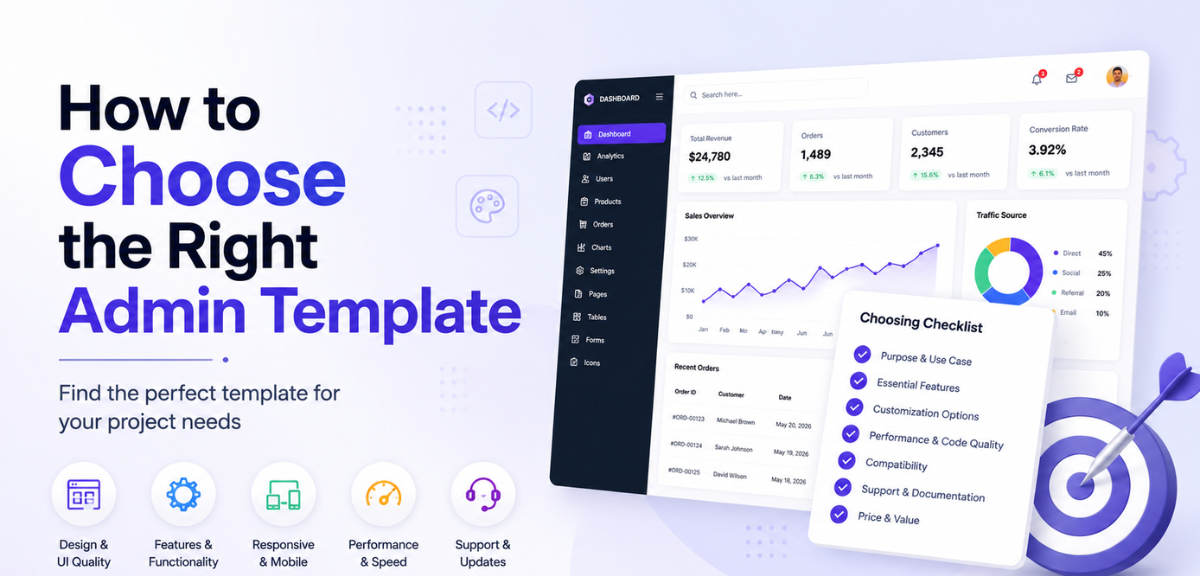
Go through this checklist on the live demo and in the documentation before purchasing:
- Auth pages: login, registration, password reset. If any are missing, you are building them from scratch after setup.
- Chart types: bar, line, pie, area. Match what is included to what the project needs. Do not assume.
- Table features: sorting, pagination, and search should be built in. If they require a separate library, check that library is maintained and MIT-licensed.
- Form components: inputs, selects, date pickers, validation states. Missing any of these adds scope to the first sprint.
- Update history: check the changelog. If the last entry is over a year old, treat the template as unmaintained.
- Mobile behavior: test on a real phone or a narrow browser window. Do not rely on the desktop preview.
Code Quality and Performance
A bloated template slows down initial load, which is a real problem for internal tools deployed across varied hardware environments. Before you buy, check:
- Lazy loading: a 20-page kit that loads everything on initial render is noticeably slower than one with route-level code splitting. Check the documentation for how routing and lazy loading are handled.
- Component structure: if you can access the source code before purchasing, open a component file. Tightly coupled components with inconsistent naming take longer to customize than cleanly separated, well-named modules.
- Theming: changing the primary color should mean editing one file. If it requires hunting through multiple stylesheets, theming will slow down every visual update the project needs.
- Bundle size: check whether the template documentation lists bundle size or Core Web Vitals benchmarks. A JS bundle over 500KB gzipped on initial load is worth investigating before buying.
- Keyboard navigation: tab through the interface without a mouse. Every interactive element should be reachable and usable.
- ARIA roles: navigation components should have correct ARIA labels. Check icon-only buttons especially.
Support and Maintenance
Support and maintenance determine how expensive the template is to own over time, not just to purchase.
Check whether the provider publishes a changelog and keeps the documentation current. Both signal that the template is being actively maintained and that framework version upgrades will be manageable rather than painful.
For premium templates, confirm what the purchase actually includes:
- Update access: lifetime, one year, or per-release?
- Support channel: email, GitHub issues, or community forum only?
- Response time: is there a stated SLA or is it best-effort?
A template with six months of update access on a two-year project is not the same as one with lifetime updates. Read the purchase terms carefully before committing.
Conclusion
Most admin template purchases go wrong before the download, not after. The decision gets made on preview screenshots, and the real evaluation happens too late.
The checklist in this guide exists to flip that order. Framework version first. Component depth second. Documentation, responsiveness, licensing, and update history before you ever look at the design.
A template that passes all of those checks and looks good is a genuine time-saver. A template that fails any of them becomes a project risk, and the more advanced the project, the more expensive that risk gets.
Take 30 minutes with this checklist before you commit. Browse admin dashboard templates by framework and use case at MyCreativeTemplates, filter for what your project actually needs, and download with confidence.
FAQs
How do I choose the right admin template?
Start with framework compatibility. A template built for the wrong framework wastes more time than it saves. Once the framework matches, check component completeness, responsiveness, documentation quality, update history, and licensing. Preview the live demo on mobile and review the changelog before committing to any purchase.
What features should I look for in an admin template?
The baseline is sidebar navigation, data tables with sorting and pagination, chart components, authentication pages, and form elements. Any admin dashboard UI templates going to production also need keyboard navigation, ARIA roles on navigation components, and centralized theming. Dark mode support matters for any project with branding requirements.
Should I use free or premium admin templates?
Free templates work for prototypes and internal learning projects. Premium templates make sense when missing components would cost real build time. Start with an admin panel template free download to validate your concept, then upgrade when the gaps become clear. For client deliverables and SaaS products, premium almost always pays for itself in saved development hours.
Which framework is best for admin dashboards?
Angular for large enterprise TypeScript apps with structured module requirements. React for component reuse and third-party ecosystem access. Bootstrap for fast HTML-first prototypes where speed to a working UI matters most. Vue for reactive templating without the overhead of the other two. The right answer is whichever framework the team already uses.
Are admin templates easy to customize?
Templates with centralized theming, clean component separation, and complete documentation are straightforward to customize. Templates with scattered styles and thin docs take significantly longer to modify regardless of how the demo looks. Test the documentation before buying: if you cannot find the theming config in five minutes, the team will not find it either.
Can beginners use admin templates?
Yes, with the right template. Look for one that includes a setup guide, a clear folder structure, and a component reference. Start with a free template that has limited components so the structure is easier to understand. Move to a full-scale kit once you are comfortable with how the pieces fit together.
What mistakes should I avoid when choosing a template?
Picking on aesthetics. Not checking the framework version. Skipping the license. Over-scoping the template for the project size. Not testing the live demo on mobile. Any one of these can turn a time-saving purchase into a multi-day rebuild. Run the checklist in this guide before committing.