Building a dashboard from scratch eats time you should be spending on product logic. You rebuild the same sidebar, the same tables, and the same chart layouts you made last year, while the actual features keep waiting. A good free Tailwind admin template fixes that. You start from a working layout with real components instead of an empty file.
Tailwind has become the default for dashboard projects because the utility-first workflow keeps styling and markup together and produces a small production bundle, which matters when every screen loads charts, tables, and data. Free templates lower the cost further, letting you test layouts or launch an internal tool with no license fee.
Below you will find ten of the best free Tailwind admin templates for 2026, what each one includes, and how to pick the one that fits your stack.
What Is a Tailwind CSS Admin Template?
A Tailwind CSS admin template is a pre-built interface for the back end of a web application. Think of the screens a logged-in user or internal operator sees: an overview dashboard, data tables, settings, forms, and charts. The template are styled with Tailwind utility classes, so you start from a working interface instead of an empty canvas.
Common use cases include:
- SaaS control panels and product dashboards
- E-commerce back offices and order management
- Analytics dashboards and reporting tools
- CRM systems and customer data views
- Internal admin tools and operations panels
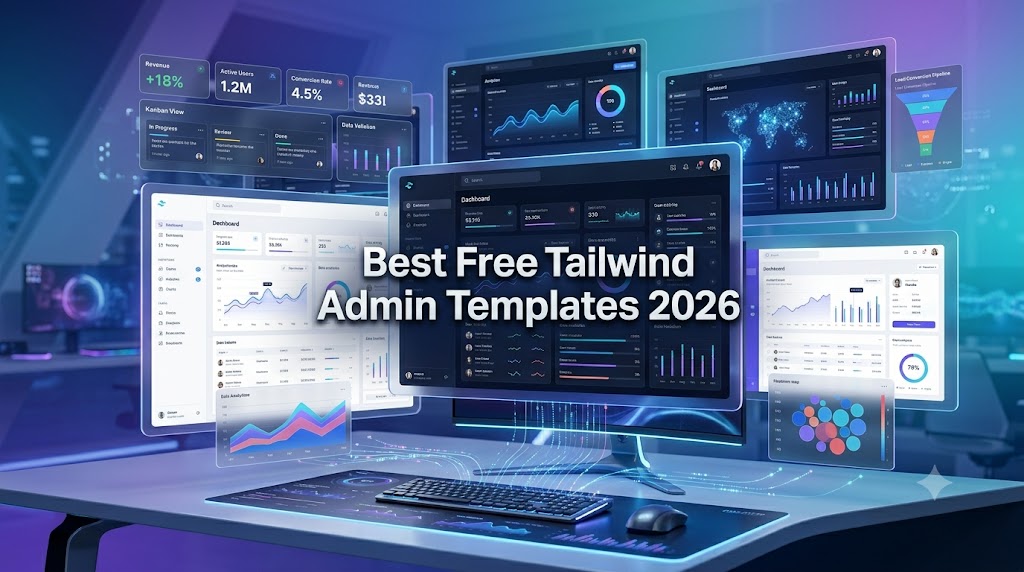
A typical Tailwind dashboard template includes a collapsible sidebar, a top navigation bar, summary cards, chart widgets, sortable tables, form layouts, and authentication screens such as sign-in and password reset.
- For developers, the value is time, since you skip the repetitive layout work and focus on data and logic.
- For businesses, the value is cost and consistency, because a shared template keeps every screen aligned and gives a small team a professional product without a dedicated design hire.
Why Choose Free Tailwind Admin Templates for Your Project?
Free Tailwind admin templates carry more weight than the price tag suggests. The main reasons teams reach for them:
- Faster development: A working layout, navigation, and component set saves days of setup on every new project.
- Responsive design: Tailwind’s mobile-first breakpoints adapt cleanly from phone to widescreen with no extra work.
- Modern UI: These templates follow current design patterns rather than dated dashboard styles.
- Easy customization: Styling lives in utility classes, so changing a color token or spacing value applies everywhere.
- Scalability: A clean, token-based structure lets a prototype grow into a production app without a full rewrite.
Key Features to Look for in Tailwind Admin Dashboards
Not every template fits every project. Check these features before you commit to a Tailwind CSS admin dashboard.
1. Responsive Design
Your dashboard will be used on laptops, tablets, and phones. Confirm the sidebar collapses cleanly, tables scroll or stack on small screens, and charts resize without breaking. Open the live demo and shrink your browser window before you decide.
2. Dashboard Widgets and Analytics Components
Summary cards, stat counters, and chart components are the core of any analytics dashboard. Check which charting library the template uses, such as ApexCharts or Chart.js, and make sure the chart styling matches the rest of the UI rather than looking bolted on.
3. Forms and Data Tables
Admin work is mostly reading and editing records, so strong form components and sortable, filterable data tables are worth more than flashy extras. Check for input validation states, table pagination, and export options if your users handle large datasets.
4. Dark Mode Support
Dashboard users often spend hours in the interface, and dark mode is now expected rather than optional. The best implementations use design tokens that switch with a single attribute, so both themes stay readable without manual overrides on every component.
5. Cross-Browser Compatibility
Test the demo in the browsers your audience actually uses. Tailwind output is generally consistent across modern browsers, but custom JavaScript for menus, modals, and charts can behave differently, so a quick check protects you from post-launch surprises.
6. Easy Customization
You will change colors, fonts, and spacing to match your brand. Templates built around Tailwind config tokens make this painless. Avoid options that hardcode styles in ways that force you to hunt through every file to make one change.
7. Framework Integration Support
Pick a template that matches your stack. If you already run a Next.js app, a Next.js version saves far more time than adapting a vanilla HTML build.
Best Free Tailwind Admin Templates in 2026
Here are ten free Tailwind admin templates worth your time this year. Each one is free to use, actively maintained, and backed by a working live demo you can test before you download. The table below gives you a quick comparison, with full reviews underneath.
| Template | Frameworks | Best for | License | |
|---|---|---|---|---|
| 1 | TailAdmin | HTML, React, Next.js, Vue, Angular, Laravel | All-round projects, widest stack choice | Free (MIT), Pro available |
| 2 | Flowbite Admin Dashboard | HTML, Astro, Svelte | Framework-agnostic builds | Free, open source |
| 3 | Mosaic Lite | React, TypeScript | Finance and analytics dashboards | Free (GPL, no resale) |
| 4 | Windmill Dashboard React | React | Accessible, app-like dashboards | Free, open source |
| 5 | Notus | React, JS, Angular, Vue | Dashboard plus marketing pages | Free (MIT) |
| 6 | Horizon UI | React, Next.js (Chakra UI) | Visually distinctive products | Free, Pro available |
| 7 | Material Tailwind Dashboard React | React | Material Design fans | Free (MIT) |
| 8 | Vuestic Admin | Vue 3 | Complete Vue solution | Free, open source |
| 9 | Shadcn Admin | React, Next.js (shadcn/ui) | Modern shadcn-based stacks | Free, open source |
| 10 | Soft UI Dashboard Tailwind | HTML | Server-rendered or framework-free apps | Free (MIT), Pro available |
1. TailAdmin
TailAdmin is the most popular free Tailwind admin template, and for good reason. The free edition packs more than 200 UI elements, multiple dashboard layouts, and ready-made pages for profiles, settings, tables, forms, and authentication. It uses ApexCharts for visualization and includes dark mode out of the box.
- Frameworks: HTML, React, Next.js, Vue, Angular, and Laravel
- Best for: Teams that want broad framework choice and can match it to almost any stack
- Pros: Large component count, strong documentation, frequent updates
- Limitations: The most advanced pages and extra layouts sit behind the paid Pro tier
- Download: Free on GitHub and from tailadmin.com
2. Flowbite Admin Dashboard
Flowbite Admin Dashboard is a free, open-source template built on the Flowbite component library and Tailwind CSS. It covers the essentials well, with charts, data tables, widgets, CRUD layouts, modals, and drawers ready to use.
- Frameworks: Core HTML build with vanilla JavaScript, plus Astro and Svelte variants
- Best for: Developers who want a framework-agnostic base that slots into most back ends
- Pros: Production-ready, well-documented, and easy to extend with the wider Flowbite library
- Limitations: Interactive components depend on Flowbite’s JavaScript, so you inherit that dependency
- Download: Free on GitHub from the Themesberg team
3. Mosaic Lite
Mosaic Lite is the free version of Cruip’s Mosaic, built with React and TypeScript on Vite. It carries a polished, analytics-focused look with Chart.js visualizations for revenue, sales activity, and customer metrics.
- Frameworks: React with TypeScript
- Best for: Finance and analytics dashboards where visual polish matters
- Pros: Excellent code quality, thoughtful dark mode, modern React patterns throughout
- Limitations: Released under the GPL, so Cruip asks that you do not republish, redistribute, or resell it. The free page set is smaller than the paid Pro version
- Download: Free on GitHub from Cruip
4. Windmill Dashboard React
Windmill Dashboard React is a free, open-source template built on the Windmill React UI library. It pairs a fast Tailwind interface with progressive web app support, which makes it a good fit for dashboards that need to feel app-like.
- Frameworks: React
- Best for: React teams who want a clean starting point with good keyboard and screen-reader support
- Pros: Lightweight, accessible, and easy to read as a codebase
- Limitations: A smaller component set than larger kits, so feature-heavy products may outgrow it
- Download: Free on GitHub under an open-source license
5. Notus
Notus, from Creative Tim, is more of a complete UI kit than a single dashboard. It includes over 120 front-end components such as alerts, buttons, inputs, navbars, tabs, and cards, alongside admin, landing, and profile pages.
- Frameworks: Notus React, Notus JS, Notus Angular, and Vue Notus
- Best for: Full-stack projects that need both a dashboard and public-facing pages in one style
- Pros: Versatile, well-organized, and available across four framework builds
- Limitations: The visual style is distinctive, so heavy rebranding takes effort
- Download: Free from Creative Tim
6. Horizon UI
Horizon UI is a free React admin template with a distinctive look: rounded cards, gradient accents, and generous spacing. It is built on Chakra UI together with Tailwind CSS have more than 70 UI components.
- Frameworks: React and Next.js, built on Chakra UI
- Best for: Products that want to stand out visually rather than use a standard flat style
- Pros: Eye-catching design, solid component set, clear documentation
- Limitations: Leans on Chakra UI, and the richest layouts are reserved for the Pro version
- Download: Free from horizon-ui.com and GitHub
7. Material Tailwind Dashboard React
Material Tailwind Dashboard React is a free template from Creative Tim that brings Google’s Material Design language to a Tailwind CSS and React build, using over 40 elements from the Material Tailwind component set.
- Frameworks: React
- Best for: Teams that prefer the familiar Material look but want Tailwind’s workflow underneath
- Pros: Clean Material aesthetic, easy color theming through props, friendly for newcomers
- Limitations: Fewer total pages than larger kits, so it works better as a foundation than a finished product
- Download: Free on GitHub from Creative Tim
8. Vuestic Admin
Vuestic Admin is one of the most polished free templates for Vue developers. It is built on Vue 3 and the Vuestic UI library, works alongside Tailwind CSS, and includes Pinia for state and Vue I18n for translations.
- Frameworks: Vue 3
- Best for: Vue teams who want a complete, maintained solution rather than a bare starter
- Pros: Maintained by Epicmax for long-term reliability, with strong internationalization support
- Limitations: Tied to the Vuestic ecosystem, so less useful if you want pure Tailwind components only
- Download: Free on GitHub
9. Shadcn Admin
Shadcn Admin is a free, community-built template that uses shadcn/ui components on top of Tailwind CSS and Radix primitives. It has earned a large following thanks to clean code and an accessible component base.
- Frameworks: React and Next.js, built on shadcn/ui
- Best for: Modern React teams already using or planning to adopt shadcn/ui
- Pros: Accessible by default, well-structured, and easy to extend since components live in your own codebase
- Limitations: You should be comfortable copying components into your project rather than installing a package
- Download: Free on GitHub
10. Soft UI Dashboard Tailwind
Soft UI Dashboard Tailwind, also from Creative Tim, offers a soft, layered visual style built with plain HTML and Tailwind CSS. It suits projects that want a complete admin panel template without committing to a JavaScript framework.
- Frameworks: HTML
- Best for: Server-rendered apps and developers who prefer to add their own framework, or none
- Pros: Framework-free, easy to drop into any back end, distinctive look
- Limitations: The static build means you handle interactivity yourself, and the free version covers fewer pages
- Download: Free from Creative Tim
How to Select the Right Tailwind Admin Template?
Work through these points in order before you commit:
- Project requirements: List the screens you actually need, such as an analytics overview, settings, and a few data tables. A template that includes them beats one with a hundred pages you will never open.
- Team skill level and stack: A Vue team should not adopt a React-only kit, and a small team moves faster with tools it already knows.
- Framework compatibility: This is the single biggest time saver, so weigh it heavily.
- Scalability needs: A clean, token-based structure lets a prototype grow into a production app without a rewrite.
- UI requirements: If your brand needs a specific look, pick a template with flexible theming rather than a hardcoded style.
- Performance: Check the bundle size and the charting library so the dashboard stays fast under real data.
- Long-term maintenance: Favor an actively updated project over an abandoned one that looked great on day one.
Common Mistakes to Avoid When Choosing a Dashboard Template
- Ignoring scalability: A template can look perfect for a demo and buckle once you add real data, more users, and new pages.
- Choosing on appearance alone: A nice screenshot tells you nothing about code quality or how hard the template is to customize.
- Overlooking responsiveness: A dashboard that breaks on tablets and phones frustrates users who switch devices during the day.
- Skipping the documentation: Poor docs make setup harder than it needs to be and slow your whole team down.
- Accepting weak customization options: Hardcoded styles force you to fight the template on every brand change.
- Missing accessibility: Keyboard navigation, focus states, and screen-reader support are hard to add after the fact.
Benefits of Using Tailwind CSS for Dashboard Development
- Utility-first workflow: Styling lives next to your markup, so you stop switching files and inventing class names.
- Faster UI development: You compose interfaces from small utility classes and see results immediately.
- Consistency: A shared set of spacing, color, and type tokens keeps every screen aligned without a separate style guide.
- Smaller production CSS: Tailwind removes every class you do not use, which helps load times on data-heavy screens.
- Better maintainability: A single config change updates the whole app, and new developers can read a component at a glance.
- Developer productivity: The combined effect is exactly what a busy team building internal tools needs.
Conclusion
Tailwind remains a strong choice for dashboard work because it handles the unglamorous parts well. The utility-first workflow speeds up development, the small production bundle keeps heavy data screens fast, and the token-based structure makes customization simple. For a Tailwind admin template, that matters more than any flashy feature.
Free templates make the choice easy to act on. TailAdmin is the safest all-round pick, Mosaic Lite and Horizon UI stand out on design, Vuestic Admin leads for Vue, and Shadcn Admin fits modern React stacks. The right choice comes down to your stack, your screens, and how far the project will grow. Start with a free Tailwind dashboard template, build something real, and upgrade only when you outgrow it.
FAQs
What is the best free Tailwind admin template in 2026?
TailAdmin is the strongest all-round option, with HTML, React, Next.js, Vue, Angular, and Laravel versions plus 200+ free components. For design, try Mosaic Lite or Horizon UI; for Vue, Vuestic Admin; for shadcn stacks, Shadcn Admin. Test a few demos first.
Are free Tailwind CSS admin templates good for production projects?
Yes. TailAdmin, Flowbite Admin Dashboard, and Mosaic Lite are maintained, well-documented, and production-ready. Just vet your pick: check recent updates, responsive layouts, accessibility, and the license. Mosaic Lite, for example, uses the GPL and cannot be resold.
What features should a modern Tailwind admin dashboard include?
Responsive layouts, dark mode on proper tokens, analytics widgets with matching charts, sortable data tables, and clean forms with validation. Authentication pages help too. Prioritize easy customization, accessible components, framework support for your stack, and a small production bundle.
Which free Tailwind admin template supports React or Vue?
For React: TailAdmin, Mosaic Lite, Windmill Dashboard React, Notus, Horizon UI, Material Tailwind, and Shadcn Admin. For Vue: Vuestic Admin (Vue 3, Pinia, Vue I18n) and Vue Notus.
Can Tailwind admin templates be customized easily?
Yes. Styling lives in utility classes and config tokens, so one change to a color, font, or spacing value applies everywhere. TailAdmin and Mosaic Lite have clean token systems, and Shadcn Admin puts components in your codebase for full control. Avoid hardcoded styles.