


 Purchase Now
 Live Preview







 Purchase Now

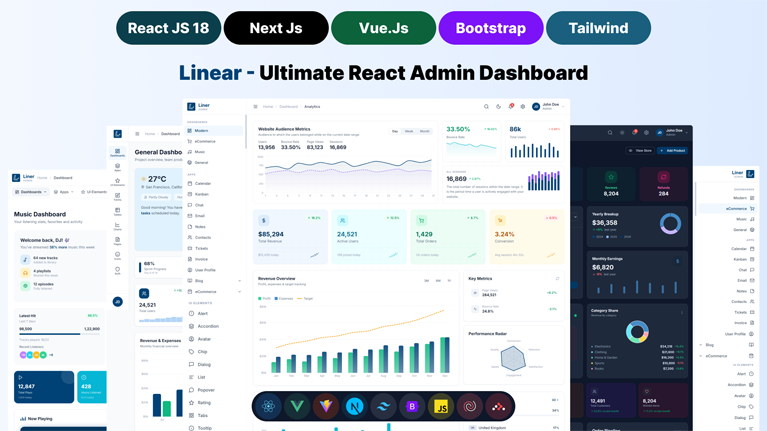
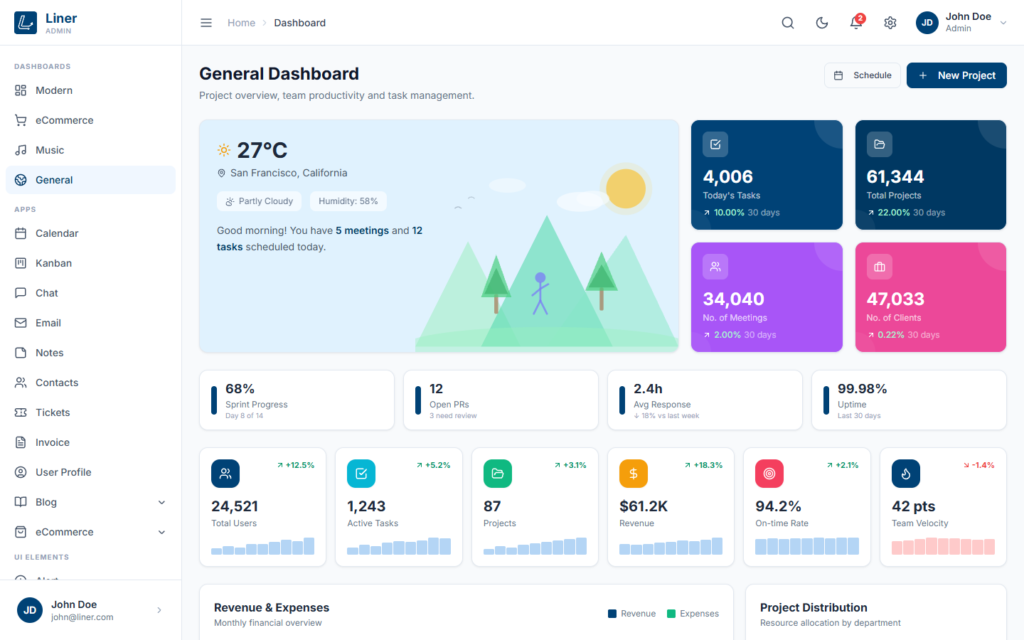
Liner is a premium, production-ready admin dashboard template available in four framework versions — React 18 + Vite, Next.js 16, Vue 3 + Vite, and pure HTML + Bootstrap 5. All four versions share the same pixel-perfect design, the same 60+ pages, and the same powerful settings panel — so you can pick the stack you love without compromising on quality. Whether you are building a SaaS application, CRM system, project management tool, analytics platform, or an internal business dashboard — Liner gives you the perfect head start.
Liner is built for real-world use cases across multiple industries. It is the ideal choice for healthcare admin panels, fintech dashboards, e-commerce back offices, education management systems, logistics and supply chain dashboards, real estate CRM platforms, HR and recruitment portals, social media analytics tools, customer support ticket systems, and IoT monitoring dashboards. No matter what industry or stack you are in, Liner adapts to your needs with its flexible layout system, multiple color presets, and modular component architecture.
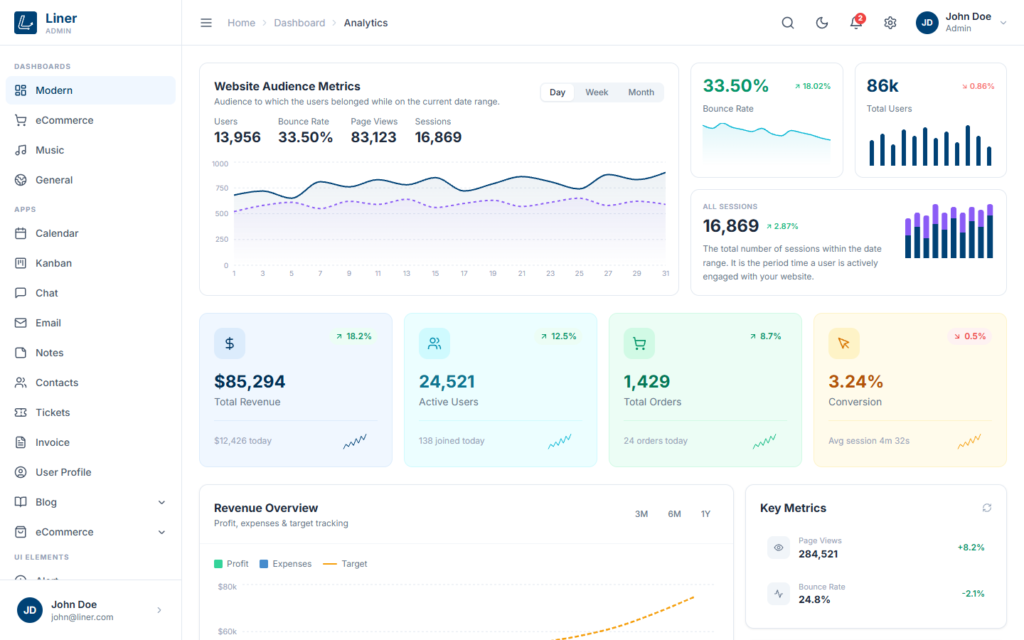
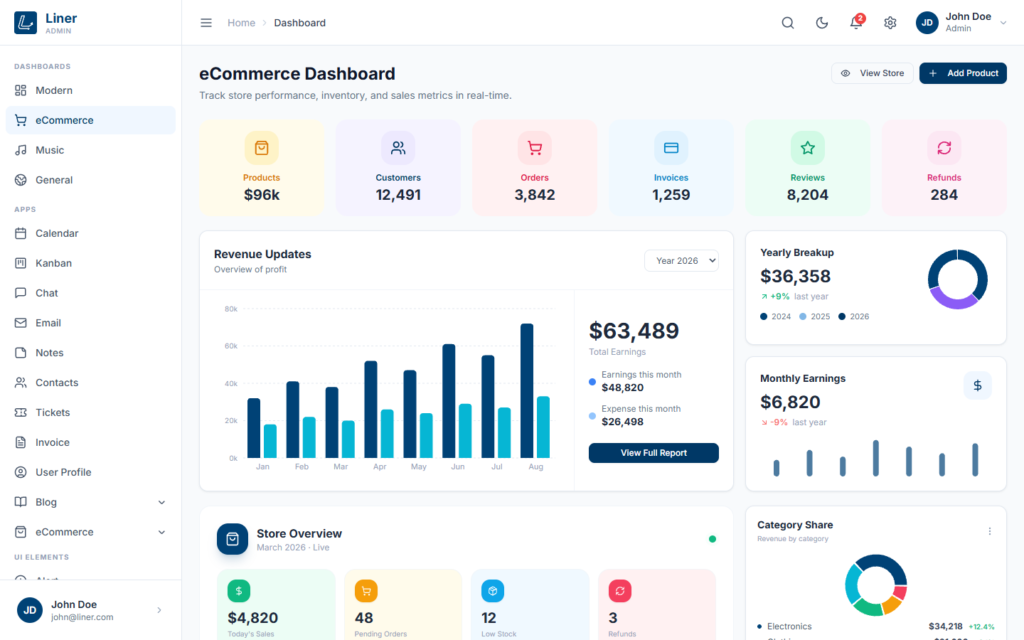
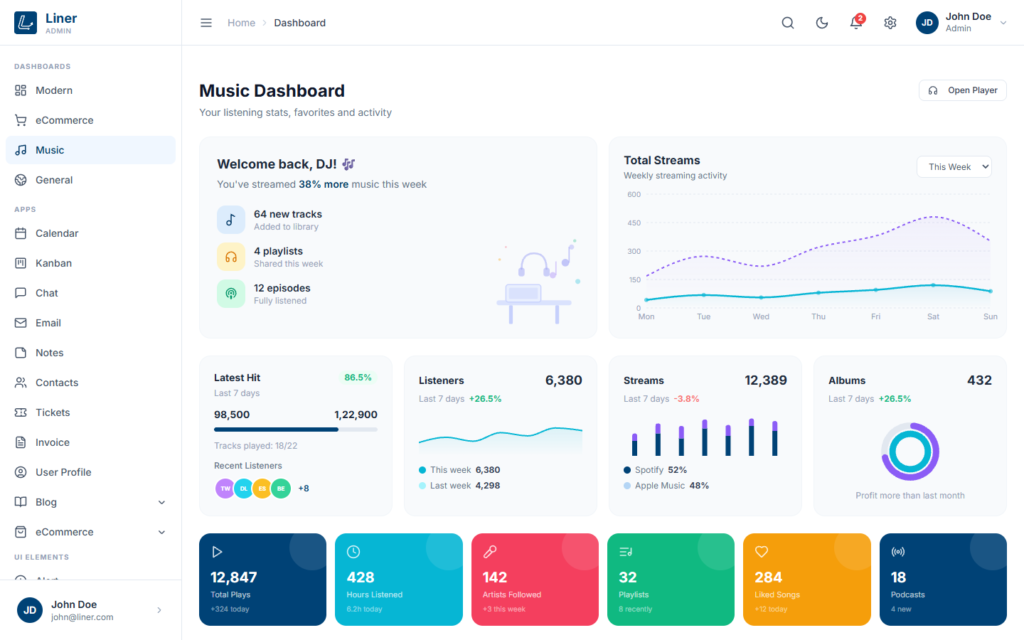
Every page in Liner is designed with pixel-perfect precision and attention to detail — and the design is faithfully reproduced across React, Next.js, Vue, and Bootstrap so your team can switch frameworks without redesigning. The template ships with 4 unique dashboard layouts — Analytics, E-Commerce, Music, and General — each packed with real data visualization components (Recharts in React & Next.js, vue3-apexcharts in Vue, and ApexCharts in Bootstrap). You also get 14 fully functional application pages including Chat, Email, Calendar, Kanban Board, Contacts, Notes, Support Tickets, Invoice Management, User Profile, Blog, and a complete E-Commerce suite with Shop, Product Detail, Product List, and Checkout pages.
Liner stands out with its built-in theme settings panel that gives your users complete control over the dashboard appearance. They can switch between dark and light mode, choose from 5 beautiful color presets (Navy, Blue, Emerald, Orange, and Rose), toggle between vertical sidebar, collapsed icon-only sidebar (with hover-reveal flyout menus), and horizontal top-navigation layouts, and enable RTL direction for right-to-left languages — all with live preview and automatic localStorage persistence. Every setting applies instantly across the entire dashboard without page reload, and the experience is identical in all four framework versions.
The RTL support in Liner is not an afterthought. It is built from the ground up using CSS logical properties (margin-inline-start, padding-inline-end, start-0, etc.), ensuring that the entire interface mirrors perfectly for Arabic, Hebrew, Urdu, Persian, and other right-to-left languages. One toggle is all it takes to transform the complete layout — in React, Next.js, Vue, or Bootstrap.
Under the hood, each version follows the best practices of its ecosystem. The React version uses functional components, hooks, Context API for global state, and React Router v6 with nested layouts. The Next.js 16 version is powered by React 19 and the latest App Router — Server Components by default, Client Components where interactivity is needed, the new use() hook and Actions, Turbopack for instant dev rebuilds, and Tailwind CSS v4 with its brand-new engine. The Vue 3 version uses the Composition API with <script setup> syntax, composables for state (useTheme, useChartColors), and Vue Router 4 with lazy-loaded routes. The Bootstrap version is pure HTML + vanilla JavaScript with zero build dependencies — open the files and ship. All four codebases are clean, well-organized, and easy to understand.
Why Choose Liner?
- 4 Framework Versions Included — One purchase unlocks the React 18, Next.js 16 + React 19, Vue 3, and Bootstrap 5 versions. Pick your stack now, switch later, or use all four in different projects.
- 60+ Pre-Built Pages Per Version — Dashboards, apps, UI components, forms, tables, charts, widgets, authentication pages, and more. Every page is pixel-perfect and ready to use in all four versions.
- 4 Dashboard Layouts — Analytics, E-Commerce, Music, and General dashboards with real data visualization (Recharts for React & Next.js, vue3-apexcharts for Vue, ApexCharts for Bootstrap).
- 14 Application Pages — Chat, Email, Calendar, Kanban Board, Contacts, Notes, Tickets, Invoice, User Profile, Blog, and full E-Commerce suite (Shop, Product Detail, Product List, Checkout).
- Next.js 16 + React 19 — Latest Next.js with the App Router, React 19 Server Components & Actions, Turbopack dev mode, Tailwind CSS v4, and production-ready SSR/SSG/ISR out of the box.
- Dark & Light Mode — Beautiful dark and light themes with smooth transitions. Persisted to localStorage for a seamless user experience across all four versions.
- 5 Color Presets — Navy, Blue, Emerald, Orange, and Rose. One-click color switching via the built-in settings panel. All components and charts update instantly.
- RTL Support — Full right-to-left language support using CSS logical properties. One toggle to mirror the entire interface — perfect for Arabic, Hebrew, Urdu, and Persian projects.
- Multiple Layout Options — Vertical sidebar, collapsed icon-only sidebar (with hover-reveal flyout dropdowns), and horizontal top-navigation menu. Switch between layouts with a single click.
- Fully Responsive — Pixel-perfect on every screen size from mobile phones to 4K displays. Touch-friendly UI throughout.
- Built-In Settings Panel — A powerful theme customizer that lets users change color mode, color preset, layout style, and RTL direction — all with live preview and localStorage persistence.
- Clean & Modern Code — Well-organized component-based architecture. React hooks + Context API, Next.js App Router + Server/Client Components, Vue Composition API + composables, vanilla JS for Bootstrap. Easy to understand, customize, and extend.
- Comprehensive Documentation — Each version ships with a dedicated documentation page covering installation, customization, components, deployment, and more.
What’s Inside the Package
- liner/react/ — React 18 + Vite 5 source with all components, pages, and routes
- liner/nextjs/ — Next.js 16 + React 19 App Router source with Server & Client Components, Turbopack, Tailwind v4, and file-based routing
- liner/vue/ — Vue 3 + Vite 5 source with Composition API, composables, and Vue Router 4
- liner/bootstrap/ — Pure HTML + Bootstrap 5 + vanilla JS — no build step required
- liner/html/landing.html — Marketing landing page that links to all four versions
- documentation.html — Per-version documentation in each folder
Tech Stack
React Version
- React 18 — Modern UI library with concurrent features
- Vite 5 — Lightning-fast build tool with instant HMR
- Tailwind CSS v3 — Utility-first CSS framework with JIT compilation
- React Router v6 — Client-side routing with nested layouts
- Recharts — Composable charting library (Line, Area, Bar, Column, Donut, Radialbar)
- Lucide React — 1,000+ beautiful SVG icons
- clsx — Conditional className utility
Next.js Version
- Next.js 16.2 — Latest production-grade React framework with the App Router
- React 19.2 — Server Components, Client Components, Actions, and the new
use()hook - Turbopack — Next-generation bundler enabled by default in dev mode for instant HMR
- App Router — File-based routing with
app/directory, layouts, and nested routes - Tailwind CSS v4.3 — Brand-new engine with
@theme, native CSS variables, and zero-config setup - @tailwindcss/postcss 4.3 — Official PostCSS plugin for Tailwind v4
- @headlessui/react 2.2 — Unstyled, fully accessible UI primitives
- Recharts 2.15 — Composable charting library used inside Client Components
- Lucide React 0.469 — 1,400+ tree-shakeable SVG icons
- clsx 2.1 — Tiny conditional className utility
- ESLint 9 + eslint-config-next 16.2 — Modern flat-config linting
- Built-in optimizations — Image, Font, and Script optimizations out of the box
- SSR/SSG/ISR Ready — Deploy to Vercel, Netlify, or any Node.js host
Vue 3 Version
- Vue 3.4 — Composition API with
<script setup>SFCs - Vite 5 — Same blazing-fast dev server and build tool
- Vue Router 4 — HTML5 history mode with lazy-loaded routes
- Tailwind CSS v3 — Identical utility classes to the React version
- vue3-apexcharts — ApexCharts wrapper for Vue 3
- lucide-vue-next — 1,400+ Lucide icons as Vue components
Bootstrap Version
- Bootstrap 5.3 — CSS reset, grid, and base components (heavily overridden by our theme.css)
- Pure HTML + Vanilla JavaScript — zero build dependencies, no node_modules
- Tailwind-compatible utility layer in
theme.css— same class names as React/Next.js/Vue versions - ApexCharts — Full chart library loaded via CDN
- Lucide — Same icon set, loaded via CDN
- Inter font from Google Fonts
Pages Included (60+ Per Version)
- Dashboards (4): Analytics, E-Commerce, Music, General
- Apps (14): Chat, Email, Calendar, Kanban, Contacts, Notes, Tickets, Invoice List, User Profile, Blog Posts, Blog Post, Blog Detail, E-Commerce Shop, Product Detail, Product List, Checkout
- UI Components (13): Buttons, Cards, Alerts, Accordion, Avatar, Chips, Dialogs, Lists, Popovers, Rating, Tabs, Tooltips, Typography
- Forms (4): Form Elements, Form Layouts, Form Horizontal, Form Validation
- Tables (2): Basic Table, Enhanced Table
- Charts (6): Line Chart, Area Chart, Bar Chart, Column Chart, Donut Chart, Radialbar Chart
- Widgets: Data widgets with statistics, mini charts, todo list, weather, calendar, leaderboard, countdown
- Theme Pages (5): Account Settings, Pricing, FAQ, API Keys, Documentation
- Icons (2): Lucide Icons, Custom Icons
- Authentication (6): Login, Register, Forgot Password, Two-Step Verification, Error, Maintenance
- Marketing: Landing Page with framework comparison and live previews
Key Features
- 4 Framework Versions in One Package — React 18, Next.js 16 + React 19, Vue 3, Bootstrap 5
- Identical Pixel-Perfect Design Across All Versions
- Vite 5 Powered (React & Vue) — Instant HMR & Lightning-Fast Builds
- Next.js 16 App Router + Turbopack + Tailwind CSS v4 With React 19 Server Components & SSR/SSG/ISR
- Tailwind CSS v3 Utility-First Styling (also in Bootstrap version via compat layer)
- Dark Mode & Light Mode With localStorage Persistence
- 5 Color Presets (Navy, Blue, Emerald, Orange, Rose) — Live Preview
- RTL (Right-to-Left) Support Using CSS Logical Properties
- Vertical Sidebar, Collapsed Icon Sidebar & Horizontal Menu — All Switchable
- Collapsed Sidebar With Hover-Reveal Flyout Dropdowns
- Built-in Settings Panel With Live Preview
- 60+ Pre-built Pages Per Framework
- 6 Chart Types — Recharts (React & Next.js), vue3-apexcharts (Vue), ApexCharts (Bootstrap)
- 1,000+ Lucide Icons
- Fully Responsive Design — Mobile to 4K
- Clean, Well-Documented Code Across All Four Versions
- Dedicated Documentation Page Per Version
- CSS Logical Properties for Seamless RTL
- SEO Friendly Structure
- Cross-Browser Compatible (Chrome, Firefox, Safari, Edge)
- Easy to Customize & Extend
- Regular Updates & Support
Industries & Use Cases
- SaaS Admin Panels & Dashboards
- E-Commerce Back Office & Order Management
- CRM & Customer Management Systems
- Healthcare & Hospital Management
- Fintech & Banking Dashboards
- Education & LMS Admin Panels
- HR, Recruitment & Employee Portals
- Logistics & Supply Chain Tracking
- Real Estate & Property Management
- Social Media & Analytics Platforms
- IoT & Device Monitoring Dashboards
- Project Management & Team Collaboration
- Customer Support & Helpdesk Systems
- Marketing Analytics & Campaign Dashboards
- Inventory & Warehouse Management
Why Four Versions?
Different teams have different stack preferences — and sometimes the same team builds different products on different stacks. Instead of locking you into one framework, Liner gives you all four so you can:
- Start in React for one project, ship in Vue for the next — same design, no relearning.
- Choose Next.js when you need SSR, SSG, ISR, SEO-friendly routing, or a production-grade React framework with the App Router and Server Components.
- Use the Bootstrap version when you need a zero-build, server-rendered admin panel that drops into PHP, Rails, Django, or any backend without a build step.
- Hand off to a designer or client in pure HTML, then upgrade to the React, Next.js, or Vue version once the design is approved.
- Compare implementations side-by-side to learn the best practices of each framework.







 Live Preview