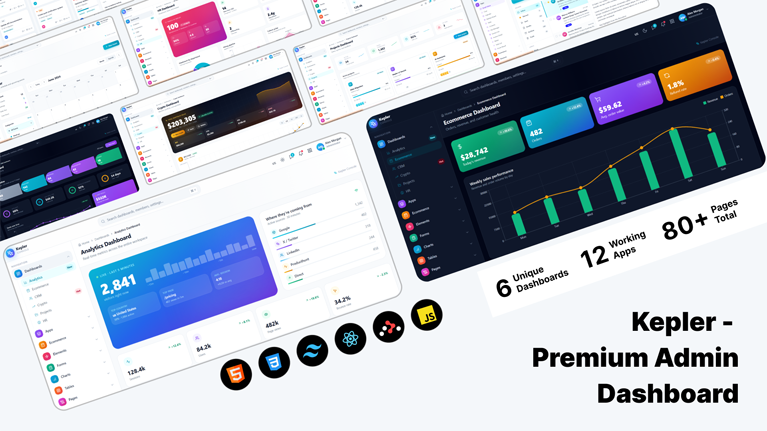
Kepler Console – Premium React Admin Dashboard Template

HTML5 CSS3 JavaScript Tailwind CSS
Need Help ?
Kepler Console – Premium React Admin Dashboard Template - Premium Template

Kepler Console is a premium, fully-functional React admin dashboard template built with React 18, Vite, Tailwind CSS, and Recharts. Unlike most admin templates that ship as static mockups, every screen in Kepler Console is wired with real state, real interactions, and real edge-case handling — drag-and-drop kanban cards, working form validation, sortable and filterable data tables, async username availability checks, credit-card Luhn verification, multi-step wizards, password-strength meters, and a context-driven dark-mode system that adapts not only Tailwind tokens but also Recharts grids, axes, and tooltips. It is the template you reach for when you want to skip three weeks of layout, theming, and component plumbing and start wiring your API to working pages.

18+

Inner Pages

100%

Fully Responsive

Clear Documentation

Premium Support

Regular Updates

Need Help? We're Here For You

Our dedicated support team is available 24/7 to help you with any questions or issues. Get in touch with us anytime.

24/7

Availability

Fast Response

Time

Expert

Assistance

Versatile Dashboard Options

Discover our most popular modern, responsive, and developer-friendly admin dashboard templates.

Dashboards

Analytics Dashboard

CRM Dashboard

Crypto Dashboard

Ecommerce Dashboard

HR Dashboard

Projects Dashboard

Apps

Email Inbox

File Manager

Invoice Detail

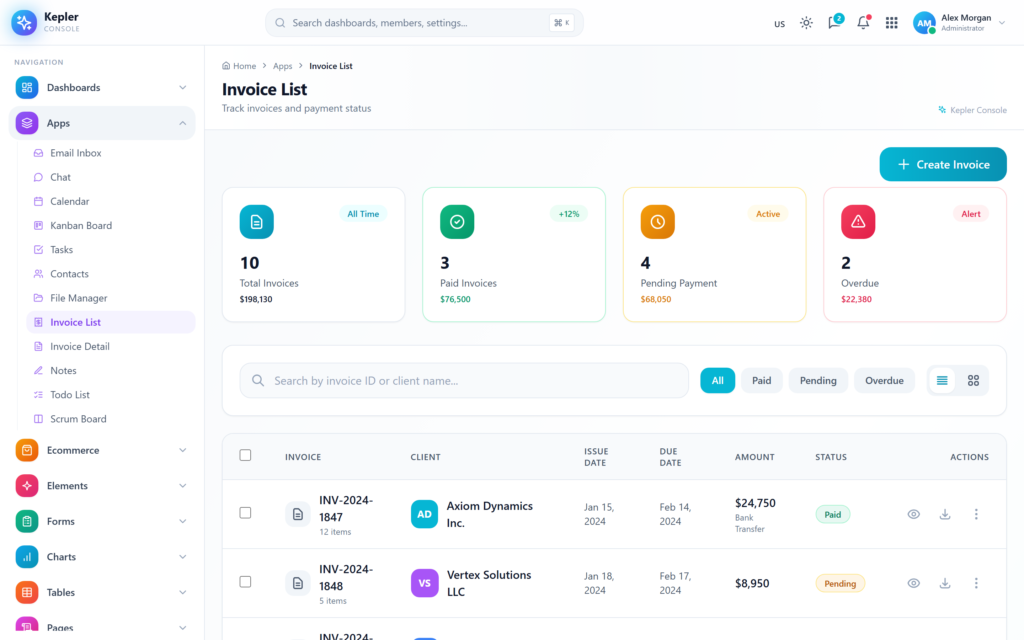
Invoice List

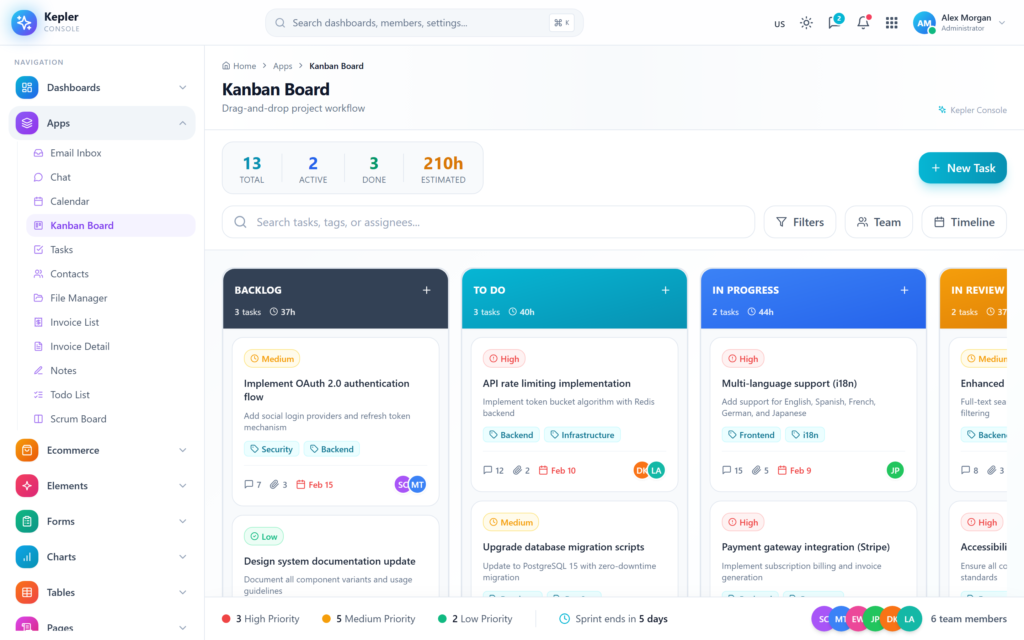
Kanban Board

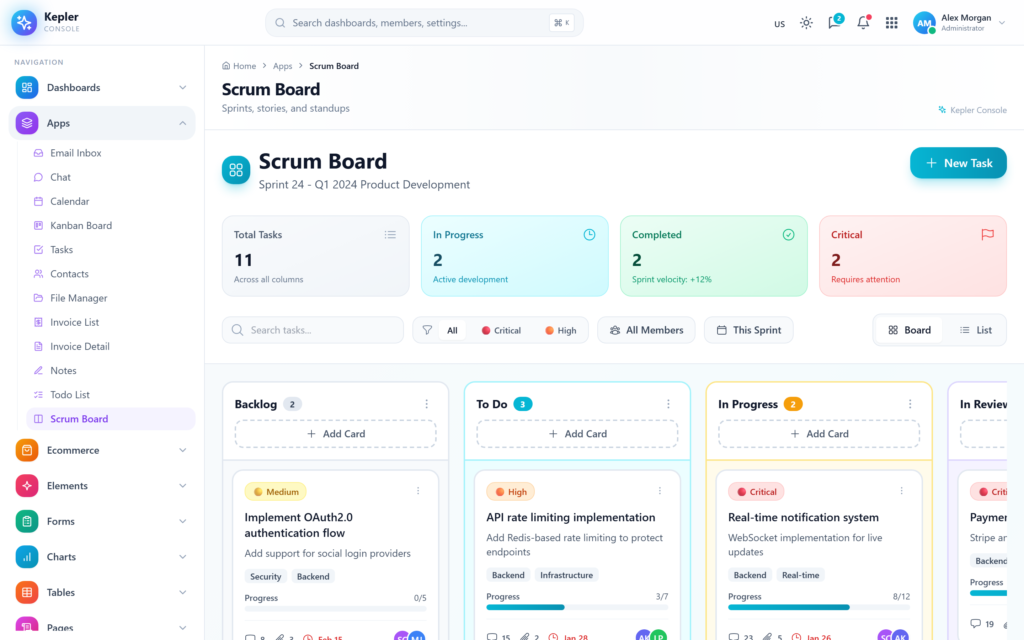
Scrum Board

Todo List

Built With

The technologies and frameworks powering this template.

React
Vite
Tailwind CSS
React Router
Recharts
Lucide Icons
Heroicons
Responsive

Flexible pricing plans tailored for your business

Discover our range of professionally designed templates.

100% Moneyback Guarantee
Secure Checkout · Instant Download · Risk Free

Single Use

For a single end product, with no user fees.

$24
Purchase Now
  • Full source code
  • Documentation
  • Use in SaaS app
  • Projects 1

Multiple Use

For a single end product, with no user fees.

$49
Purchase Now
  • Full source code
  • Documentation
  • Use in SaaS app
  • Projects 3

Extended Use

For a single end product, with no user fees.

$199
Purchase Now
  • Full source code
  • Documentation
  • Use in SaaS app
  • Projects Unlimited

For Business

For multiple end products with user charges.

$299
Purchase Now
  • Full source code
  • Documentation
  • Use in SaaS app
  • Projects Unlimited

Description

7 / 100 SEO Score

Kepler Console is a premium, fully-functional React admin dashboard template built with React 18, Vite, Tailwind CSS, and Recharts. Unlike most admin templates that ship as static mockups, every screen in Kepler Console is wired with real state, real interactions, and real edge-case handling — drag-and-drop kanban cards, working form validation, sortable and filterable data tables, async username availability checks, credit-card Luhn verification, multi-step wizards, password-strength meters, and a context-driven dark-mode system that adapts not only Tailwind tokens but also Recharts grids, axes, and tooltips. It is the template you reach for when you want to skip three weeks of layout, theming, and component plumbing and start wiring your API to working pages.

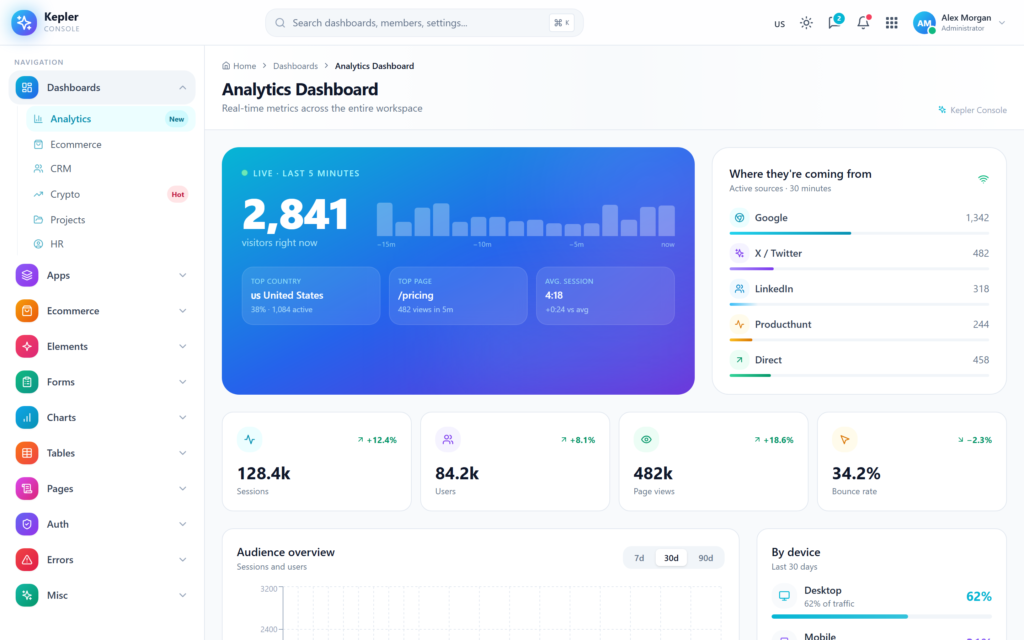
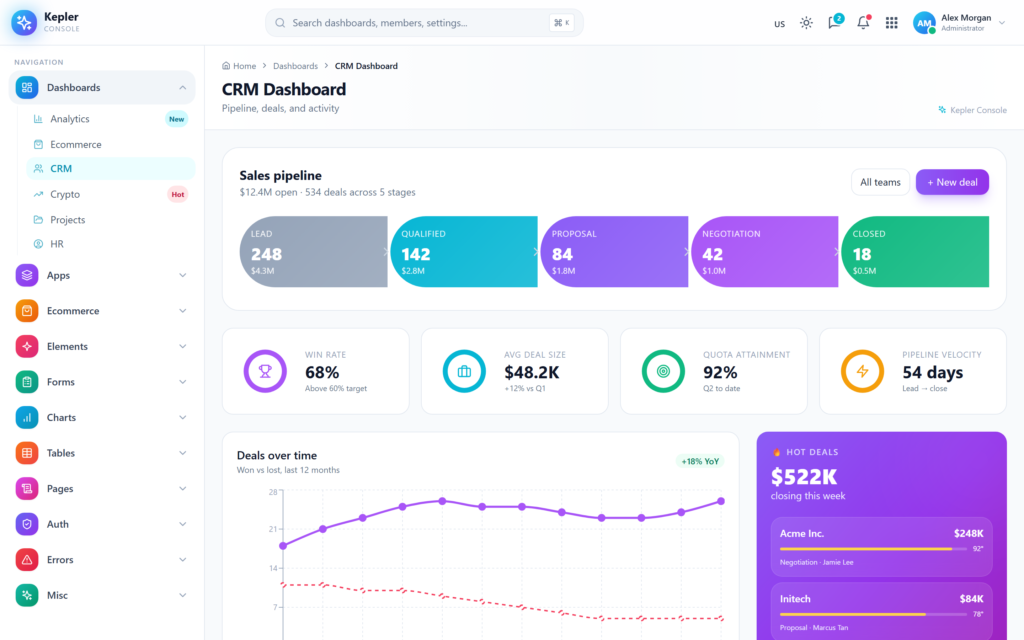
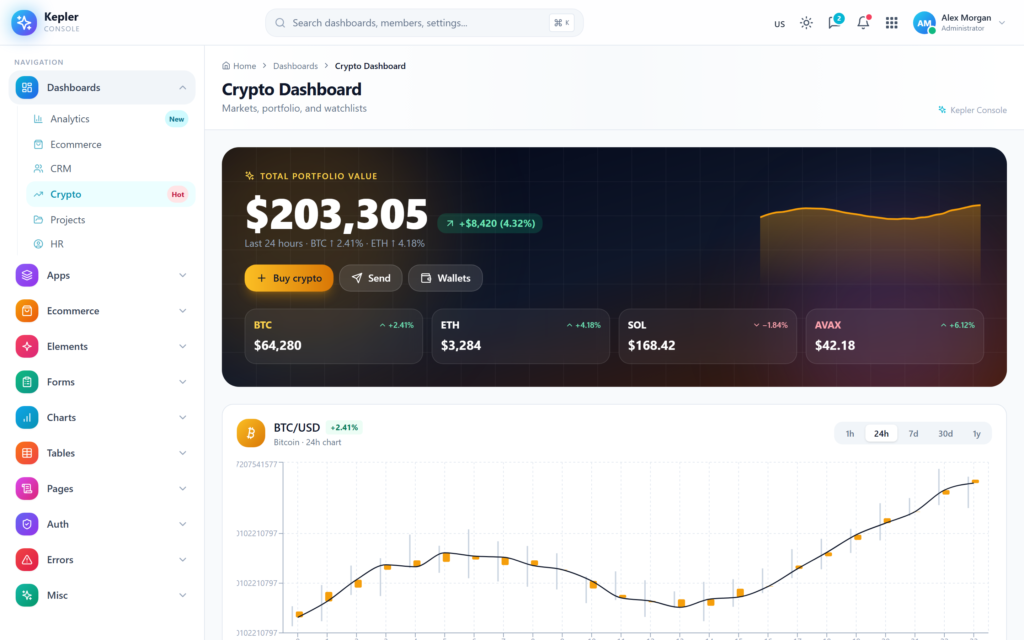
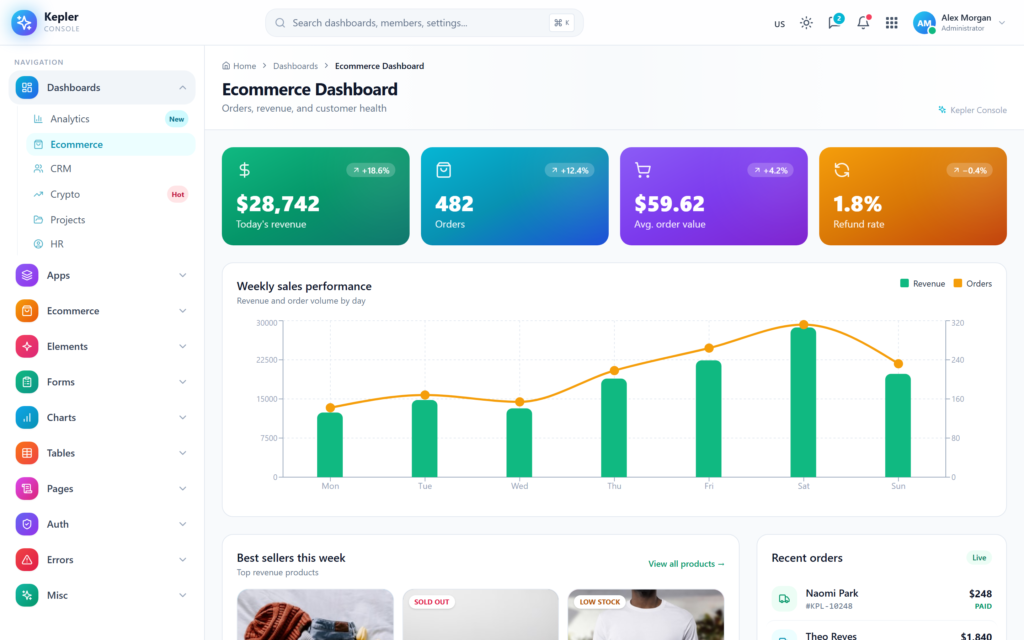
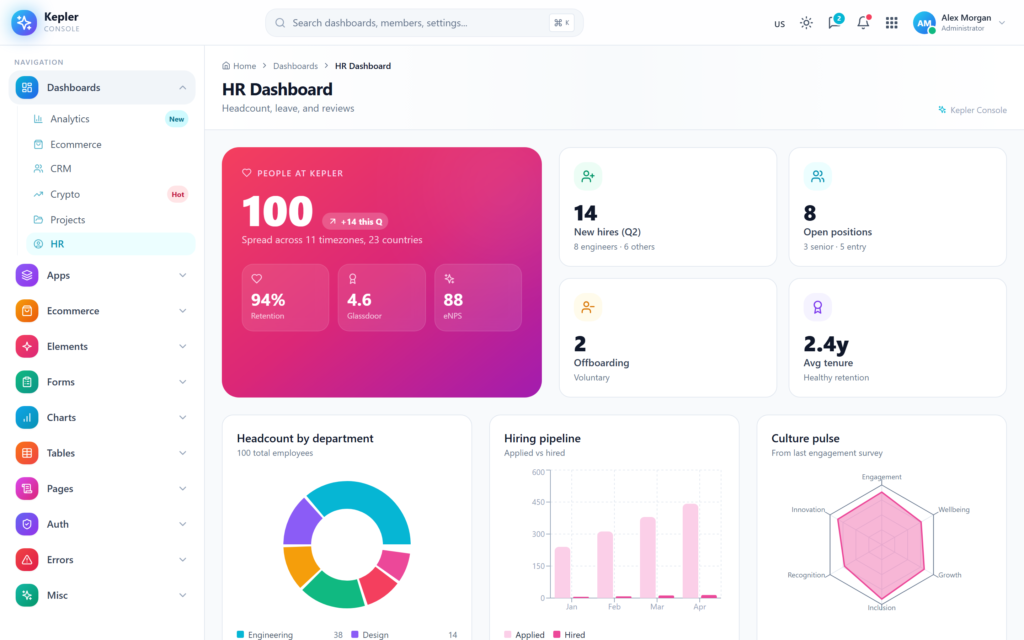
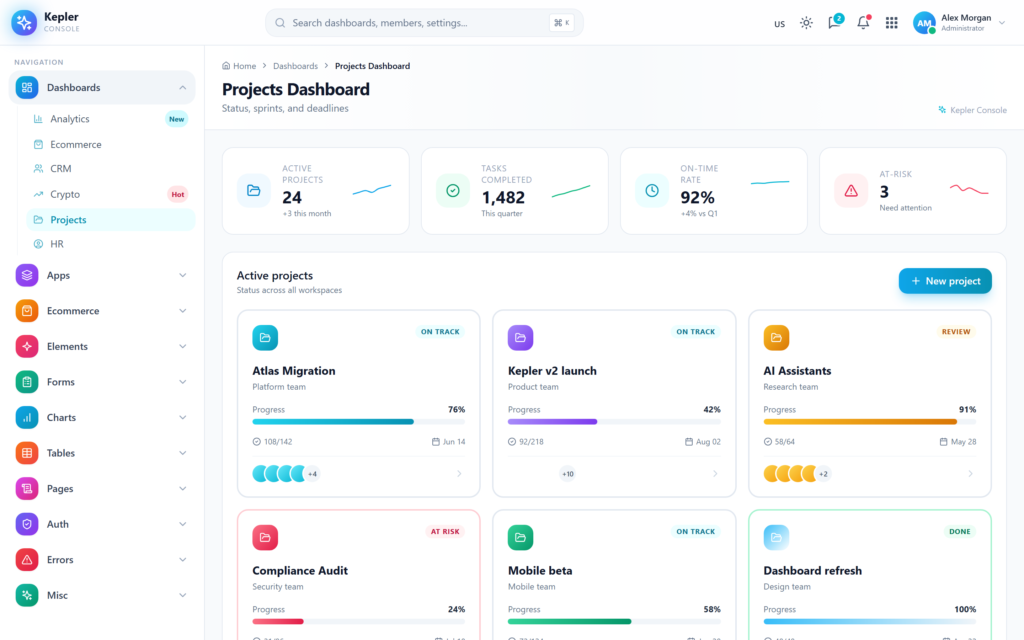
The template includes 6 unique dashboards, each built around a real domain with charts, KPIs, and interactions appropriate to that context: Analytics (real-time visitors, conversion funnel, traffic sources), Ecommerce (revenue and order tracker, best-seller grid, low-stock alerts, channel split), CRM (deal pipeline, sales leaderboard, lead sources, activity feed), Crypto (portfolio tracking, watchlists, market movers, order book), Projects (sprint burndown, milestone timeline, deliverables-at-risk, team capacity), and HRM (headcount trend, attendance heatmap, recruiting funnel, payroll). Every dashboard is responsive, dark-mode ready, and built with reusable patterns you can lift into your own product.

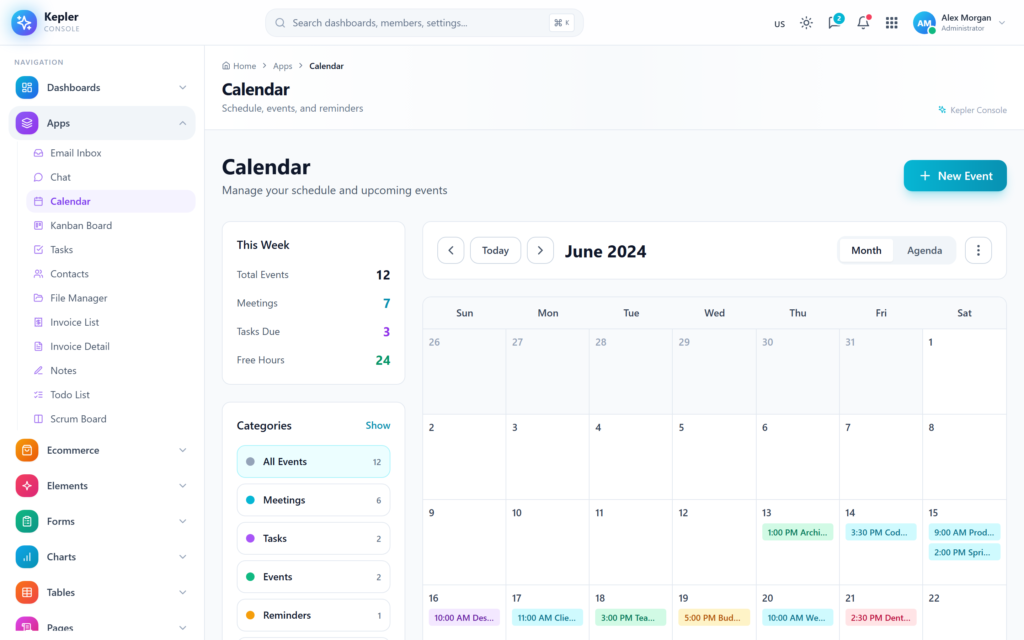
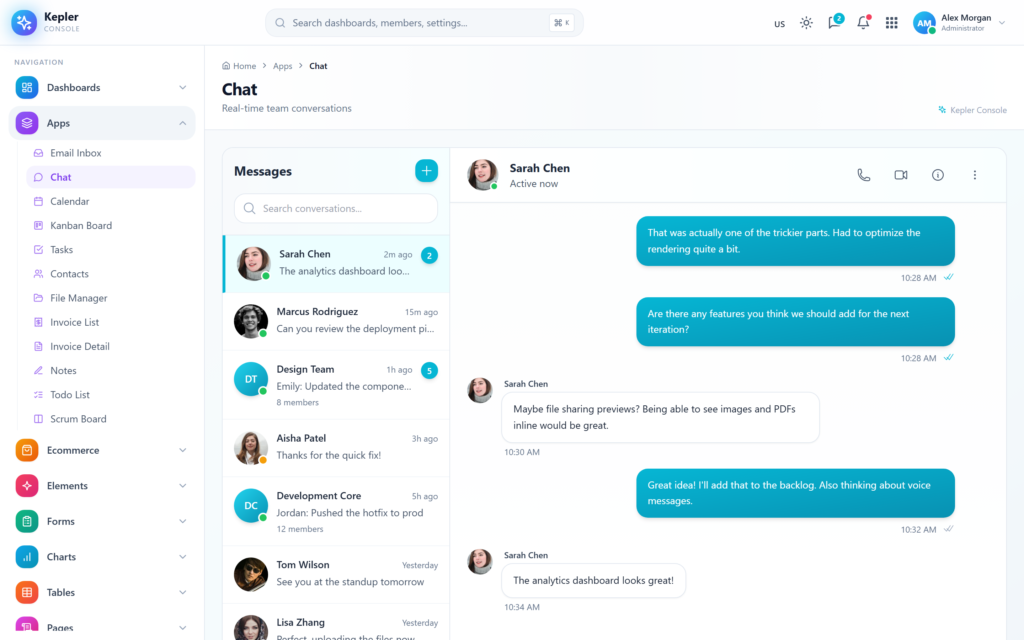
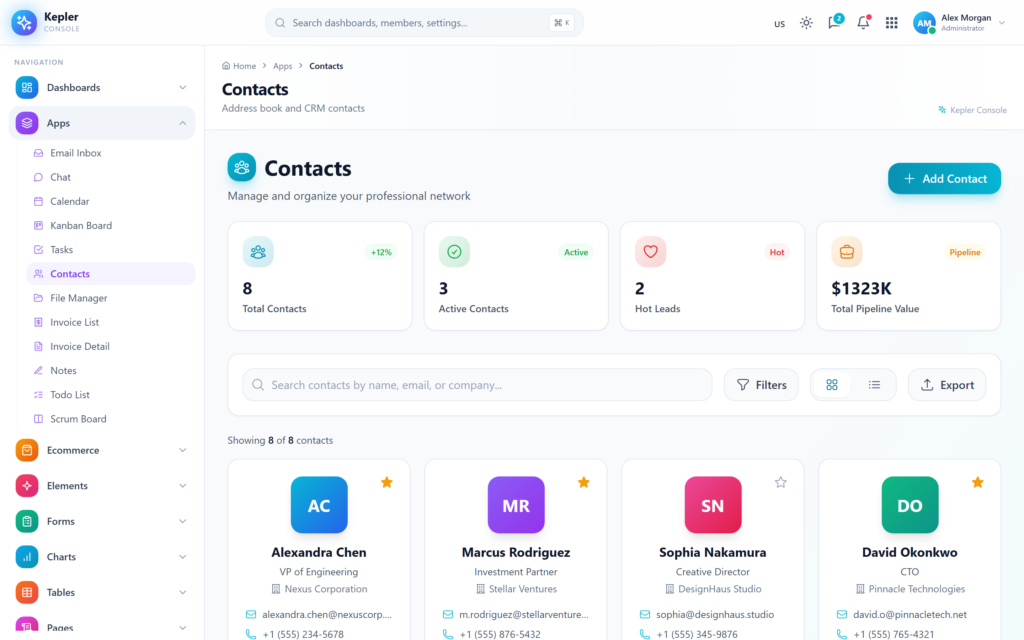
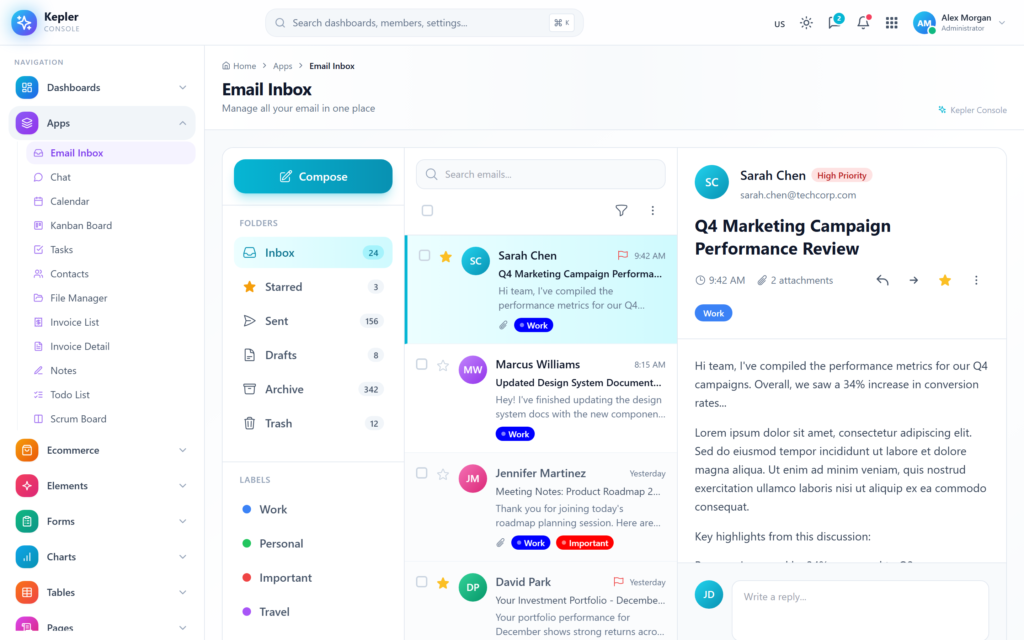
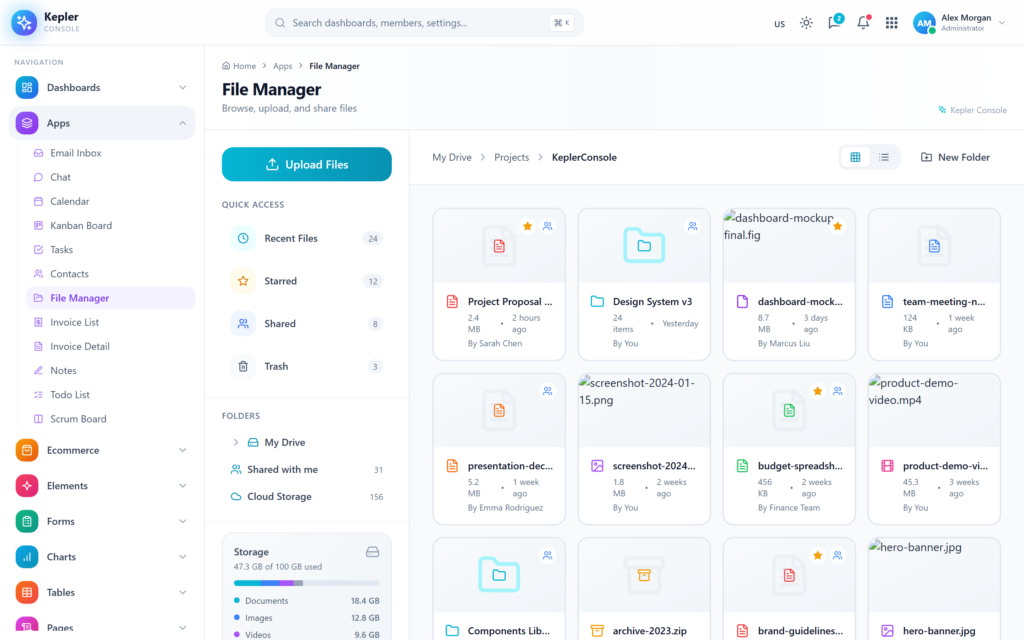
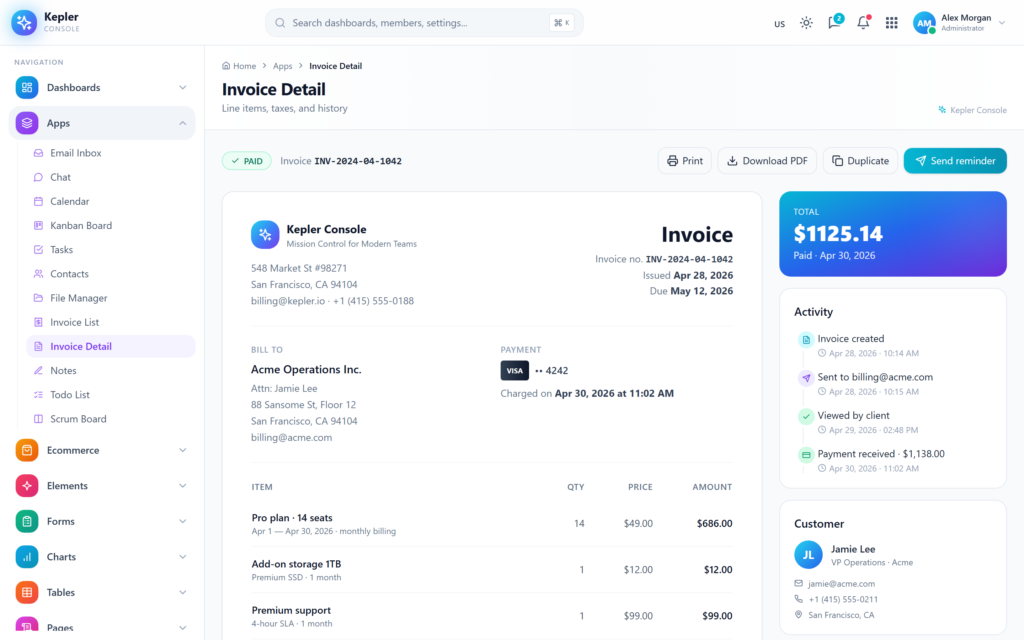
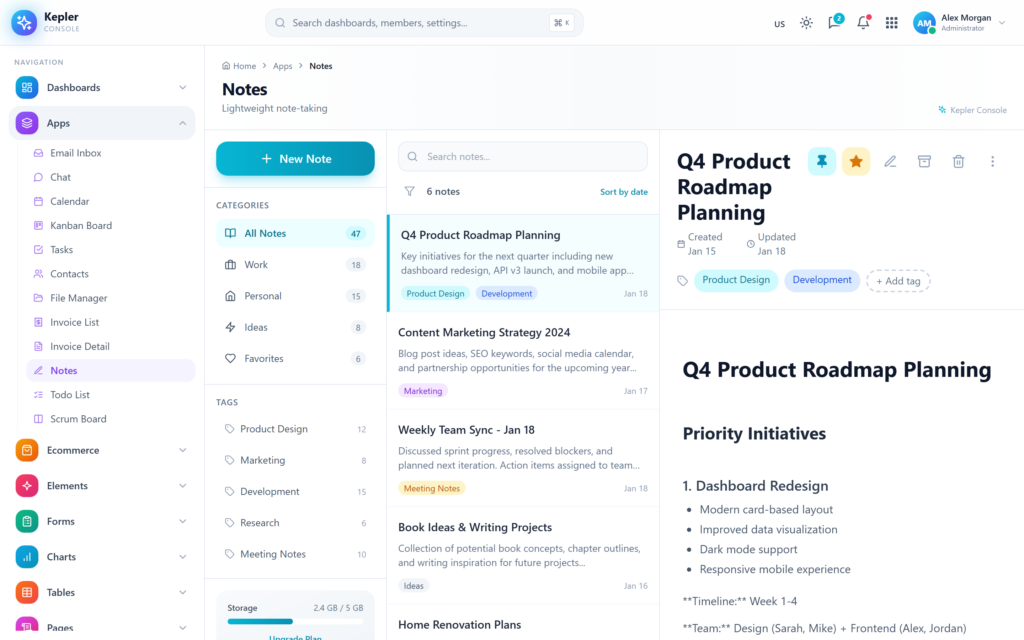
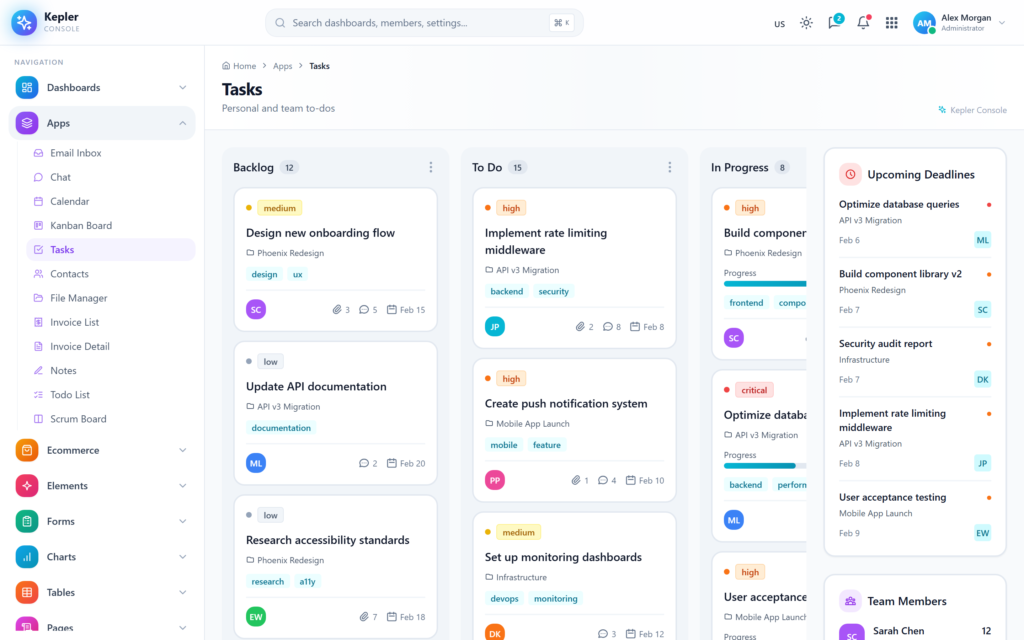
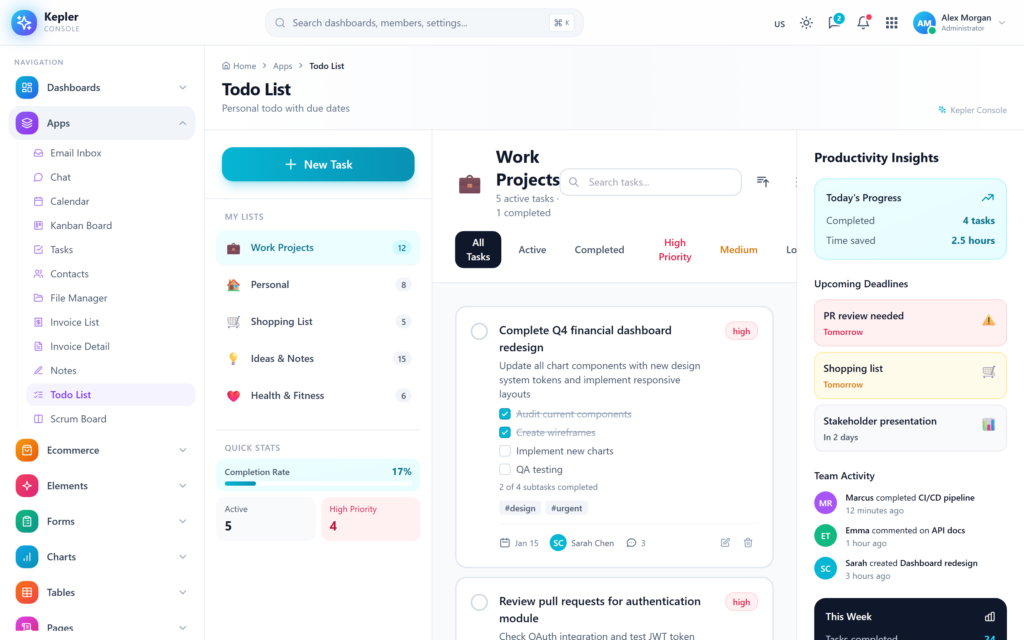
Beyond dashboards, Kepler Console ships 12 working applications — Email Inbox with three-pane layout and compose modal, Chat with conversations and contact directory, Calendar with month view and event creation, Kanban with drag-and-drop columns and visible horizontal scroll, Tasks with priority and assignee filters, Contacts directory with detail drawer, File Manager with folder tree and storage breakdown, Invoice List with filterable ledger, print-ready Invoice Detail, three-pane Notes with categories and tagging, multi-list Todo with priority, and a Scrumboard with backlog and sprint columns. Each app handles selection state, search, filtering, and editing — not just a static template you have to retrofit.

The UI library covers 50+ elements: alerts, badges, buttons, cards, carousels, modals, tabs, tooltips, accordions, progress bars, breadcrumbs, pagination, spinners, toasts, avatars, dropdowns, list-groups, media objects, popovers, and a typography reference page. Form patterns include basic, advanced, multi-step wizard, validation showcase, file-upload with drag-and-drop, repeater fields, custom select, and a rich-text editor. Tables come in four flavors: basic styled, sortable Data Tables with CSV export and a working Members directory, Responsive tables with row-collapsing, and Editable inline-cell tables. Charts span five visual identities — Apex-style, Chart.js-style, ECharts-style, Sparkline, and Knob/gauge — all rendered through a unified Recharts layer with dark-mode adapters.

Authentication and error pages are designed with personality and never feel generic. Login is presented as a boarding pass, Register as a manila folder, Forgot Password as a postcard, Reset Password as a brass-vault dial, Two-Factor as a mechanical keypad, and Lock Screen as a vinyl record player. Each is full-bleed, light-themed, and fully responsive. Error pages cover 400, 401, 403, 404, 500, and 503, each with a unique illustrated take and quick-recover CTAs ready to wire into your error boundary. There are no hardcoded credentials, no defaultValue attributes leaking into production builds — every input ships clean with placeholders and proper autoComplete attributes.

Theming is a first-class feature. The dark-mode system uses Tailwind’s class strategy with a single global adapter layer that remaps surfaces, borders, text, transparency variants, hover states, inputs, and Recharts grid/axis/tooltip colors automatically. You don’t need dark: variants on every page — light pages adapt themselves. The template also supports URL-driven theming via the ?theme=dark or ?theme=light query parameter, perfect for marketing screenshots, embedded demos, or pre-styled customer links. Theme precedence is URL → localStorage → OS preference, and back/forward navigation re-applies the URL theme correctly.

Performance is taken seriously: Vite-driven cold start under 1 second, hot-module-replacement under 80 ms, tree-shaken production build at approximately 1.8 MB JavaScript that gzips to ~424 KB. The codebase is organized by route folder (dashboards/, apps/, ecommerce/, elements/, forms/, charts/, tables/, pages/, auth/, errors/, misc/), uses a layout-driven page-header system that avoids per-page header boilerplate, and includes a horizontal-scrollbar opt-in class for cases like kanban where the global hide-scrollbar rule needs an exception. The buyer gets a clean, opinionated foundation that is easy to extend, easy to read, and ready to ship.

What’s included

  • 6 dashboards: Analytics, Ecommerce, CRM, Crypto, Projects, HRM
  • 12 working apps: Email, Chat, Calendar, Kanban, Tasks, Contacts, File Manager, Invoice List, Invoice Detail, Notes, Todo, Scrumboard
  • 6 ecommerce pages: Products, Product Detail, Cart, Checkout, Orders, Customers
  • 50+ UI element pages
  • 8 form pages including multi-step wizard, validation, file upload, repeater, rich-text editor
  • 5 chart identities (Apex / Chart.js / ECharts / Sparkline / Knob) on a unified Recharts layer
  • 4 table types (Basic, Data, Responsive, Editable) with sort, filter, search, CSV export
  • 13 standalone pages (Profile, Settings, Pricing, FAQ, Terms, Timeline, Gallery, Blog List, Blog Detail, Contact, About, Search Results, and more)
  • 6 uniquely-designed auth pages (Login, Register, Forgot, Reset, Lock, Two-Factor)
  • 6 error pages (400, 401, 403, 404, 500, 503)
  • 2 misc pages (Maintenance, Coming Soon)
  • Light and Dark mode with full adaptation including charts and tooltips
  • URL-based theme switching (?theme=dark / ?theme=light)
  • Custom favicon SVG with brand gradient
  • Premium landing page (landing.html) with screenshots and detailed feature presentation

Technical stack

  • React 18.3
  • Vite 5.4
  • Tailwind CSS 3.4
  • React Router v6
  • Recharts v2
  • Lucide React (latest)
  • Heroicons v2
  • ESM, fully tree-shaken production build

Highlights

  • Real interactions, not static mockups
  • Layout-driven page headers — add a route, add a meta entry, done
  • Zero hardcoded credentials in any form
  • Recharts grid, axis, and tooltip dark-mode adapters baked in
  • Visible-scrollbar opt-in class for kanban-style horizontal canvases
  • Flush-footer page mode for app shells like File Manager and Notes
  • Working drag-and-drop, sort, filter, search, edit, validate
  • SEO-ready landing page with screenshots and rich semantic markup
  • Responsive from 320px to ultra-wide
  • Accessible focus states, semantic HTML, ARIA-friendly components

Why Developers Choose Us

Our templates include everything you need to create modern, scalable websites with ease.

Responsive Design

Every template is fully responsive and looks stunning on all devices - from mobile to desktop.

Lightning Fast

Optimized for performance with minimal CSS and no dependencies. Your site will load in milliseconds.

Easy Customization

Easily customize layouts, colors, typography, and components to match your brand identity.

Clean Code

Well-organized, commented code that's easy to understand and modify for your needs.

Regular Updates

Get free lifetime updates with new features, improvements, and security patches.

Premium Support

Get help when you need it with our dedicated support team available 24/7.

Frequently Asked Questions

Find answers to the most common questions about orders, shipping, returns, and more.

Still have a question?

We're here to help! Reach out to our support team and we'll get back to you as soon as possible.

What is an admin dashboard template and how is it used in web applications?
An admin dashboard template is the control room of a web application. Every serious product has one. It is where administrators manage users, teams monitor activity, and product managers watch performance numbers move in real time. Instead of designing and building this interface from scratch, developers start with a template that already contains the structural UI layer required for operations. Inside it live dashboards, reporting panels, tables that hold thousands of records, configuration pages, and system controls. Engineers connect their backend services to this interface and immediately gain a working operational console. That shortcut removes a large portion of repetitive interface development that most web applications eventually require.
Which frameworks do modern admin dashboard templates usually support?
Admin dashboards rarely exist in isolation. They must fit directly into the development stack already running the product. For that reason most modern dashboard templates support several popular front-end frameworks. React appears most often because its component system fits data-heavy interfaces extremely well. Next.js commonly follows when teams want server rendering and efficient routing. Angular remains common inside enterprise environments where applications grow large and structured. Vue attracts teams who prefer lightweight reactive frameworks. Bootstrap dashboards remain useful for rapid interface deployment, while Tailwind dashboards provide extremely flexible styling systems. Supporting these frameworks allows teams to integrate dashboards into existing projects without reworking their entire codebase.
What features should a high-quality admin dashboard template include?
A capable admin dashboard template operates like the operating system of the application’s internal environment. It brings together multiple UI elements that administrators rely on constantly. Analytics dashboards visualize performance data through charts and graphs. Large data tables allow teams to browse and manage records such as users, transactions, or inventory items. Forms enable structured workflows like product creation or account management. Authentication pages handle system access. Notification panels show system events. Reporting modules summarize trends. Navigation systems tie everything together so users can move quickly between operational areas. When those components already exist, development teams skip weeks of repetitive interface work.
How much development time can an admin dashboard template save?
Admin dashboard templates compress the entire development phase dramatically. The UI infrastructure already exists. Developers move straight into connecting APIs, integrating databases, and wiring business logic into the interface. A dashboard template removes weeks of front-end engineering work and allows product features to reach production much faster.
Are admin dashboard templates suitable for large SaaS platforms?
Yes, and many SaaS products actually begin that way. The administrative needs of SaaS platforms tend to follow familiar patterns. Teams need user management panels, analytics views, subscription data, reporting tools, configuration pages, and system monitoring dashboards. A strong dashboard template already contains the UI structure required for these operations. Developers then extend it by adding application-specific data layers and new modules as the product evolves. Startups benefit because they launch quickly with a polished operational interface. In short, admin dashboard templates are very well suited for large SaaS platforms.
Can developers customize admin dashboard templates easily?
Yes of course! In fact, customization is a major reason teams choose dashboard templates in the first place. No two applications display identical data or follow identical workflows. Therefore, developers usually use dashboards extensively once the template enters a project. This makes sure that entire modules such as billing systems, order management panels, or customer support tools often get introduced. Templates are useful because they can change the branding easily. Because dashboard templates rely on reusable UI components, developers extend the interface gradually without rewriting the foundation.
Which types of applications commonly use admin dashboard templates?
Admin dashboards appear almost everywhere modern software operates. SaaS platforms depend on them to manage users and monitor product performance. Ecommerce companies operate inventory systems, orders, and sales metrics through dashboards. CRM tools use dashboard panels to organize the customer records and communication history. Even analytics platforms use them to visulaize reporting data.  Some enterprise tools depend on dashboards to track operations and system activity. Some marketplaces and fintech applications also depend heavily on administrative interfaces.

Explore Top Selling Admin Templates

Discover our most popular modern, responsive, and developer-friendly admin dashboard templates.

News & Articles

Discover our most popular modern, responsive, and developer-friendly admin dashboard templates.

Subscribe to our newsletter

From strategy to execution, we help you create powerful digital experiences that drive real results.

Stay Updated No spam, unsubscribe anytime.