DBank – Banking & Finance Admin Dashboard HTML Template

HTML5 CSS3 JavaScript jQuery Tailwind CSS
Need Help ?
DBank – Banking & Finance Admin Dashboard HTML Template - Premium Template

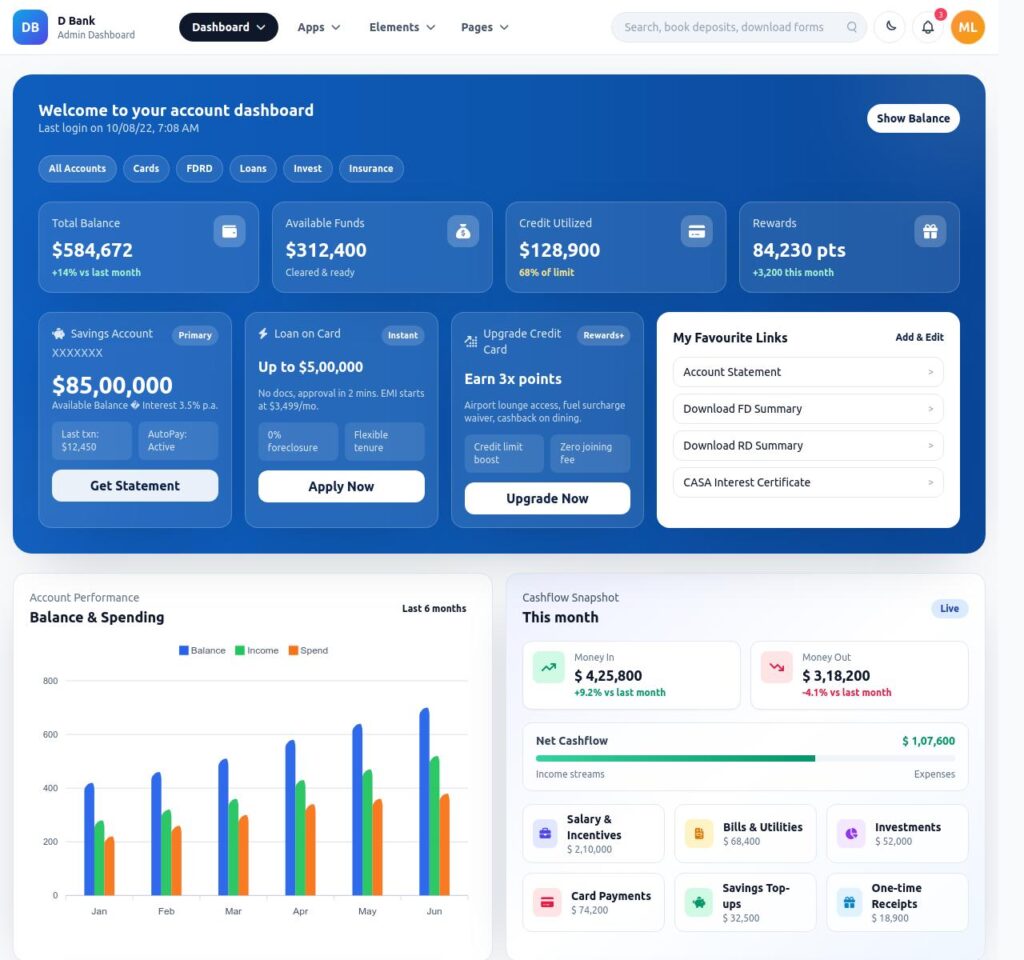
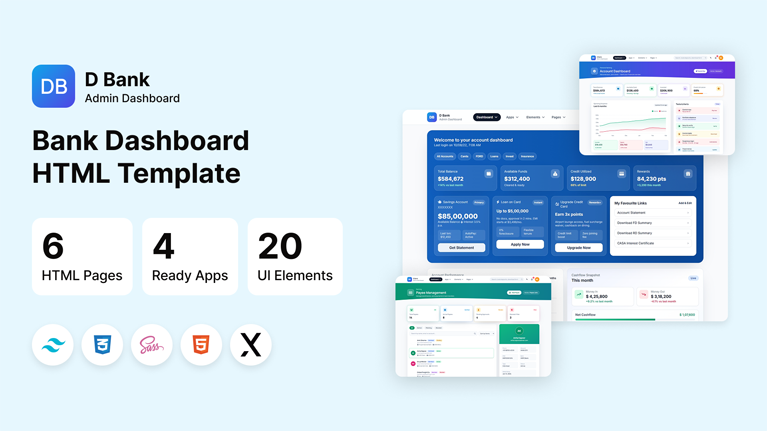
DBank is a modern, fully responsive banking and finance admin dashboard template built with Tailwind CSS 3. Designed for banks, fintech startups, digital wallets, and financial SaaS products, DBank provides a clean and professional interface to manage accounts, transactions, loans, and more.

6+

Inner Pages

4+

UI Components

6+

Key Features

100%

Fully Responsive

Clear Documentation

Premium Support

Regular Updates

Need Help? We're Here For You

Our dedicated support team is available 24/7 to help you with any questions or issues. Get in touch with us anytime.

24/7

Availability

Fast Response

Time

Expert

Assistance

Everything You Need to Build

Built with modern technologies and best practices, Dbank provides a solid foundation for any Bank or Account admin dashboard project.

Tailwindcss 3.4.19

Tailwind CSS 3.4.17 provides powerful utility classes to build responsive, modern, and customizable user interfaces quickly and efficiently.

Fully Responsive

Pixel-perfect design that looks stunning on all devices from mobile phones to ultra-wide monitors.

ApexCharts Integration

Interactive data visualizations with area, bar, donut, radial, and combo charts powered by ApexCharts.

Dark & Light Modes

Seamless theme switching between light and dark modes with CSS custom properties and zero page reload.

Clean Code

Well-organized, modular architecture with semantic HTML, CSS custom properties, and documented JavaScript.

Easy to Customize

Clean, well-organized code with CSS variables for easy theming and customization

Versatile Dashboard Options

Discover our most popular modern, responsive, and developer-friendly admin dashboard templates.

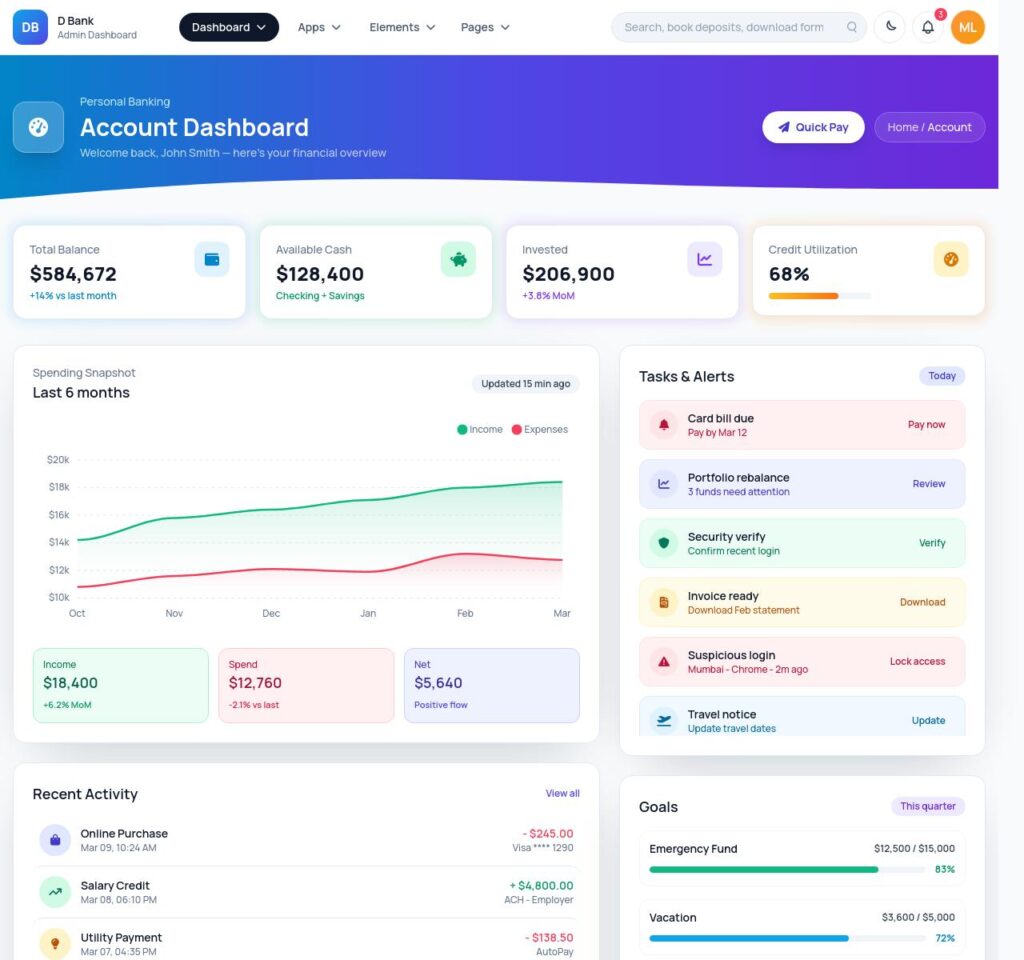
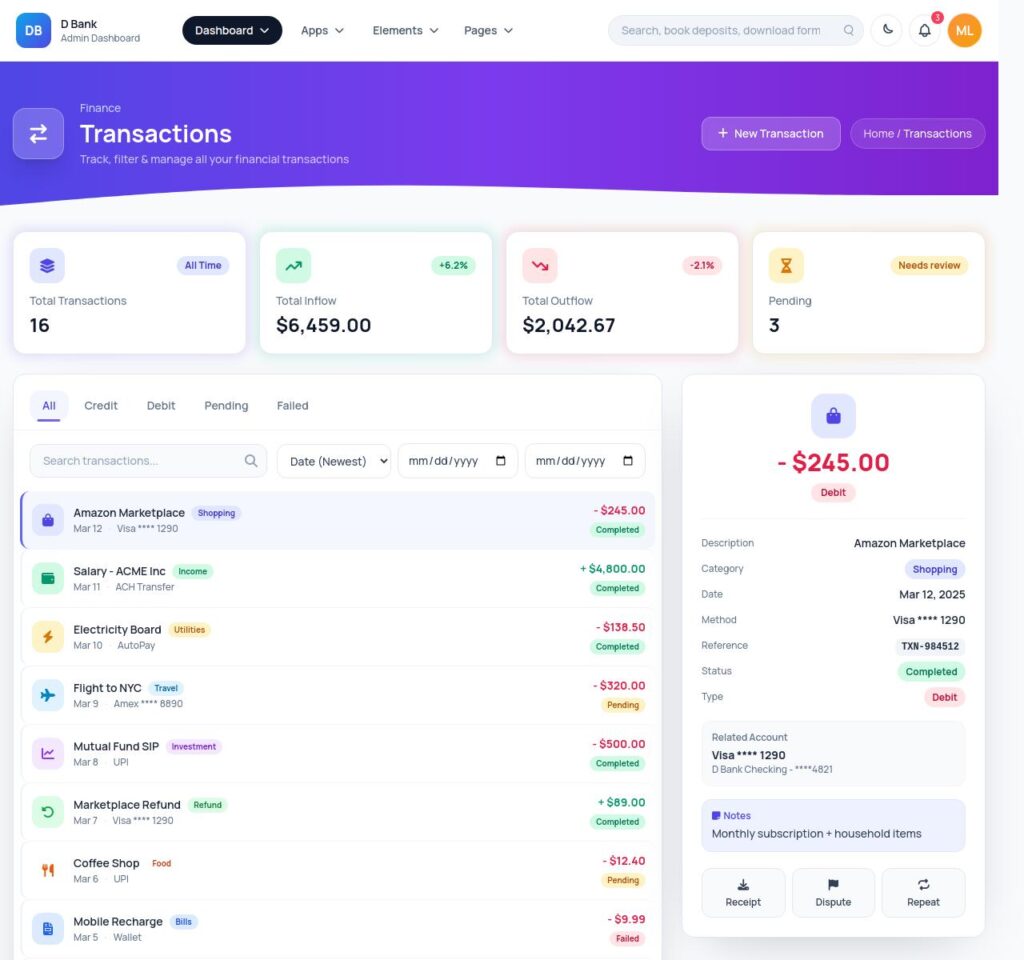
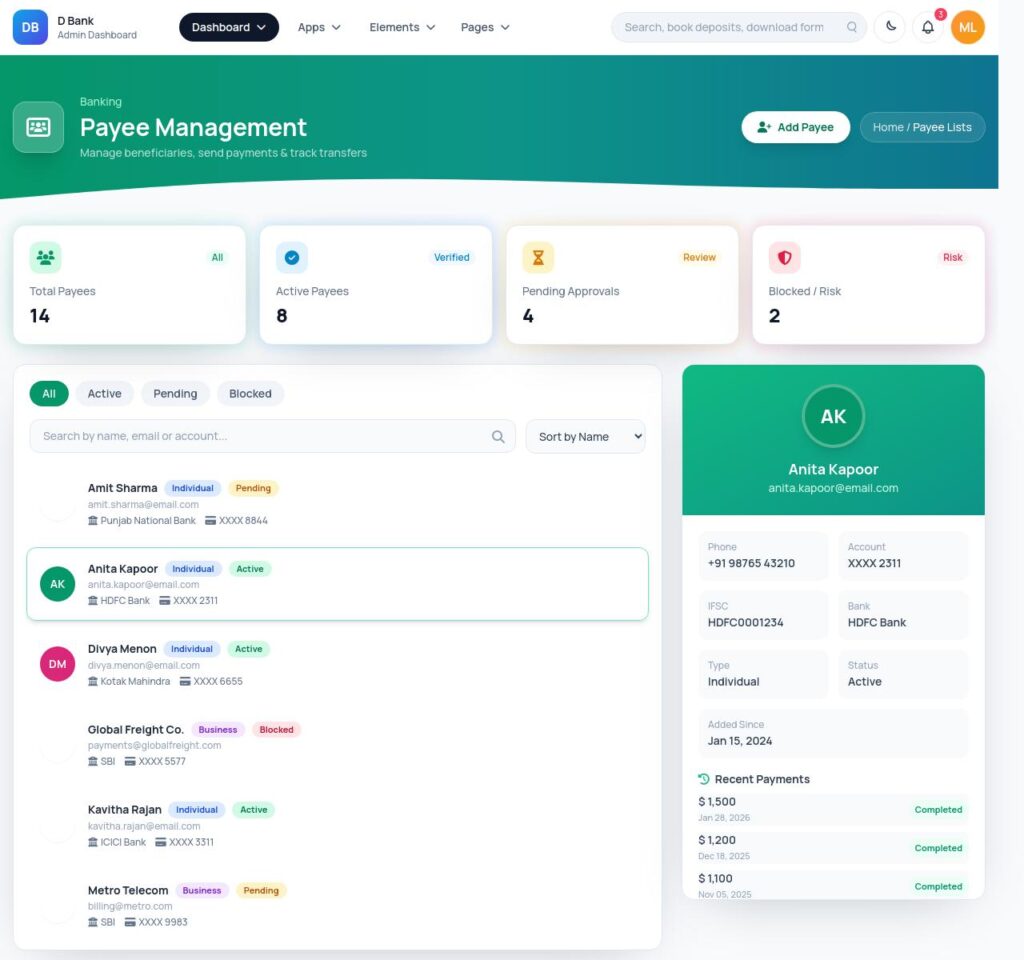
6 Layout Variations

Dashbaord

Dashbaord Account

Transactions

Payee Management

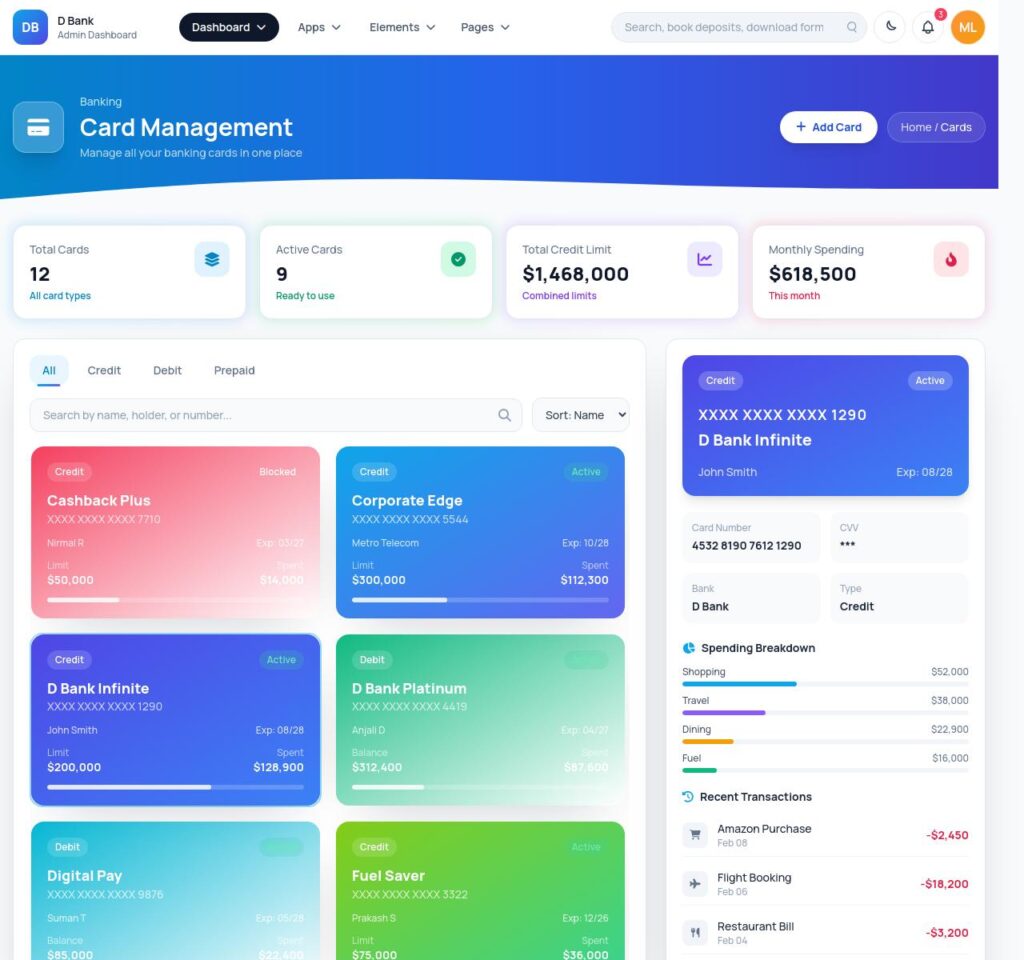
Card Management

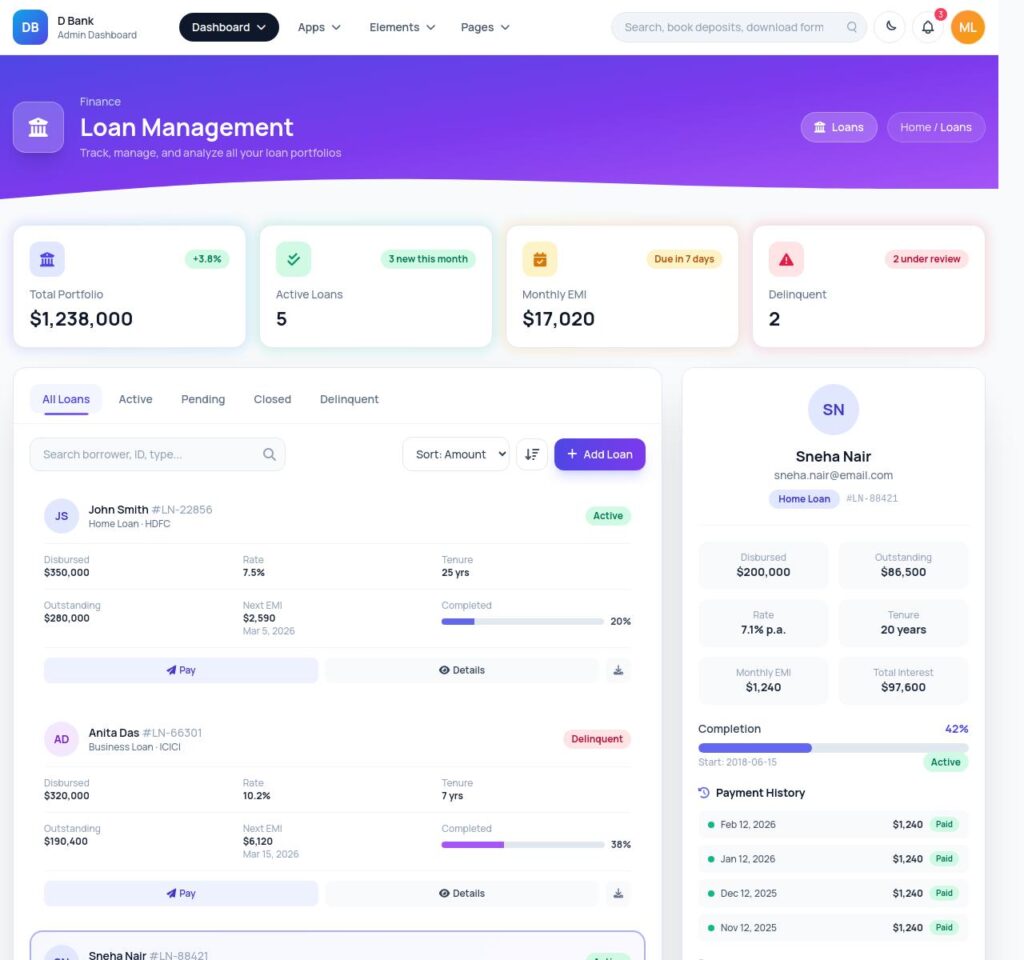
Loan Management

Built With

The technologies and frameworks powering this template.

Tailwindcss 3.4.17
ApexCharts
jQuery 3.7
Sweet Alert
Popovers
Toastr
Chat
Mailbox

Flexible pricing plans tailored for your business

Discover our range of professionally designed templates.

100% Moneyback Guarantee
Secure Checkout · Instant Download · Risk Free

Single Use

For a single end product, with no user fees.

$24
Purchase Now
  • Full source code
  • Documentation
  • Use in SaaS app
  • Projects 1

Multiple Use

For a single end product, with no user fees.

$49
Purchase Now
  • Full source code
  • Documentation
  • Use in SaaS app
  • Projects 3

Extended Use

For a single end product, with no user fees.

$199
Purchase Now
  • Full source code
  • Documentation
  • Use in SaaS app
  • Projects Unlimited

For Business

For multiple end products with user charges.

$299
Purchase Now
  • Full source code
  • Documentation
  • Use in SaaS app
  • Projects Unlimited

Description

DBank is a modern, fully responsive banking and finance admin dashboard template built with Tailwind CSS 3. Designed for banks, fintech startups, digital wallets, and financial SaaS products, DBank provides a clean and professional interface to manage accounts, transactions, loans, and more.

Key Features

  • 40+ HTML Pages
  • Built with Tailwind CSS 3
  • Fully Responsive Design (Mobile, Tablet, Desktop)
  • Light and Dark Mode Support
  • Clean and Modern UI Design
  • Manrope Google Font
  • Font Awesome 6 Icons
  • Well Organized and Easy to Customize
  • Cross Browser Compatible
  • W3C Valid HTML Code

Dashboard Pages

  • Main Dashboard with Analytics
  • Account Dashboard

Banking Pages

  • Transactions
  • Payee Lists
  • Cards Management
  • Loans

Application Pages

  • Chat
  • Todo
  • Mail / Inbox
  • File Manager

UI Elements

  • Apex Charts
  • Morris Charts
  • C3 Charts
  • Basic Forms
  • Form Layouts
  • Form Validation
  • Alerts
  • Badges
  • Carousel
  • Collapse / Accordion
  • Dropdowns
  • Modals
  • Pagination
  • Popovers
  • Progress Bars
  • Sweet Alert
  • Toastr Notifications
  • Tables (Basic, Advanced, GridJS)

Extra Pages

  • Login
  • Register
  • Lock Screen
  • 404 Error Page
  • 500 Error Page
  • Pricing
  • Contact Us
  • Profile Page
  • Blog
  • Blog Detail
  • User Cards

Technologies Used

  • HTML5
  • Tailwind CSS 3
  • JavaScript
  • Font Awesome 6
  • ApexCharts
  • Morris.js
  • C3.js
  • GridJS
  • SweetAlert2
  • Toastr

What You Get

  • 40+ Ready-to-use HTML Pages
  • Well Documented Code
  • Free Updates
  • Dedicated Support

Browser Support

Google Chrome, Mozilla Firefox, Safari, Microsoft Edge, Opera

Credits

  • Tailwind CSS
  • Font Awesome
  • Google Fonts (Manrope)
  • ApexCharts
  • Morris.js
  • C3.js
  • GridJS
  • SweetAlert2
  • Toastr

Why Developers Choose Us

Our templates include everything you need to create modern, scalable websites with ease.

Responsive Design

Every template is fully responsive and looks stunning on all devices - from mobile to desktop.

Lightning Fast

Optimized for performance with minimal CSS and no dependencies. Your site will load in milliseconds.

Easy Customization

Easily customize layouts, colors, typography, and components to match your brand identity.

Clean Code

Well-organized, commented code that's easy to understand and modify for your needs.

Regular Updates

Get free lifetime updates with new features, improvements, and security patches.

Premium Support

Get help when you need it with our dedicated support team available 24/7.

Frequently Asked Questions

Find answers to the most common questions about orders, shipping, returns, and more.

Still have a question?

We're here to help! Reach out to our support team and we'll get back to you as soon as possible.

What is an admin dashboard template and how is it used in web applications?
An admin dashboard template is the control room of a web application. Every serious product has one. It is where administrators manage users, teams monitor activity, and product managers watch performance numbers move in real time. Instead of designing and building this interface from scratch, developers start with a template that already contains the structural UI layer required for operations. Inside it live dashboards, reporting panels, tables that hold thousands of records, configuration pages, and system controls. Engineers connect their backend services to this interface and immediately gain a working operational console. That shortcut removes a large portion of repetitive interface development that most web applications eventually require.
Which frameworks do modern admin dashboard templates usually support?
Admin dashboards rarely exist in isolation. They must fit directly into the development stack already running the product. For that reason most modern dashboard templates support several popular front-end frameworks. React appears most often because its component system fits data-heavy interfaces extremely well. Next.js commonly follows when teams want server rendering and efficient routing. Angular remains common inside enterprise environments where applications grow large and structured. Vue attracts teams who prefer lightweight reactive frameworks. Bootstrap dashboards remain useful for rapid interface deployment, while Tailwind dashboards provide extremely flexible styling systems. Supporting these frameworks allows teams to integrate dashboards into existing projects without reworking their entire codebase.
What features should a high-quality admin dashboard template include?
A capable admin dashboard template operates like the operating system of the application’s internal environment. It brings together multiple UI elements that administrators rely on constantly. Analytics dashboards visualize performance data through charts and graphs. Large data tables allow teams to browse and manage records such as users, transactions, or inventory items. Forms enable structured workflows like product creation or account management. Authentication pages handle system access. Notification panels show system events. Reporting modules summarize trends. Navigation systems tie everything together so users can move quickly between operational areas. When those components already exist, development teams skip weeks of repetitive interface work.
How much development time can an admin dashboard template save?
Admin dashboard templates compress the entire development phase dramatically. The UI infrastructure already exists. Developers move straight into connecting APIs, integrating databases, and wiring business logic into the interface. A dashboard template removes weeks of front-end engineering work and allows product features to reach production much faster.
Are admin dashboard templates suitable for large SaaS platforms?
Yes, and many SaaS products actually begin that way. The administrative needs of SaaS platforms tend to follow familiar patterns. Teams need user management panels, analytics views, subscription data, reporting tools, configuration pages, and system monitoring dashboards. A strong dashboard template already contains the UI structure required for these operations. Developers then extend it by adding application-specific data layers and new modules as the product evolves. Startups benefit because they launch quickly with a polished operational interface. In short, admin dashboard templates are very well suited for large SaaS platforms.
Can developers customize admin dashboard templates easily?
Yes of course! In fact, customization is a major reason teams choose dashboard templates in the first place. No two applications display identical data or follow identical workflows. Therefore, developers usually use dashboards extensively once the template enters a project. This makes sure that entire modules such as billing systems, order management panels, or customer support tools often get introduced. Templates are useful because they can change the branding easily. Because dashboard templates rely on reusable UI components, developers extend the interface gradually without rewriting the foundation.
Which types of applications commonly use admin dashboard templates?
Admin dashboards appear almost everywhere modern software operates. SaaS platforms depend on them to manage users and monitor product performance. Ecommerce companies operate inventory systems, orders, and sales metrics through dashboards. CRM tools use dashboard panels to organize the customer records and communication history. Even analytics platforms use them to visualize reporting data.  Some enterprise tools depend on dashboards to track operations and system activity. Some marketplaces and fintech applications also depend heavily on administrative interfaces.

Explore Top Selling Admin Templates

Discover our most popular modern, responsive, and developer-friendly admin dashboard templates.

News & Articles

Discover our most popular modern, responsive, and developer-friendly admin dashboard templates.

Subscribe to our newsletter

From strategy to execution, we help you create powerful digital experiences that drive real results.

Stay Updated No spam, unsubscribe anytime.