
 Purchase Now
 Live Preview







 Purchase Now

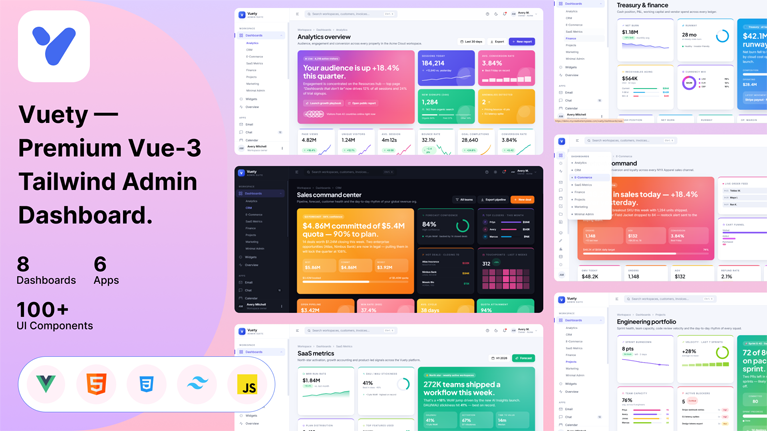
Vuety is a premium, enterprise-grade admin dashboard template built with Vue 3, Vite, Tailwind CSS and Chart.js. It is designed for developers, agencies, founders and design teams who need a production-ready foundation for SaaS platforms, analytics dashboards, CRM systems, e-commerce back-offices, finance tools, project management apps and operations consoles. Every page is hand-crafted with a consistent design language, responsive across desktop, tablet and mobile, and powered by a thoughtful design-token system that adapts instantly to dark mode.
Eight unique dashboard variations
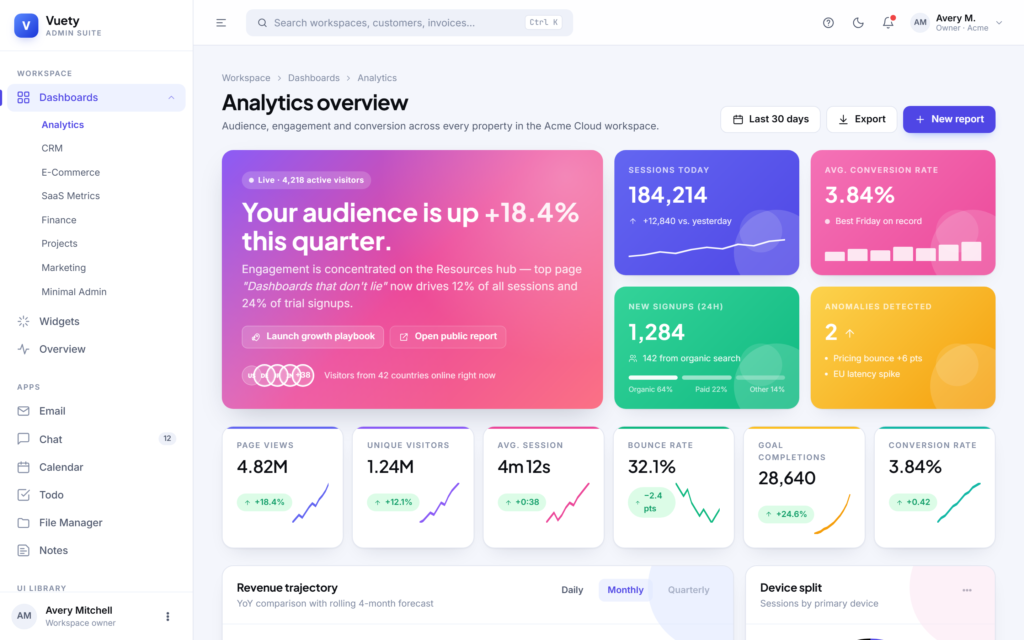
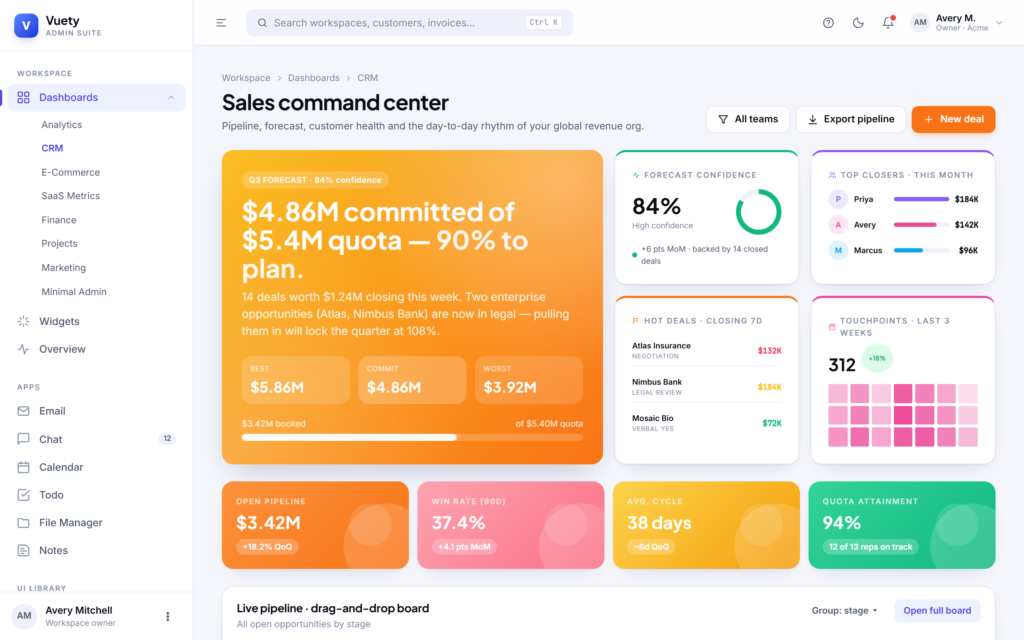
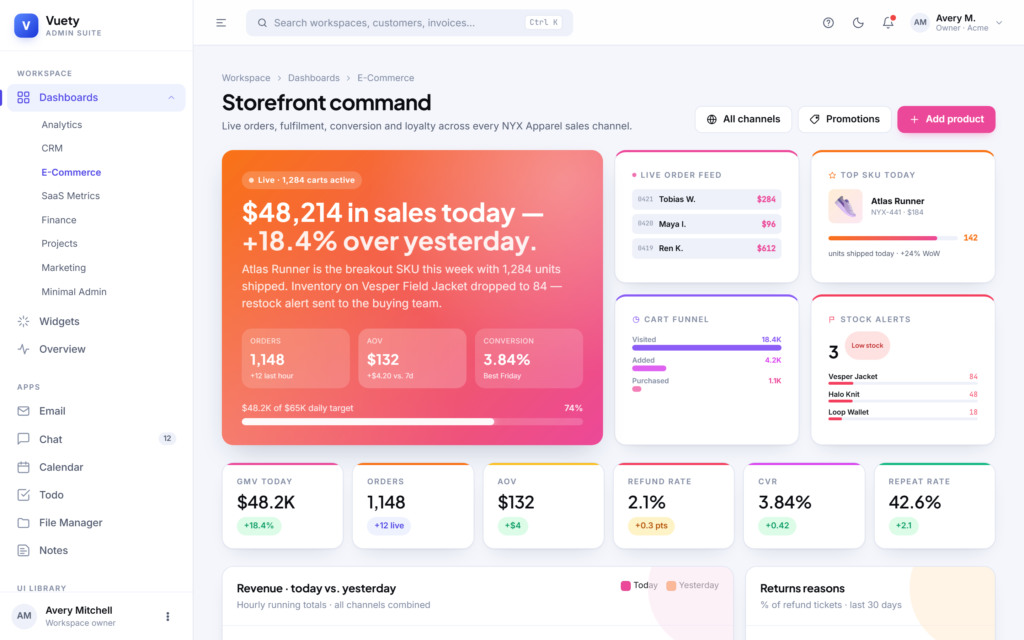
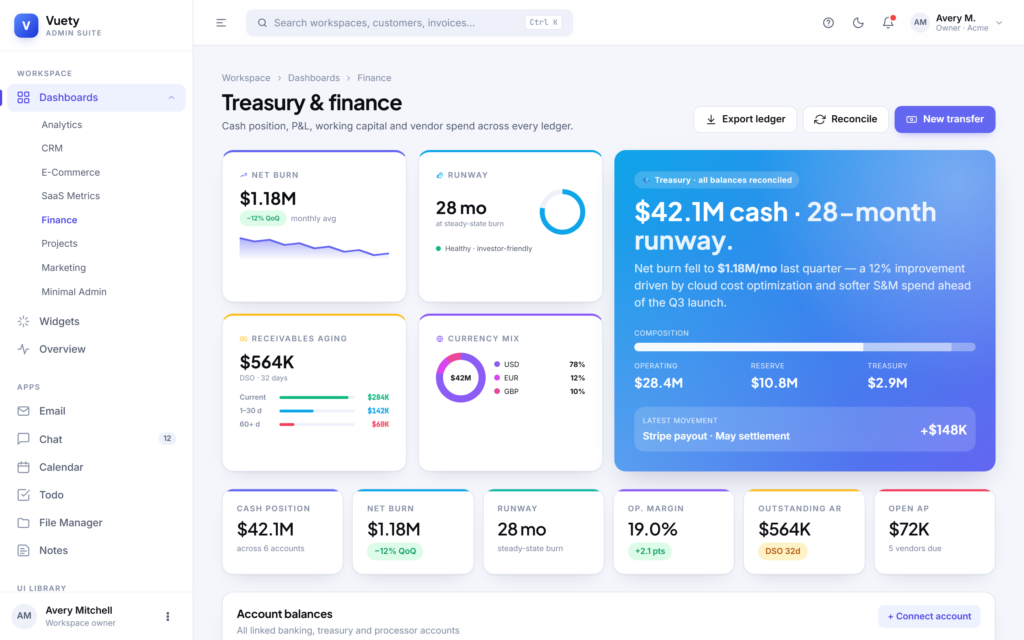
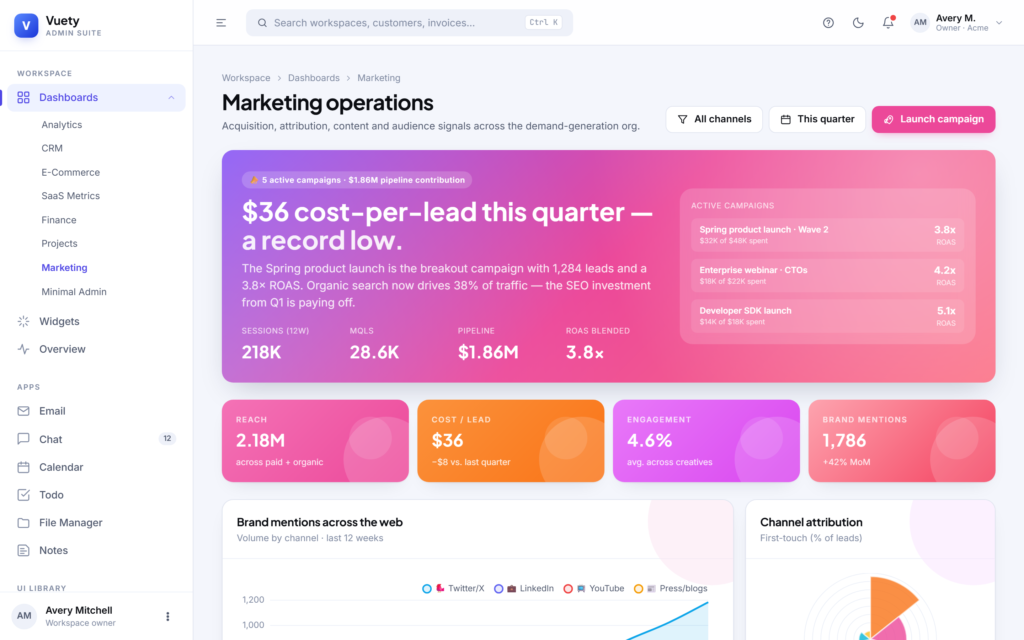
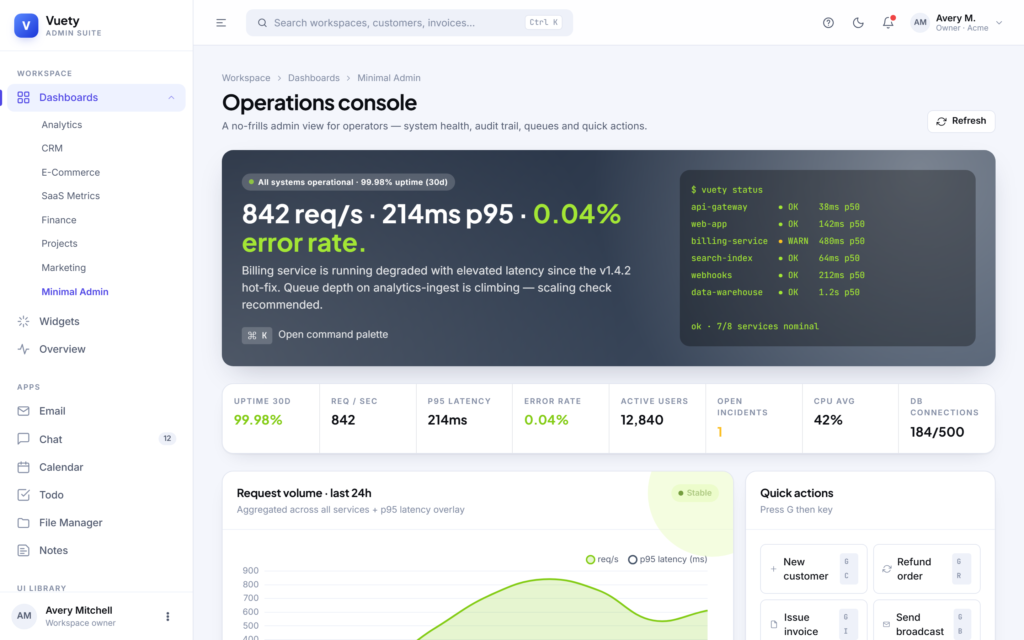
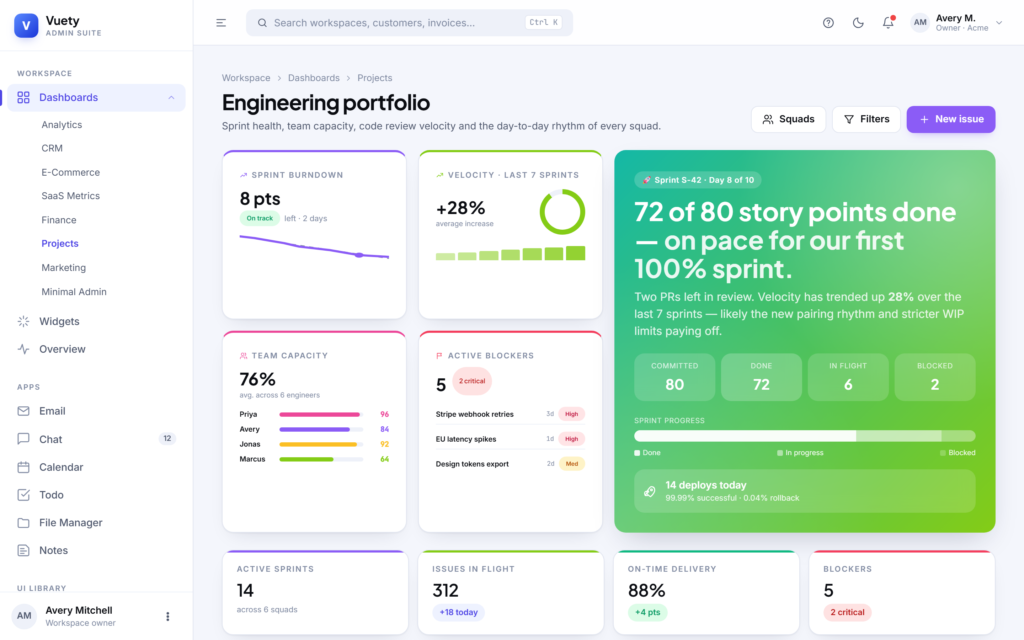
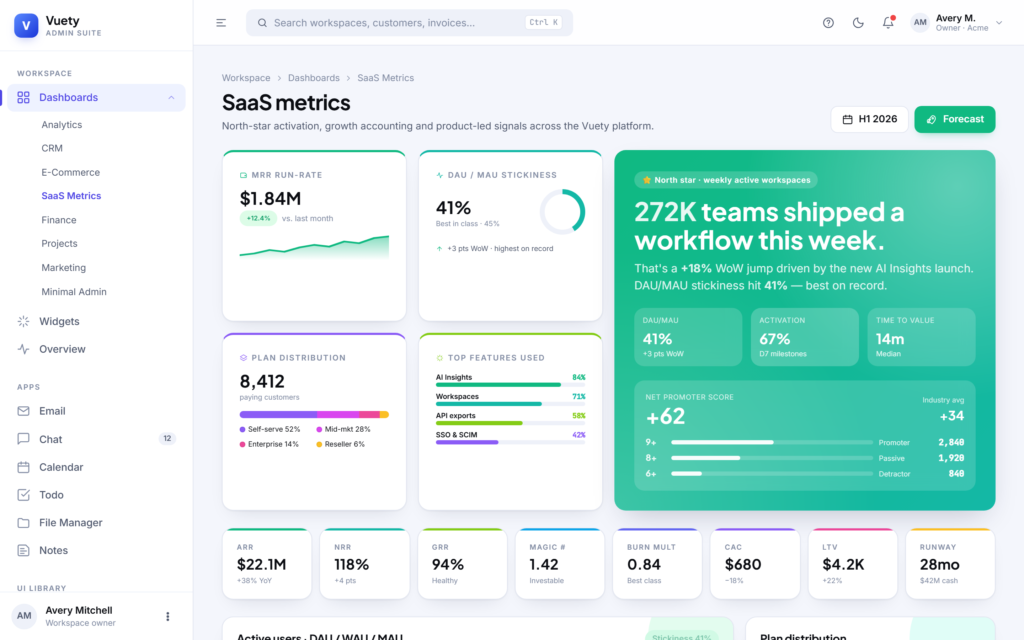
Vuety ships with eight completely original dashboards — Analytics, CRM, E-Commerce, SaaS Metrics, Finance, Project Management, Marketing and Minimal Admin — each with its own layout discipline, color palette and content rhythm. The Analytics dashboard pairs an aurora-gradient hero with sparkline KPIs, an engagement heatmap and a live event stream. The CRM dashboard delivers a five-column drag-and-drop pipeline kanban, deal velocity charts and rep leaderboards. The E-Commerce dashboard combines a live order ticker, sales heatmap, fulfilment SLA tracker and abandoned-cart recovery analytics. The SaaS dashboard surfaces growth accounting, MRR movements, cohort retention and feature adoption. The Finance dashboard covers cash position, multi-account balances, AR aging, AP schedules and a runway projection. Projects gives you sprint burndown, capacity rings, gantt-style milestones and a kanban board. Marketing focuses on campaign attribution, channel mix, SEO ranking and content engagement. The Minimal admin is a stripped-down operational view with terminal-style status output for power users.
Seventy-plus production-ready pages
Beyond the dashboards, Vuety includes more than seventy fully designed pages: a complete UI library (buttons, cards, badges, modals, alerts, dropdowns, tabs, tooltips, accordions, pagination), forms (basic, advanced, validation, layouts, multi-step wizard, file upload, input elements), charts (line, bar, pie, doughnut, radar, polar, mixed and a chart-UI showcase), tables (basic, data-tables with sort and search, responsive, editable, advanced filter), foundations (icon library, typography, color system, grid, spacing), apps (Email, Chat, Calendar, Todo, File Manager, Notes), general pages (Profile, Settings, Pricing, FAQ, Timeline, Invoice, Search Results, Notifications), user management (list, profile, roles and permissions, activity log), settings (general, security, notifications, billing), six authentication pages with unique designs (Login, Signup, Forgot Password, Reset Password, OTP Verification, Lock Screen), four error pages (404, 500, 403, Maintenance) and a Workspace Overview hub.
Premium design system
The design system is built around CSS custom properties so a single token change updates the entire app. Vuety includes thirteen accent colors (brand, violet, pink, orange, coral, emerald, teal, amber, lime, sky, indigo, fuchsia, rose), each with a soft tinted variant, eight named gradients (brand, sunset, ocean, forest, citrus, aurora, mint, graphite) and a carefully tuned neutral ramp that adapts gracefully between light and dark modes. Typography pairs Plus Jakarta Sans for display headings with Inter for body copy and JetBrains Mono for code, money figures and identifiers. The component layer ships dozens of reusable patterns: KPI tiles with sparklines, gradient hero cards, soft chips, status badges, ring gauges, progress bars, donut charts, horizontal funnels, sortable tables, kanban swimlanes, toast notifications, modals, side sheets, fullscreen takeovers, dropdowns, tooltips, popovers, command palettes, mega menus and floating action buttons.
Real interactivity, not just visuals
Vuety is fully interactive out of the box. Forms validate on submit with inline error messages and live password-strength meters. Dropdowns open and close on click with click-outside detection and Escape-to-close. Tooltips and popovers are teleported to the document body so they always sit above every other surface. Modals support full-screen overlays with backdrop blur, side sheets, success states, media previews and authentication challenges. Toast notifications can be fired from anywhere with a single line of JavaScript. The chat app delivers and receives messages, the todo app supports add, complete, delete and filter, and the email app marks messages read on click and updates the inbox count.
Charts powered by Chart.js
All charts use the latest Chart.js with vue-chartjs wrappers that automatically re-theme when the user switches between light and dark mode. Six wrappers are provided — VyLineChart, VyBarChart, VyDoughnutChart, VyRadarChart, VyMixedChart and VyPolarChart — each configurable through a single data prop and an optional options override. Chart tooltips, legend labels, axis ticks and grid lines all read from CSS variables, so brand and dark-mode changes propagate automatically.
Dark mode and theming
Dark mode is a first-class citizen in Vuety. The theme can be toggled by clicking the sun/moon icon in the navbar, by pressing Ctrl/Cmd + J, or by visiting any URL with the ?theme=dark, ?theme=light or ?theme=system query parameter. The user’s choice is persisted to localStorage and survives reloads. The theme system respects the operating system preference when set to system, listening for OS-level changes via the prefers-color-scheme media query.
Smart sidebar navigation
The collapsible sidebar automatically detects which parent menu contains the current route and expands it on every page load and refresh. Only one parent stays open at a time, behaving like an accordion. When collapsed, hovering an icon reveals a floating flyout with that parent’s children. The mobile sidebar slides in from the left with a backdrop, and a search-anywhere input is wired to the Ctrl/Cmd + K keyboard shortcut.
Modern technology stack
Vuety is built on Vue 3 with the Composition API and the <script setup> syntax, Vite 5 for blazing-fast development and optimized production builds, Vue Router 4 with history mode and base-path support, Tailwind CSS 3 with custom vy-* component classes and Chart.js 4 with vue-chartjs 5. Total production payload is roughly 340 KB JavaScript and 40 KB CSS, compressing to about 122 KB and 9 KB gzipped respectively.
Built for developers, ready for production
The codebase is clean, modular and easy to extend. All CSS lives in a single assets/css/styles.css file with no inline styles in components. All vanilla JavaScript helpers (theme, toasts, hotkeys, copy-to-clipboard) live in assets/js/main.js. Adding a new page is a three-step process: create a Vue component, register a route, add a sidebar entry. The bundled .htaccess file configures Apache for SPA history-mode fallback, gzip compression, immutable caching of hashed assets and security headers (X-Content-Type-Options, X-Frame-Options, Referrer-Policy, Permissions-Policy). Subpath deployment is supported by setting the base option in vite.config.js; Vue Router automatically uses the same prefix.
Accessibility and responsiveness
Every interactive element has appropriate ARIA labels, keyboard focus states and click targets that meet recommended size guidelines. The layout is fully responsive from mobile through desktop with carefully tuned breakpoints. Cards reflow into single columns on small screens, the sidebar collapses into a slide-over drawer on mobile, and tables either gain horizontal scroll or convert to stacked card lists where appropriate.
Who is Vuety for
Vuety is the right starting point for SaaS founders shipping their first product, agencies building admin panels for clients, freelance developers who want to deliver enterprise-quality work without spending weeks on the design system, internal tooling teams who need a polished front-end on top of an existing API, and design-led teams who want a high-quality reference for dashboard patterns, premium typography and modern motion.
Documentation and support
A bundled documentation.html walks through installation, project structure, the theming system, adding new pages, using the chart components, deployment and frequently asked questions. The package includes ongoing updates and email support to ensure your project ships smoothly.






 Live Preview