


 Purchase Now
 Live Preview







 Purchase Now

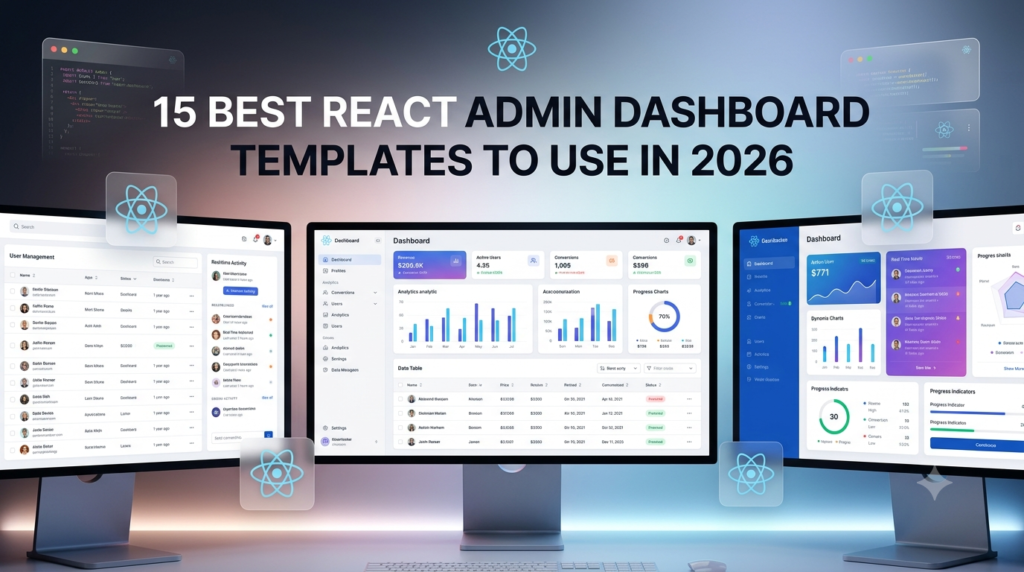
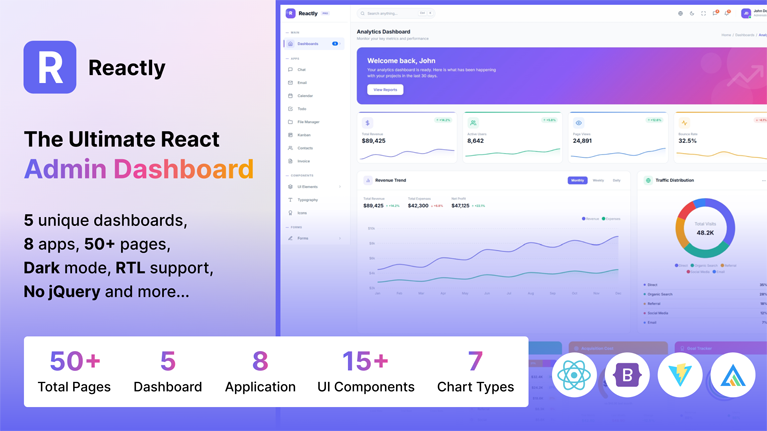
Reactly is a feature-rich, modern, and fully responsive React admin dashboard template built with React 18, Vite 5, Bootstrap 5, and ApexCharts. Designed for developers, startups, and businesses, Reactly provides everything you need to build powerful web applications, SaaS platforms, admin panels, CRM systems, project management tools, and eCommerce backends.
With 5 unique dashboards, 8 application pages, 15+ UI components, 7 form variations, 7 chart pages, 5 authentication pages, 8 error pages, and 7 utility pages, Reactly offers an unmatched collection of pre-built pages and components that save hundreds of hours of development time.
5 Premium Dashboards
Each dashboard features 4 stat cards and 6-8 additional premium cards with completely unique visual designs. No two cards share the same design pattern across the entire template.
Analytics Dashboard
- 4 stat cards with sparkline trends
- Trapezoid conversion funnel visualization
- Horizontal stacked bars with circular category icons
- Semicircular gauge radial bar chart
- Concentric ring radial bar chart
- Podium-style top performer visual
- Large icon split metric cards
- Horizontal bar chart with category breakdown
- Weekly activity heatmap grid
Ecommerce Dashboard
- 4 stat cards with mini sparklines
- Order pipeline with horizontal flow connectors and fulfillment rate
- Customer segment tier cards with gradient backgrounds
- Inventory alert thermometer bars with stock levels
- Return analytics with donut chart, reason breakdown, and monthly trend
- Payment methods with dark credit card visual and vertical bars
- Promotional campaigns with ticket-style notched cards
- Sales overview area chart
- Top selling products list
- Recent orders table
CRM Dashboard
- 4 stat cards with trend indicators
- Lead score bars with tier badges and signal quality pills
- Deal health 2×2 SVG ring gauges with formula bar
- Contact touchpoint multi-layer overlapping bars
- Win/Loss battlefield tug-of-war comparison bars
- Revenue forecast line chart with callout cards and confidence bar
- Team performance multi-segment activity bars
- Deal pipeline overview
- Recent activities feed
- Top contacts list
Project Dashboard
- 4 stat cards with progress bars
- Mini kanban board with 4 vertical swimlane columns
- Gantt timeline with horizontal bars and today marker
- Sprint comparison VS scoreboard with winner highlights
- Code quality radar/spider chart with current vs target overlay
- Dependency chain waterfall blocks with SVG arrows
- Sprint velocity trend with custom stacked vertical bars
- Project progress bars
- Task distribution donut chart
- Upcoming deadlines
- Team activity feed
- Recent projects table
SaaS Dashboard
- 4 stat cards with dashed border accents
- Cohort retention triangular matrix with color-coded cells
- MRR composition waffle chart with colored grid squares
- Plan migration Sankey flow with SVG cubic bezier paths
- Feature adoption bubble matrix sized by usage rate
- Customer health score cards with multi-dimension blocks
- API endpoint monitor with monospace paths, status LEDs, and sparklines
- Revenue growth line chart
- Subscription plans radial bar
- Key metrics grid
- User growth area chart
- Feature usage horizontal bars
- Recent transactions table
8 Application Pages
- Chat Application – Real-time messaging interface with contact list, conversation view, message bubbles, and online status indicators
- Email Application – Full email inbox with folder navigation, compose modal, message reading pane, and attachment support
- Calendar Application – Interactive calendar powered by FullCalendar.js with day, week, and month views, event creation, and drag support
- Todo Application – Task management with categories, priority levels, due dates, completion tracking, and filter options
- File Manager – File browsing interface with folder tree navigation, file grid/list view, storage usage, and details panel
- Kanban Board – Drag-and-drop task board with customizable columns, task cards, labels, assignees, and progress tracking
- Contacts – Contact management system with search, alphabetical grouping, category filters, and detailed contact views
- Invoice – Professional invoice generator with line items, tax calculations, totals, company details, and print-ready layout
15+ UI Components
Comprehensive showcase pages for every UI component:
- Alerts – Contextual feedback messages with dismissible options and icon variants
- Badges – Count labels with color variants, pill shapes, and positioning
- Buttons – Styles, sizes, outlines, groups, loading states, and icon buttons
- Cards – Content containers with headers, footers, image caps, and overlays
- Carousel – Slideshows with controls, indicators, captions, and auto-play
- Dropdowns – Toggle menus with dividers, headers, and alignment options
- Icons – Full Feather icon library with 280+ icons, search, and copy support
- Modals – Dialog windows with sizes, scrollable content, and centered options
- Offcanvas – Slide-in side panels from all directions
- Placeholders – Loading skeleton animations for content areas
- Progress Bars – Labels, stripes, animations, stacked, and color variants
- Spinners – Border and grow styles with size and color options
- Tabs – Tabbed navigation with pills, underline, vertical, and justified layouts
- Toasts – Push notifications with auto-dismiss, stacking, and placement
- Tooltips – Hover tooltips and popovers with directional placement
- Typography – Headings, paragraphs, lists, blockquotes, and inline elements
7 Form Pages
- Basic Forms – Text inputs, selects, checkboxes, radios, textareas, switches, range sliders, and color pickers
- Form Validation – Client-side validation with success/error states, custom messages, and real-time feedback
- Form Wizard – Multi-step form with progress indicator, step navigation, and form state persistence
- Input Masks – Masked inputs for phone numbers, dates, credit cards, currency, and custom patterns
- File Upload – Drag-and-drop upload with react-dropzone, file preview, progress bars, and size limits
- Form Layouts – Horizontal, vertical, inline, floating labels, and grid-based form patterns
- Rich Text Editor – WYSIWYG editor powered by React Quill with formatting toolbar and HTML output
7 Chart Pages
Powered by ApexCharts and Chart.js with multiple variations per chart type:
- Area Charts – Basic, stacked, gradient, spline, and datetime area charts
- Bar Charts – Vertical, horizontal, stacked, grouped, and negative value bar charts
- Line Charts – Basic, dashed, stepline, gradient, and multi-axis line charts
- Pie Charts – Pie, donut, semi-donut, gradient, and patterned pie charts
- Radar Charts – Basic, filled, and multi-series radar/spider charts
- Radial Bar Charts – Basic, custom angle, gradient, and semi-circular radial bars
- Chart.js Charts – Line, bar, doughnut, radar, polar area, and bubble charts using Chart.js
2 Table Pages
- Basic Tables – Standard, striped, bordered, hover, responsive, and color variants
- Data Tables – Advanced tables with sorting, searching, pagination, row selection, and export options
5 Authentication Pages
Full-page layouts without sidebar/header, designed for authentication flows:
- Login – Email/password login with social login options and remember me
- Register – User registration with terms acceptance and social signup
- Forgot Password – Email-based password recovery request
- Reset Password – New password creation with confirmation
- Lock Screen – Session lock with avatar and password re-entry
8 Error Pages
Professionally designed error pages for all common HTTP error codes:
- 400 – Bad Request
- 401 – Unauthorized
- 403 – Forbidden
- 404 – Page Not Found
- 500 – Internal Server Error
- 502 – Bad Gateway
- 503 – Service Unavailable
- 504 – Gateway Timeout
7 Utility Pages
- Profile – User profile with avatar, bio, stats, activity feed, and edit options
- Pricing – Pricing plans with feature comparison, monthly/yearly toggle, and highlighted recommended plan
- FAQ – Frequently asked questions with accordion expand/collapse and category filtering
- Timeline – Vertical timeline for displaying chronological events with icons and dates
- Gallery – Image gallery with grid layout, categories, and lightbox preview
- Maintenance – Full-page maintenance mode with illustration and countdown timer
- Coming Soon – Full-page coming soon with countdown timer and email subscription form
Key Features
- React 18 – Built with the latest version of React for optimal performance
- Vite 5 – Lightning-fast build tool with instant hot module replacement (HMR)
- Bootstrap 5 – Responsive grid system and utility classes
- Dark Mode & Light Mode – One-click toggle between dark and light themes with smooth transitions
- RTL Support – Full right-to-left layout support for Arabic, Hebrew, and other RTL languages
- Vertical & Horizontal Layouts – Switch between sidebar navigation and top horizontal menu
- Collapsible Sidebar – Compact icon-only sidebar that expands on hover
- Light & Dark Sidebar – Independent sidebar color scheme from the main theme
- Theme Settings Panel – Built-in customizer with live preview of all theme options
- Persistent Settings – All theme preferences saved to localStorage and restored on revisit
- CSS Custom Properties – Easy theming through CSS variables for colors, borders, backgrounds
- ApexCharts Integration – 6 chart types with multiple variations (area, bar, line, pie, radar, radial)
- Chart.js Integration – Additional chart library with 6 chart types
- Feather Icons – 280+ beautiful open-source SVG icons as React components
- FullCalendar.js – Full-featured calendar with day/week/month views and event management
- React Quill – Rich text WYSIWYG editor for form pages
- React Dropzone – Drag-and-drop file upload component
- SimpleBar – Custom scrollbar with native scrolling behavior
- React Router v6 – Client-side routing with nested layouts and protected routes
- Clean Code – Well-organized, commented, and easy to customize code structure
- No jQuery – Pure React implementation with zero jQuery dependencies
- Easy Deployment – Simple build process with subfolder deployment support
- Cross-Browser Compatible – Works on Chrome, Firefox, Safari, Edge, and Opera
- Documentation Included – Detailed documentation with installation, customization, and deployment guides
What You Get
- 5 Dashboard Pages (Analytics, Ecommerce, CRM, Project, SaaS)
- 8 Application Pages (Chat, Email, Calendar, Todo, File Manager, Kanban, Contacts, Invoice)
- 15+ UI Component Pages
- 7 Form Pages
- 7 Chart Pages (ApexCharts + Chart.js)
- 2 Table Pages
- 5 Authentication Pages
- 8 Error Pages
- 7 Utility Pages
- Dark Mode & Light Mode
- RTL Support
- Vertical & Horizontal Layouts
- Theme Settings Panel
- Detailed Documentation
- Free Lifetime Updates
Tech Stack
- React 18.2
- Vite 5.0
- React Router 6.20
- Bootstrap 5.3
- React Bootstrap 2.9
- ApexCharts 3.44
- Chart.js 4.4
- FullCalendar 6.1
- React Feather 2.0
- React Quill 2.0
- React Dropzone 14.2
- SimpleBar React 3.2
- Sass 1.69
Browser Support
- Google Chrome (Latest)
- Mozilla Firefox (Latest)
- Apple Safari (Latest)
- Microsoft Edge (Latest)
- Opera (Latest)







 Live Preview