
 Purchase Now
 Live Preview







 Purchase Now

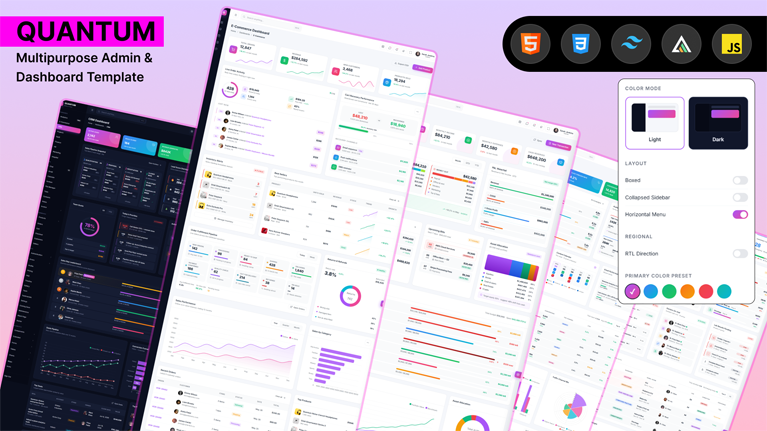
Quantum is a production-grade admin dashboard template engineered for serious teams that need to ship a polished back-office, analytics console, or SaaS application in days, not weeks. Built on the latest Tailwind CSS v4.3 with a real production build pipeline and jQuery 4 for lightweight interactivity, Quantum ships ninety-two hand-crafted pages, nine industry-specific dashboards, ten fully functional applications, and a complete UI components library — all wired together by a single CSS bundle, a single JavaScript bundle, and a clean theming system that persists settings to localStorage and synchronises them to shareable URLs.
Why Quantum?
Most admin templates look the part but break the moment you try to build a real product on top of them. Quantum is engineered the way a senior team would write it: zero inline styles, zero inline scripts, a single consolidated stylesheet and script, semantic class names with the q- prefix, accessible widget patterns, and a deliberately consistent visual rhythm across every page. You can drop Quantum into any backend stack — Laravel, Rails, Django, Spring, ASP.NET, Express, Next.js, plain PHP — because the markup is pure HTML 5 with no framework lock-in.
Nine industry-grade dashboards
Each dashboard in Quantum is uniquely designed for its industry — never a copy of another with different numbers. The default Analytics dashboard on index.html presents KPI tiles, a 24-hour visitor activity bar chart, and a conversion funnel. The SaaS dashboard tracks monthly recurring revenue, churn rate, server status with live LED indicators, ninety-day uptime micro-bars, and subscriptions by plan. The eCommerce dashboard covers revenue waterfalls, top-selling SKUs, the fulfilment funnel, a geographic orders map, and an inventory health heatmap. The CRM dashboard shows the sales pipeline as a kanban view alongside lead score distribution, win/loss reasons, activity feeds, and top-deal snapshots. The Finance dashboard includes a profit-and-loss waterfall, asset-allocation donuts, upcoming bills, linked accounts, and a transactions ledger. The HR dashboard visualises headcount trees, open positions, team distribution, attendance trends, and engagement pulse. The Marketing dashboard tracks active campaigns, channel mix, A/B test results, top landing pages, and a content calendar. The Hospital dashboard reports on ward occupancy, ER wait times, the surgery schedule, medication stock levels, and staff on duty. The Projects dashboard centres on project burndown, milestone tracking, team workload, blocked items, and delivery velocity.
Ten fully functional application pages
Quantum is not a sampler of static screens. Every application page is wired to behave like the product it imitates. The Chat app provides a conversation list, presence indicators, message bubbles, file drops, and a scrollable thread with a hidden scrollbar. The Email app has labels, folders, thread previews, a multi-select toolbar, attachments, and keyboard hints. The Calendar app supports month, week, and day grid views with event chips, a sidebar mini calendar, and colour categories. The Kanban app provides multi-column boards with assignees, priorities, due dates, and drag affordances. The Todo app filters lists by tag and priority, with due-date pills, completion states, and a quick-add bar. The Notes app exposes a notebook tree, search, pin and archive controls, and a rich preview pane. Contacts offers a searchable list, profile pane, segments, recent activity, and bulk actions. The File Manager has a folder tree, breadcrumbs, file cards, storage meter, and recent and starred filters. The Invoices list and Invoice detail pages cover status pills, overdue chips, totals rows, per-row action menus, and a printable invoice with line items, taxes, totals, bill-to and ship-to blocks, and payment terms.
Complete UI component library
Beyond dashboards and apps, Quantum ships a full UI library that spans accordions, alerts, avatars, badges, breadcrumbs, buttons, cards, carousels, chips, colour systems, dropdowns, grids, headings, images, lists, modals, off-canvas drawers, pagination, popovers, progress bars, spinners, tabs, tooltips, typography scales, and video players. Forms include basic and advanced layouts, real-time validation, a multi-step wizard, a rich-text editor, file uploads with drag-and-drop, and date or colour pickers. Tables include basic, responsive, fully working data tables with sort, filter, and pagination, and editable inline tables. Charts are pre-wired with both ApexCharts and Chart.js, including a Mixed Charts page that demonstrates how to combine bar, line, area, donut, radial, and waterfall visualisations.
eCommerce, authentication, and extra pages
The eCommerce vertical includes products grid, product detail, add product, cart, checkout, orders, customers, and sellers — eight pages covering the full purchase flow. The Authentication set includes login, an alternative split-screen login, register, an alternative register, forgot password, reset password, two-step verification, and a lock screen. Error pages cover 403 forbidden, 404 not found, and 500 internal server error states, plus dedicated Coming Soon and Maintenance pages. Extra pages include profile, settings, pricing, FAQ, team, testimonials, timeline, gallery, an icons reference, Leaflet maps, blank, and a starter template that strips everything down to the layout shell.
Theming, layouts, and URL-shareable settings
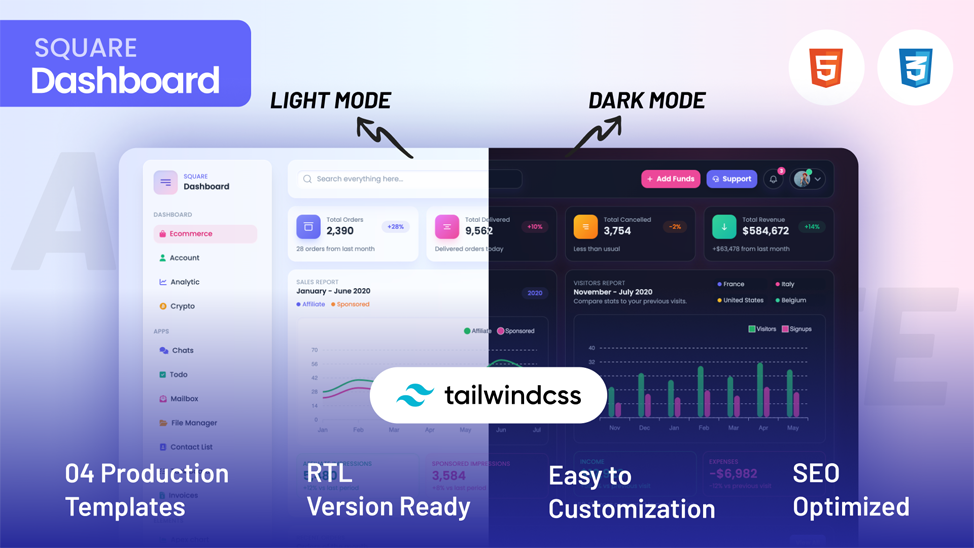
Quantum supports light and dark themes applied via a data-theme attribute on the document root, backed by CSS custom properties for every colour token. There are nine accent colour schemes — violet, blue, emerald, teal, indigo, rose, orange, amber, and slate — switchable at runtime through the floating settings panel or via a URL parameter. The layout is configurable as vertical sidebar-first or horizontal top-nav first, with compact and collapsed sidebar modes for desktop and a slide-in drawer on mobile. Right-to-left text direction is wired on the html element so spacing, icons, sidebars, dropdowns, and tooltips all mirror correctly without separate stylesheets. Every settings change is persisted to localStorage and synchronised to the URL through history.replaceState, with default values stripped to keep links clean. A “Copy share URL” button bundles the current configuration into a single shareable link, perfect for stakeholder demos and bug reports.
Production build pipeline
Quantum ships with a real Tailwind CSS v4 production pipeline based on the official @tailwindcss/cli package. The entry stylesheet at src/tailwind.css imports Tailwind and declares @source directives so the CLI automatically scans every HTML file for utility usage. Running npm run build produces a minified assets/css/tailwind.css file ready for production. A separate watch script enables live rebuilds during development. The custom Quantum stylesheet at assets/css/quantum.css contains every component style and ships at around four hundred and twenty kilobytes uncompressed, well within budget for any modern app.
Dependencies and stack
Tailwind CSS v4.3 powers the design system and reset. jQuery 4.0 slim provides selectors and events for the settings panel and lightweight interactions. ApexCharts v3.49 and Chart.js v4.4 are loaded from CDN for charts. Lucide icons are loaded from CDN for SVG iconography. Leaflet v1.9 is loaded for the maps page. Everything else is plain HTML and CSS, with no framework runtime. The entire JavaScript layer of the template — settings panel, page dispatchers, app interactions, chart bootstraps — lives in a single consolidated assets/js/quantum.js file loaded just before the closing body tag for fast first paint.







 Live Preview