


 Purchase Now
 Live Preview







 Purchase Now

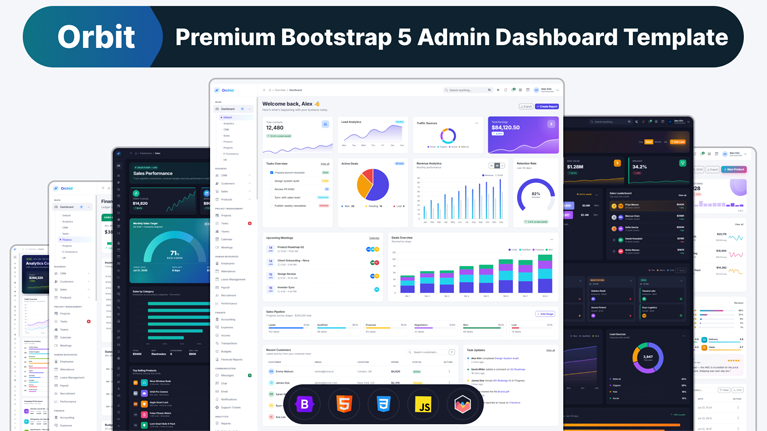
Orbit is a modern, production-ready admin dashboard template built with Bootstrap 5.3, vanilla JavaScript (ES6), SCSS, Chart.js, and Bootstrap Icons. It ships with 141 fully designed HTML pages, 8 unique dashboards, 50+ ready-to-use UI components, and first-class dark mode across every single page. Whether you are building a SaaS admin panel, an internal business tool, a CRM, an HR portal, an e-commerce back office, a project management app, a financial reporting suite, or any custom management dashboard, Orbit gives you a beautiful, cohesive, accessible starting point that can be deployed in minutes.
Unlike templates that ship as static mockups, every button, dropdown, modal, offcanvas, wizard, calendar view, drag-drop kanban, date picker, color picker, data table, and toast notification in Orbit is fully functional out of the box using sample data. Forms validate with proper success and error states. Tables sort, filter, paginate, and bulk-export CSV. Charts recolor themselves when you toggle dark mode. Sidebars collapse into off-canvas menus on mobile. Real product photos and portrait avatars are loaded from Unsplash and pravatar with automatic 404 fallback so cards never look broken. It is, quite literally, a template you can ship to production the day you buy it.
Why choose Orbit
Most admin templates fall into one of two traps. Some are gorgeous mockups that leave you to wire up every interaction from scratch. Others are technically capable but ugly, generic, or riddled with poor accessibility. Orbit sits deliberately in the sweet spot: premium editorial visual design paired with real, working code. Every dashboard is uniquely designed for its business domain (the CRM does not look like the finance dashboard, and the HR page does not look like the e-commerce page), every list page has full CRUD, and every widget is built to be reused. The result is a template that feels handcrafted rather than assembled from a library.
Complete feature set
Eight fully unique dashboards
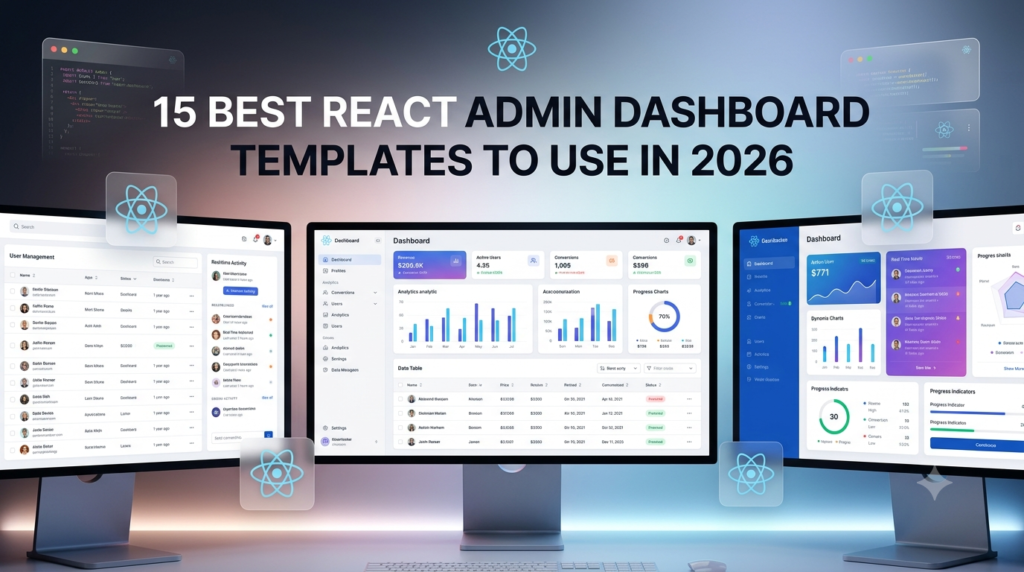
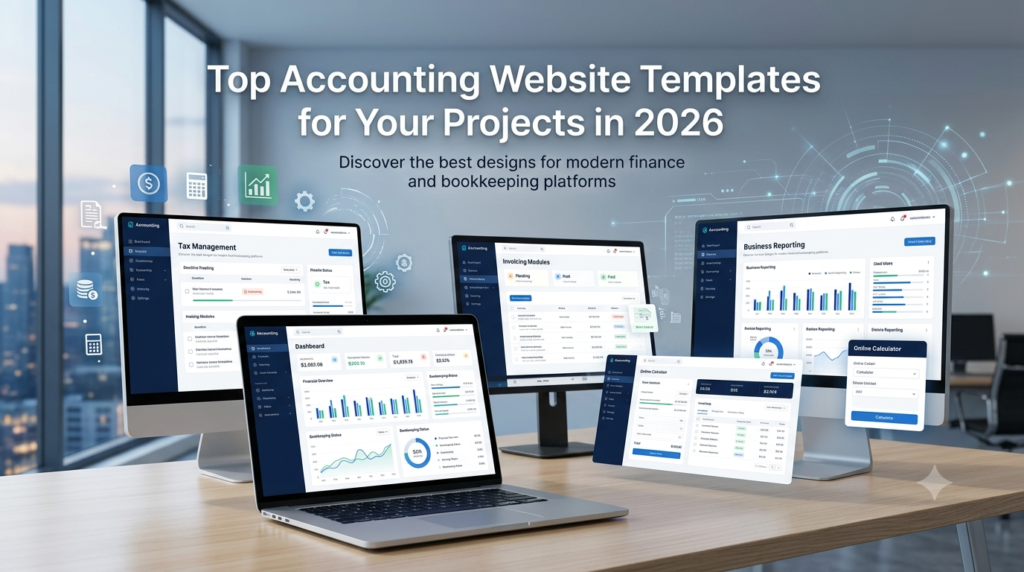
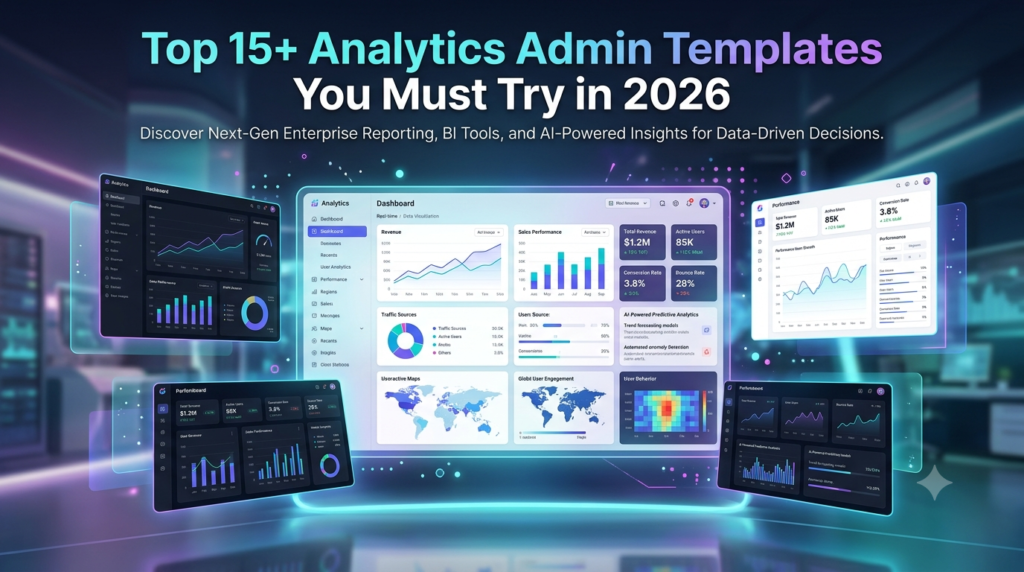
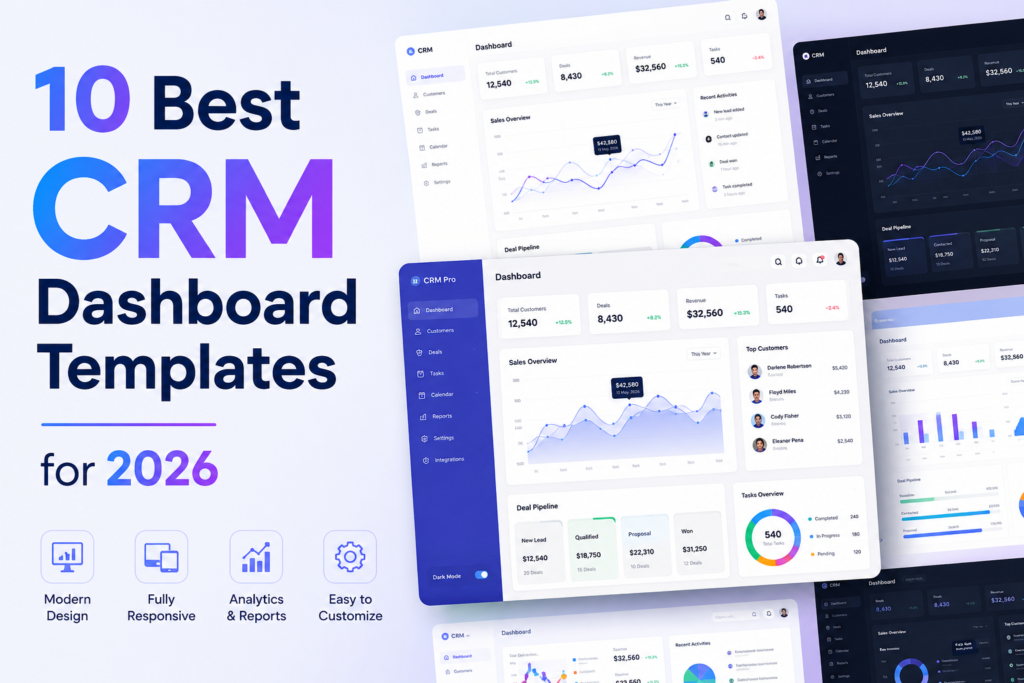
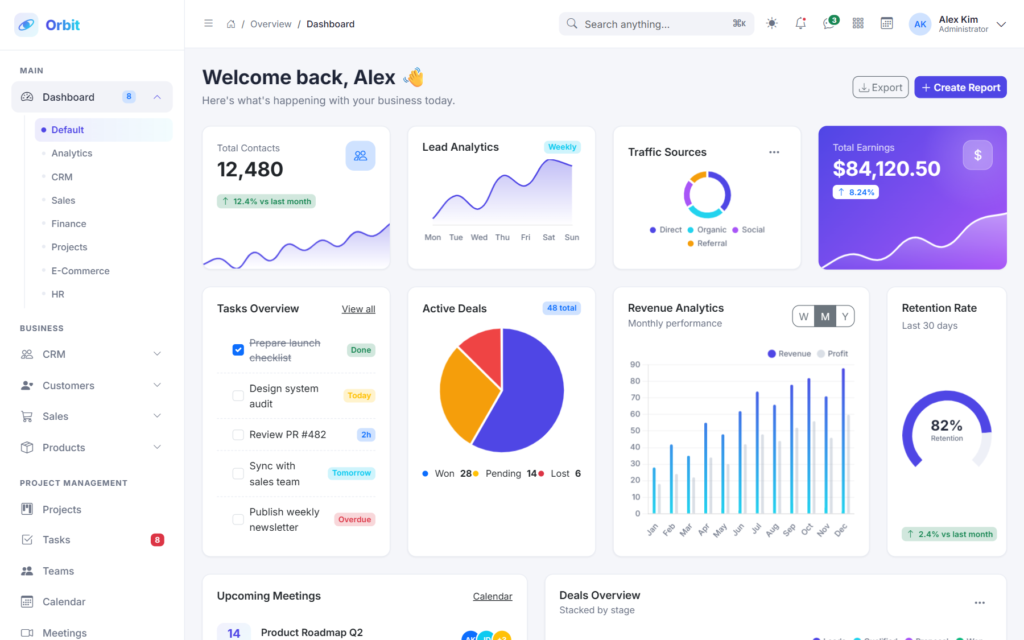
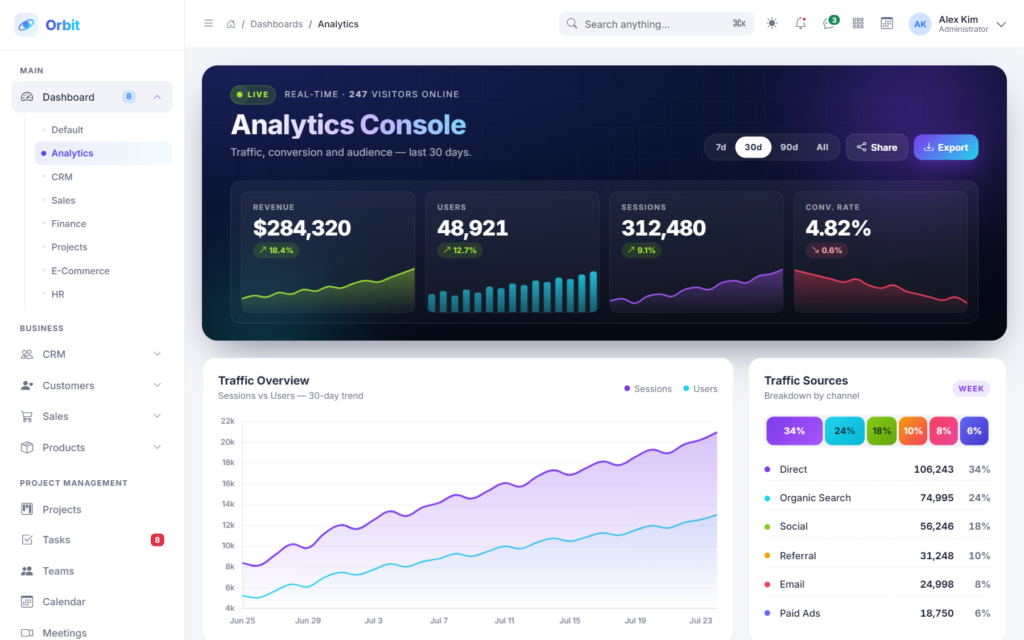
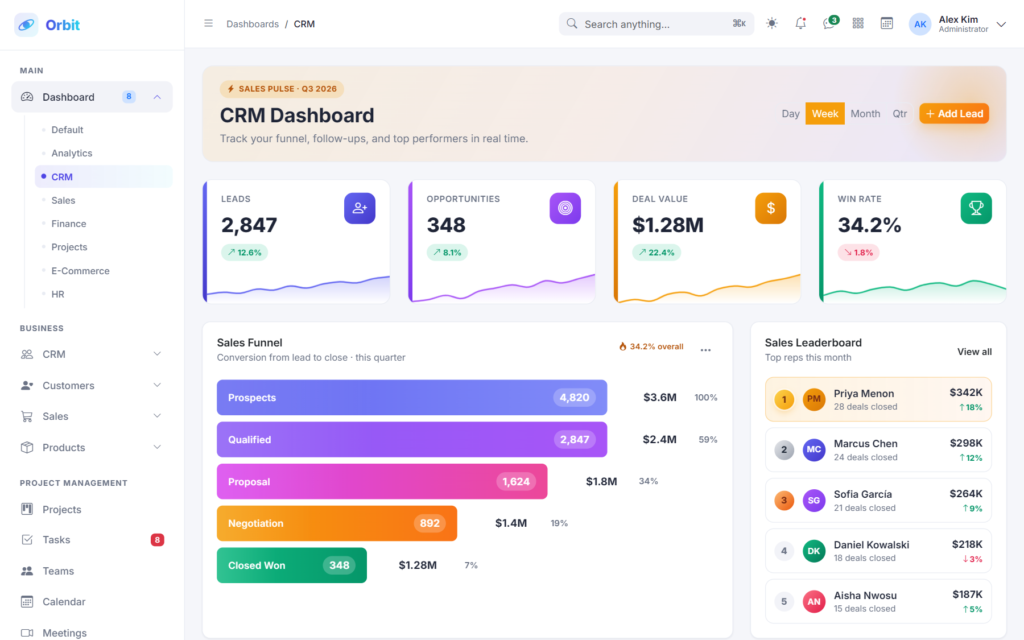
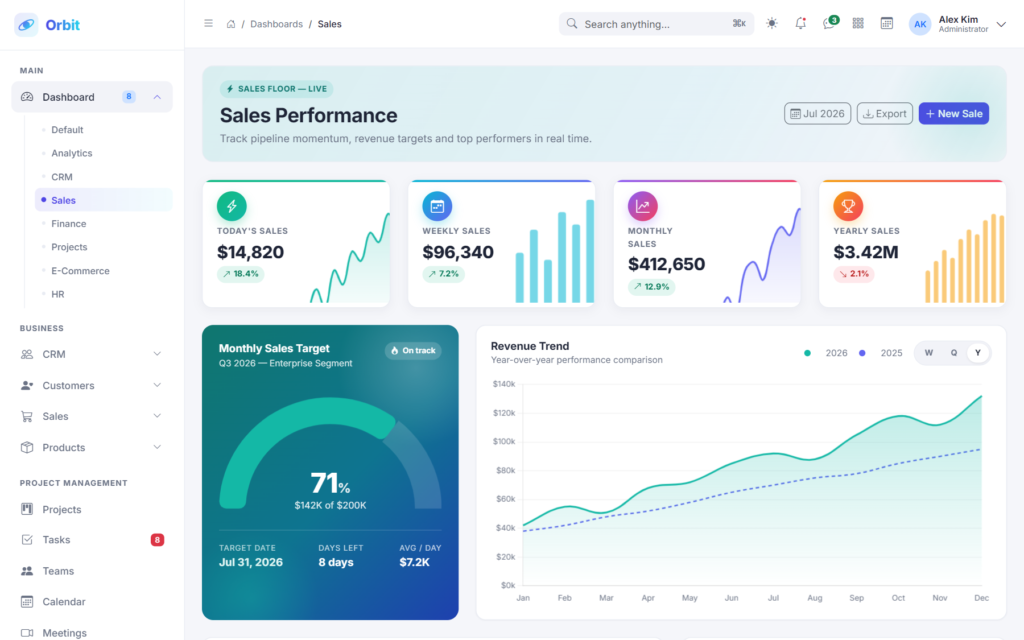
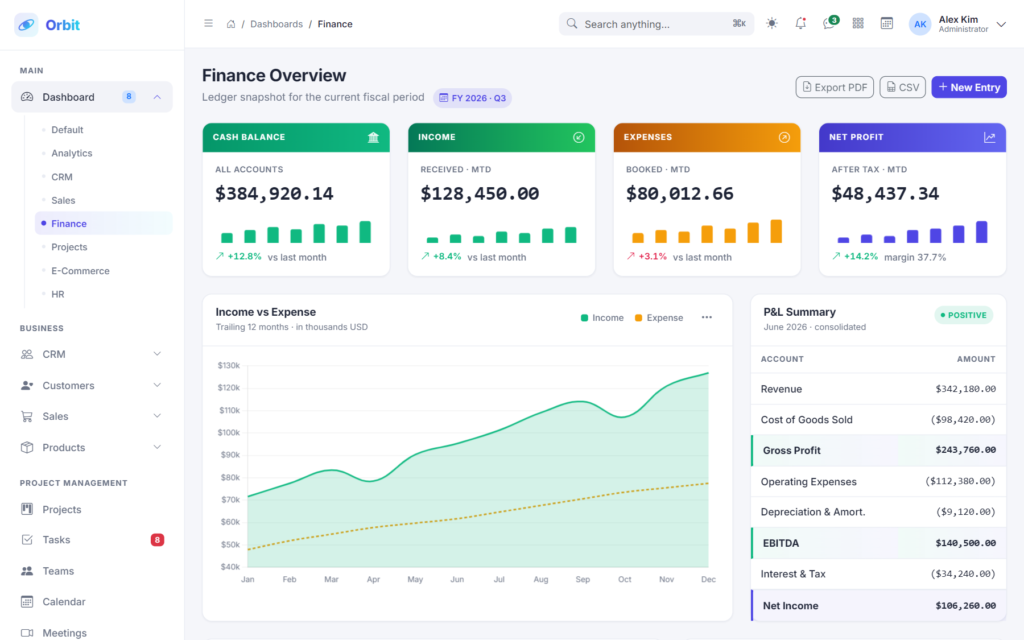
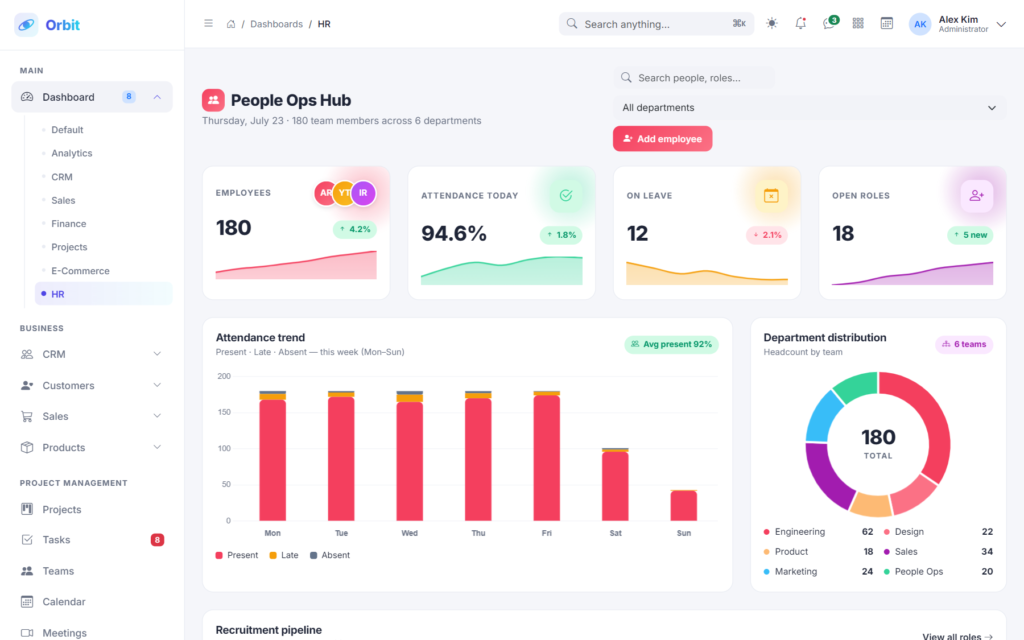
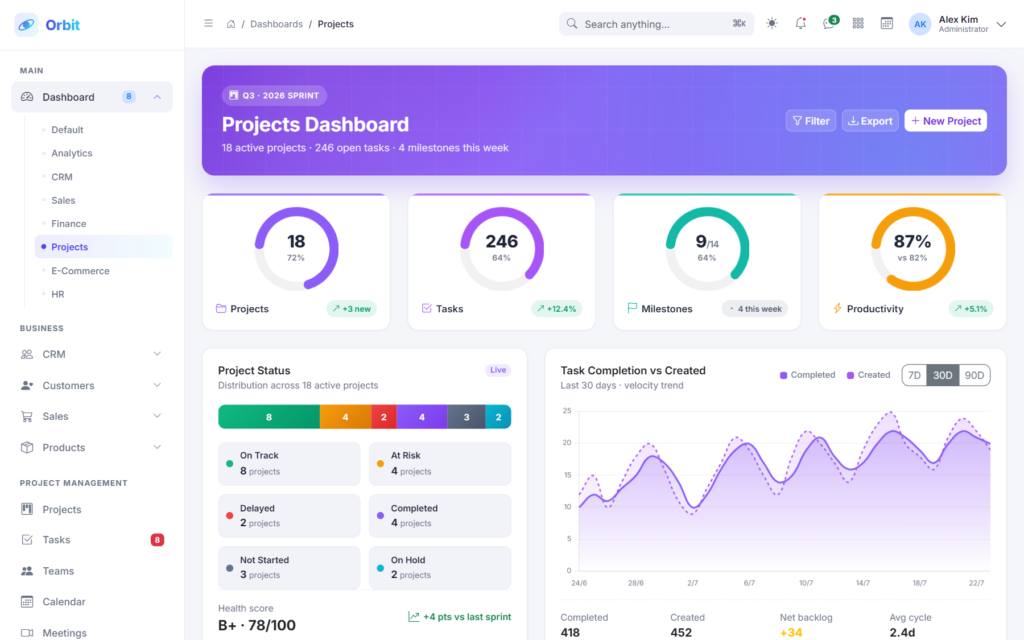
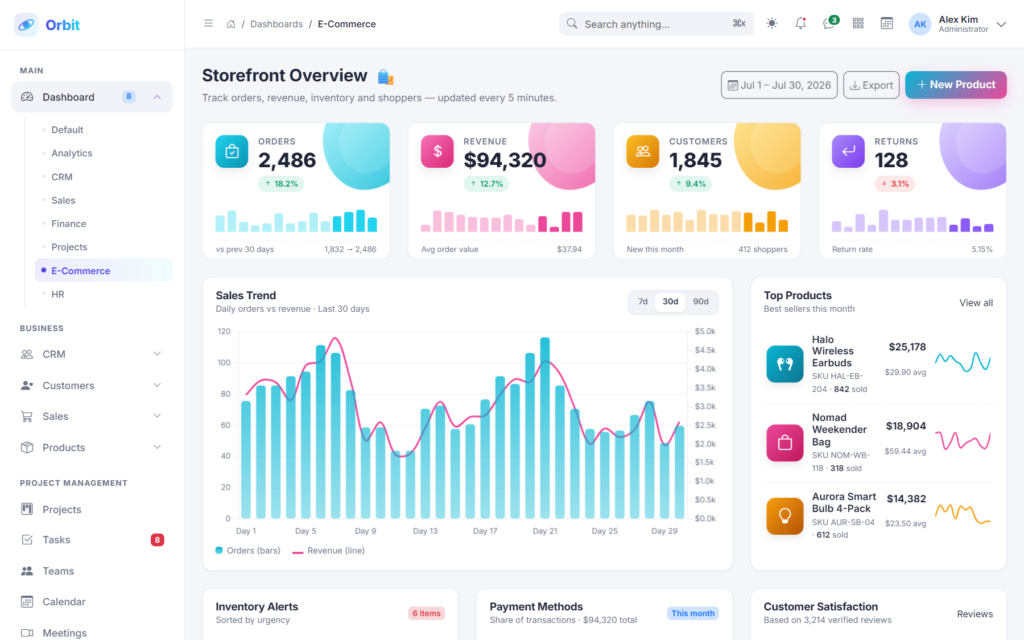
Orbit ships with eight distinct dashboards, each purpose-built for its use case with completely different KPI card treatments, chart selections, widget arrangements, and color palettes. The Default dashboard gives a general business overview with KPIs, revenue chart, sales pipeline, upcoming meetings, customer table, and task updates. The Analytics dashboard uses an editorial dark-hero console with luminous KPIs, session heartbeat, traffic overview area chart, traffic sources stacked bar, audience-by-country list, top landing pages with data-bar row backgrounds, campaign performance receipts, and activity timeline. The CRM dashboard is funnel-forward with a CSS-drawn horizontal sales funnel, medaled sales leaderboard, mini five-column pipeline, follow-ups feed with method icons, and lead conversion multi-line chart. The Sales dashboard features a semi-circular target gauge, split KPI cards with mini charts, regional sales grid with sparklines, top products with medal-colored rank chips, and recent orders table. The Finance dashboard is CFO-grade with dark-topped KPI cards, tabular-nums, real P&L summary with accent-stripe highlight rows, income-vs-expense chart, invoice list with status filter, expense donut, budget progress with threshold-tinted bars, and transactions table. The HR dashboard is people-first with avatar-cluster KPIs, attendance stacked bar, department distribution doughnut, recruitment pipeline stage cards, payroll breakdown, birthday cards with cake glyph, and activities timeline. The Projects dashboard uses radial-ring KPIs, project status stacked bar, kanban column preview, deadlines with color-coded date blocks, team workload capacity bars, and activity feed. The E-Commerce dashboard ships with pastel-blob KPI cards, mixed sales trend chart, top products, inventory alerts, payment methods stacked bar, customer satisfaction with SVG star ratings, and orders table.
141 ready-made pages
Beyond the eight dashboards, Orbit includes a comprehensive set of pre-built pages for every common admin scenario. Business pages: Leads, Contacts, Companies, Opportunities, Deals, Sales Pipeline, Customer List, Customer Details, Customer Groups, Customer Feedback, Quotations, Orders, Invoices, Payments, Refunds, Revenue Analytics, Product List, Product Categories, Brands, Inventory, Stock Transfer, Price Management. Project management: Projects, Tasks, Teams, Calendar, Meetings. Human resources: Employees, Attendance, Leave Management, Payroll, Recruitment, Performance. Finance: Accounting, Expenses, Income, Transactions, Budgets, Financial Reports. Communication: Messages, Chat, Email, Notifications, Support Tickets. Analytics: Reports, Sales Analytics, Customer Analytics, Revenue Analytics, Marketing Analytics. User management: Users, Roles, Permissions, User Activity, Login History. Applications: File Manager, Notes, Documents, Knowledge Base, To-Do, Bookmarks. E-commerce back office: Products, Orders, Customers, Coupons, Reviews, Shipping, Taxes. Content management: Pages, Blog, Media Library, Categories, Comments, Menus. System: Settings, Integrations, Audit Logs, System Logs, Maintenance Mode. UI components showcase: Alerts, Badges, Buttons, Cards, Dropdowns, Modals, Tabs, Pagination, Progress, Toasts, Tooltips. Forms: Basic Forms, Validation, Wizard, File Upload, Rich Text Editor, Date Picker, Time Picker, Color Picker. Tables: Basic Table, Data Table, Responsive Table, Editable Table, Advanced Table. Charts: Line, Bar, Area, Pie, Donut, Radar, Polar, Mixed, Chart.js overview, Advanced Recipes. Icons: Bootstrap Icons, Font Awesome, Lucide, Remix Icons. Maps: Google Maps, Vector Maps. Authentication: Login, Register, Forgot Password, Reset Password, Lock Screen, Two-Factor Authentication. Extra pages: Profile, Account Settings, Pricing, FAQ, Help Center, Timeline, Invoice, Coming Soon, Maintenance, 404, 500. That is 141 pages total, each with unique layout and purpose-designed content.
First-class dark mode
Every single page, every chart, every form, every table, every dropdown, every modal, every toast, every card — the entire template is meticulously dark-mode tuned with proper contrast ratios, adjusted shadow depths, and color-scheme-aware borders. One click on the theme toggle in the header flips the whole application. The user preference is persisted in localStorage and respects the operating system’s prefers-color-scheme setting on first visit. Chart.js instances are destroyed and rebuilt on theme change so grid lines, tick labels, tooltip backgrounds, and gradients all recolor cleanly rather than stuttering between themes.
Real business data, not lorem ipsum
Every sample list uses realistic business content: real customer names (Priya Menon, Marcus Chen, Sofia García, Yuki Tanaka, Ananya Rao, David Okafor, Isabella Rossi), real company names (Vertex Robotics, Meridian Health, Aurora Labs, Northwind Analytics, Titan Media, Cirrus Cloud), real product names (Halo Wireless Earbuds Pro, Nomad Weekender Bag, Aurora Smart Bulb 4-Pack, Meridian Chef’s Knife), plausible dollar figures with proper tabular-nums formatting, real statuses (Fulfilled, In Transit, Processing, Cancelled), real KB article titles (Setting up SSO with Okta, Understanding your billing cycle, Rate limits and quotas), real chat message contents, real email subjects, real support ticket subjects. This makes it easy to demonstrate the template to stakeholders and to see what your production data will look like.
Actual product photos and portraits
Product cards on Product List, Product Brands, Inventory, Shop Products, and Blog use real Unsplash photos keyed to a curated category-to-photo map. Contact cards, employee cards, and support agent avatars use pravatar portrait photos seeded by user ID so the same person always renders with the same face. Every image includes a defensive 404 fallback listener that swaps to a Picsum placeholder if any Unsplash asset ever becomes unavailable, so your cards never render as broken image icons even if a CDN URL changes.
Interactive data tables
Data tables in Orbit are not decorative. They include live search across all columns with debounced input, column-header sorting with visual chevron indicators and proper aria-sort announcements, per-column filter popovers (text, select, number, and date types are auto-detected from the data), column visibility toggle dropdowns, row-density selectors (compact, comfortable, spacious), row selection with a header select-all checkbox and indeterminate state, sticky bulk-action bars for Delete/Archive/Export/Change status/Change role, per-row context menus with View/Edit/Duplicate/Delete/Reset actions, client-side pagination with page-number ellipsis and per-page size selector, an empty state that appears when filters return no results, and a shimmering skeleton loading state that shows during simulated fetch delays. CSV, JSON, PDF, and Excel export actions work with real Blob downloads.
80+ Chart.js configurations
Every chart in Orbit is a real Chart.js v4 instance with theme-aware colors. The template ships with line charts, area charts (with gradient fills), bar charts (vertical, horizontal, grouped, stacked, 100% stacked, with negative values, with data labels, with gradient fills), doughnut charts (with center-label plugins, dynamic cutout, rounded caps), pie charts (with slice labels and hover offset), radar charts, polar area charts, mixed bar-plus-line charts with dual y-axes, semi-circular gauge charts, and sparklines embedded inside KPI cards, table rows, and product ranks. Advanced recipes include real-time streaming line charts, click-to-drill-down bar charts, mouse-wheel zoom, custom canvas plugins that draw overlays, cross-chart synchronized tooltips, and dynamic data source swapping with animated transitions.
Custom form widgets
Orbit ships with hand-rolled custom date pickers, time pickers, color pickers, and a rich text editor — no external libraries required. The date picker includes a month-year navigation calendar popup, disabled date support, range selection with two linked calendars, and preset ranges (Today, Last 7 days, Last 30 days, This month). The time picker includes a scrollable hour/minute column selector, a wheel-style iOS-inspired picker, a duration picker, and an analog SVG clock face. The color picker features a preset swatch grid, recent colors history, synchronized Hex/RGB/HSL inputs, opacity slider, and an EyeDropper API integration. The rich text editor uses contentEditable with a full formatting toolbar (bold, italic, underline, strikethrough, headings, lists, blockquote, code blocks, links, images), a live word-and-character count, and a preview mode toggle. Multi-step form wizards navigate cleanly between steps with per-step validation, and file upload zones support drag-and-drop with per-file progress bars, image preview, and MIME-type restrictions.
Full-featured application pages
Orbit is not just dashboards and tables — it ships with fully interactive productivity apps that could be their own product. The Email client is Gmail-inspired with a 3-column layout, folders and colored labels sidebar, message list with unread/starred/attachment states, preview pane with a reply-in-place composer, and full Compose modal. The Team chat is Slack-inspired with workspace switcher, collapsible channel and DM sections, colored per-user names, message reactions with add-remove toggle, thread reply indicators, @-mention picker autocomplete, formatting toolbar composer, and hover message actions. The File Manager supports drag-and-drop between folders, breadcrumb navigation, right-click context menu, three view modes (grid, list, details), and a storage usage bar. Notes uses a three-column layout with folder navigation, note list, and rich editor with color tints. To-Do supports drag-reorder within lists, quick-add input with hashtag and priority parsers (#tag, !p1), and a progress ring showing completion percentage. Knowledge Base has a category tree navigation, article viewer with syntax-highlighted code blocks, and an auto-generated scroll-spy table of contents. The custom Calendar supports Month, Week, and Day views with no external library dependency. Meetings groups sessions by Today/Tomorrow/This week with a LIVE badge for currently-running meetings.
Complete authentication flow
Six polished authentication pages ship out of the box, all sharing a common split-screen shell with a gradient illustration panel on the left and the form on the right. The Login page includes email and password validation, remember-me toggle, forgot-password link, social sign-in buttons (Google, GitHub, Apple), and password visibility toggle. Register adds a live password strength meter with a 4-segment color-graded indicator, confirm-password matching validation, and terms-of-service acceptance. Forgot Password submits an email and shows a success state with an animated check. Reset Password includes a strength meter and success redirect. Lock Screen shows a large avatar with the user’s initials and a password prompt. Two-Factor Authentication features six individual OTP input boxes with auto-advance on typing, backspace-to-previous, paste distribution, a 30-second resend countdown, and an option to use a backup code.
Zero build step, zero dependencies to install
Orbit ships as pure HTML, external CSS, and vanilla ES6 JavaScript. There is no npm, no Webpack, no Vite, no build pipeline. Just open index.html directly in a browser (or serve it through any static host) and everything works. Dependencies (Bootstrap 5.3, Chart.js 4, Bootstrap Icons, Inter font) are loaded via CDN so there is nothing to install locally. SCSS source files are included in assets/scss/ for teams that prefer to customize the design system with Sass, but the compiled CSS is shipped as well so you can start editing immediately.
Content-Security-Policy ready
Every one of the 141 admin pages passes strict CSP audits. The template contains zero style="" attributes, zero <style> tags, zero inline event handlers (onclick, onchange, onload, etc.), and zero javascript: URIs anywhere. All CSS lives in external stylesheet files and all JavaScript is loaded from external .js files with proper event delegation. This makes Orbit safe to use in security-conscious enterprise environments and simplifies compliance with SOC 2, PCI-DSS, HIPAA, and similar frameworks.
Fully responsive with mobile off-canvas sidebar
Orbit uses Bootstrap 5.3 breakpoints throughout. On desktop (large viewports), the sidebar is fixed at 260px with a collapse-to-icon-rail option. On tablet and mobile (below 992px), the sidebar becomes an off-canvas drawer that slides in from the left with a semi-transparent backdrop. Data tables gracefully hide non-essential columns as viewport shrinks. Card grids collapse from 4 columns to 3, then 2, then 1. Toolbars use flex-wrap or `flex-nowrap` shrink-to-fit patterns to keep search and filters accessible on narrow screens.
Accessibility first
Semantic HTML5 throughout, proper ARIA labels on every interactive element, keyboard navigation for all controls, visible focus rings via :focus-visible, skip-to-main-content link at the top of every page, aria-current="page" on active navigation items, aria-sort announcements on sortable tables, aria-live="polite" regions on bulk-action bars so screen readers hear selection counts change, proper heading hierarchy (h1 → h2 → h3), meaningful alt text on all images, and adequate color contrast in both light and dark modes.
Modular, well-organized codebase
SCSS source is organized into abstracts/ (variables, mixins), base/ (reset, typography), layout/ (app shell, sidebar, header, main, footer), components/ (card, avatar, badge, dropdown, search, table, timeline, pipeline, tasks, meetings, charts, upgrade card, theme toggle, utilities), and themes/ (light, dark). Per-page CSS lives in assets/css/pages/. Per-page JavaScript lives in assets/js/pages/. Shared core scripts (theme toggle, sidebar behavior, chart palette, orbit utilities) are in assets/js/. Namespaced class prefixes prevent styles from leaking between pages: .analytics-*, .crm-*, .sales-*, .finance-*, .hr-*, .projects-*, .shop-*, and so on.
Perfect for
Orbit is designed for teams building SaaS applications, internal business tools, customer relationship management systems, human resources platforms, financial dashboards, project management tools, e-commerce back offices, content management systems, learning management systems, healthcare admin panels, real estate portals, logistics dashboards, marketing analytics tools, sales pipelines, help desk software, invoice management systems, inventory management platforms, booking systems, POS admin panels, and any web-based back-office application that needs a professional, cohesive, immediately-productive starting point.
What you get with your purchase
- All 141 HTML pages (production-ready)
- Complete SCSS source with modular architecture
- All compiled CSS ready to deploy
- All page-specific JavaScript modules
- All chart configurations and data
- Full documentation
- Screenshot library (light and dark modes)
- Puppeteer screenshot generation script for updating screenshots after customization
- Lifetime free updates
- Priority customer support






 Live Preview