
 Purchase Now
 Live Preview







 Purchase Now

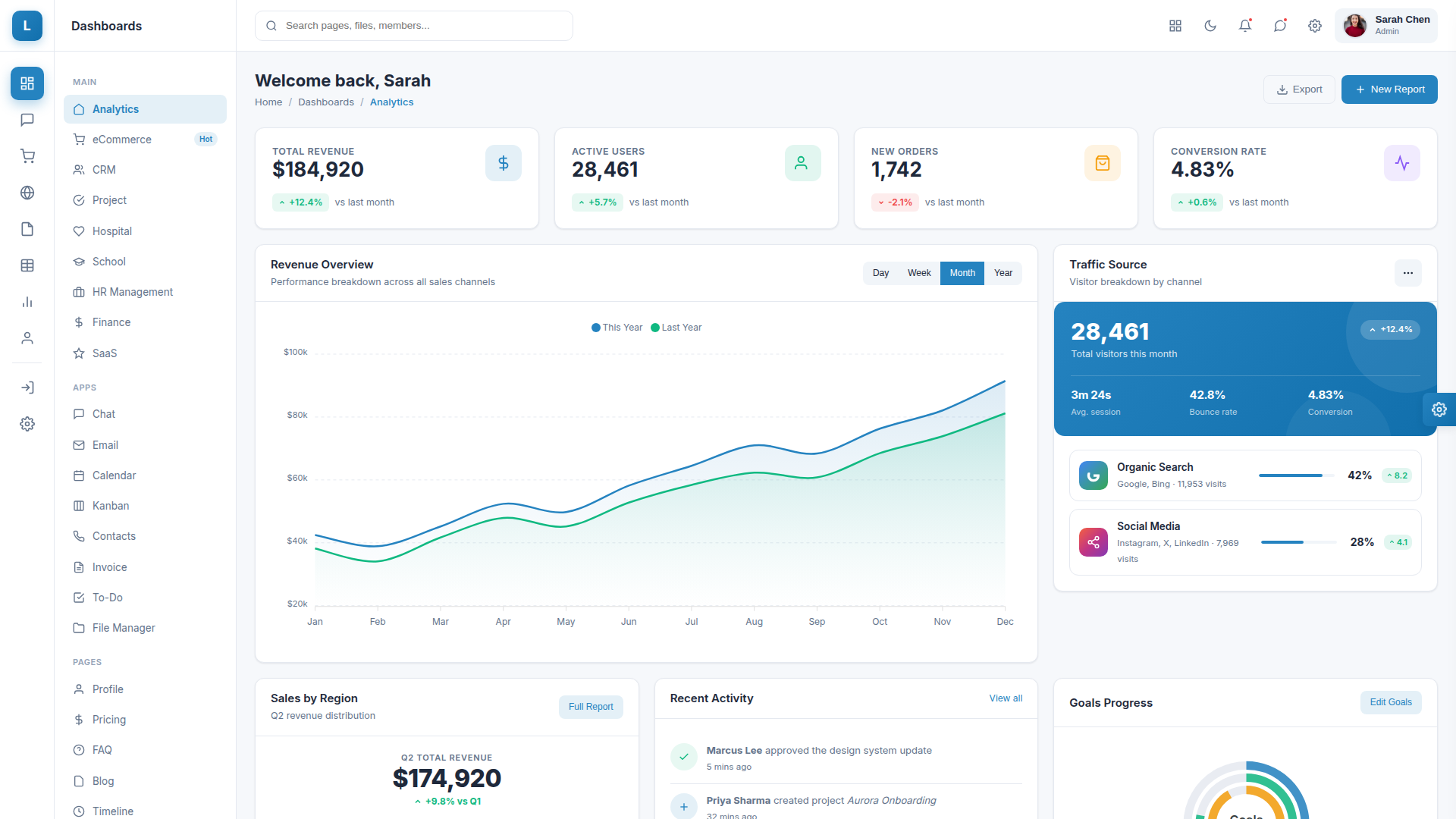
Lumina is a feature-rich, production-ready HTML admin dashboard template built for modern web applications, SaaS platforms, eCommerce stores, CRMs, project management tools, hospital management systems, school administration portals, HR management software, and financial dashboards. The template ships with 94+ hand-crafted HTML pages, 9 unique dashboard variants, and a complete UI component library so you can launch a polished admin interface in days instead of months.
Why Choose Lumina Admin Template
Lumina pairs a clean, professional visual language with a robust technical foundation. Every page is a fully self-contained static HTML file — there are no partial includes or JavaScript-rendered menus, so the template works flawlessly out of the box on any static host, CMS, or backend framework including PHP, Laravel, Node.js, Django, ASP.NET, Ruby on Rails, Spring Boot, and headless setups. The codebase uses semantic HTML5, modular CSS with custom properties, jQuery for interactions, and ApexCharts for data visualisation — a familiar, dependable stack that any web developer can extend.
Nine Unique Dashboard Designs
Lumina ships with 9 fully designed dashboard layouts, each tuned to a specific business vertical with its own visual language, charts, widgets, and information architecture: Analytics Dashboard for general business KPI tracking, eCommerce Dashboard for online stores with sales funnels and product performance, CRM Dashboard for sales pipelines and deal tracking, Project Management Dashboard for sprint velocity and team productivity, Hospital Dashboard with bed occupancy maps, patient vitals monitor, doctors on call, critical alerts, and triage queue, School Management Dashboard for student attendance and grades, HR Management Dashboard for workforce analytics and recruitment, Finance Dashboard for cash flow, expense categories and bank accounts, and SaaS Dashboard for MRR, ARR, churn and customer health metrics.
94+ Ready-to-Use Pages
Beyond the dashboards, Lumina includes a comprehensive page library covering every common admin requirement: 8 application pages (Chat with 3-column messenger, Email inbox, Calendar, Kanban board, To-Do list, Contacts directory, Invoice template, File manager), 14 UI component pages (Alerts, Buttons with loading states, Cards, Carousel, Dropdowns with mega menus, Modals, Progress bars with circular variants, Tabs and accordion, Tooltips and popovers, Typography, Badges, Avatars, Pagination, Breadcrumb), 8 form pages (Basic elements, Advanced inputs, Form validation, Multi-step wizard, Rich text editor, File upload with drag-and-drop, Select boxes and pickers, Date picker), 4 table layouts (Basic, Data tables with search and pagination, Responsive, Editable), 6 chart pages (Line, Bar, Area, Pie & Donut, Mixed, Radial), Google Maps and vector maps with Leaflet integration, 7 eCommerce pages (Products grid, Product detail, Shopping cart, Checkout flow, Orders, Customers, Sellers marketplace), 6 authentication pages (Login, Register, Forgot password, Reset password, Lock screen, OTP verification), 4 error pages (404, 500, 403, 503), maintenance and coming-soon templates, plus profile, pricing, FAQ, blog, blog detail, gallery, team, portfolio, knowledge base, search results, notifications, settings, widgets, about, contact, careers, changelog, roadmap, and terms of service pages.
Live Customisation via Settings Panel
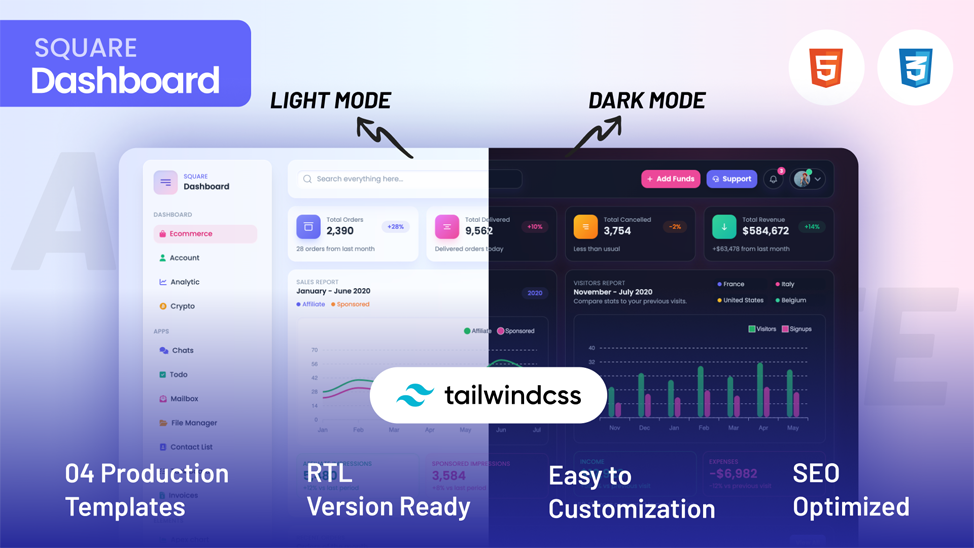
Lumina includes a fully working customisation panel that opens from the right edge of every page. End users can switch between light and dark mode, vertical and horizontal navigation layouts, left-to-right and right-to-left text directions, and pick the entire template’s theme color from 6 preset swatches or any custom hex value via the built-in color picker. All preferences persist in localStorage and can also be passed via URL parameters such as ?theme=dark&layout=horizontal&dir=rtl&color=10b981 — perfect for client demos, A/B testing, embeddable widgets, or persistent user preferences.
Mobile-First Responsive Design
Every page is fully responsive and tested across desktop, tablet, and mobile breakpoints. The mobile experience includes a hamburger-triggered flyout menu showing both the section icons column and the full menu column together, a body-scroll lock, an Escape-key dismiss, an overlay backdrop, a close button inside the menu, and automatic close when a menu link is tapped. The mobile header also displays the Lumina logo prominently.
Professional Components and Interactions
The component library includes hover-triggered topbar dropdowns with notifications, messages, app launcher, and user profile menus; click-toggle dropdowns with multi-level submenu, mega menu, dropdown with form, dropdown with search, checkbox filters, dark variant, and split buttons; modals in five sizes including form, scrollable, confirmation, sign-in, and checkout summary; CSS-only tooltips with four positions and five color themes; rich-content popovers; toast notifications via a global luminaToast() helper; auto-growing chat textarea with Enter-to-send and Shift+Enter for new line; client-side table pagination with search filter and page-size selector; editable tables with row add/delete; sortable column headers; form wizard with next/prev navigation and step completion markers; rich text editor with execCommand-based formatting toolbar; drag-and-drop file upload with image previews; tag input with comma and Enter to add; range sliders with live output values; character counters; and a working custom datepicker with month navigation.
Charts and Data Visualisation
Lumina integrates ApexCharts for all interactive charts and includes a unified LuminaCharts helper with deep-merge options so partial configuration overrides do not break defaults. Available chart types include line, bar (vertical and horizontal), area, pie, donut, mixed (column + line), radial bar, and sparkline. Charts automatically inherit the current theme color and dark/light mode, react to the theme picker, and use consistent typography and grid styling. Beyond ApexCharts, Lumina also showcases pure-CSS data visualisations including custom vertical column charts (Lead Sources), horizontal stacked share bars (Sales by Region), circular SVG progress rings (CRM stat cards), heat-grid bed occupancy maps (Hospital dashboard), gradient progress meters (Finance budget tracker), and custom sparklines drawn with inline SVG.
Maps Integration
Lumina includes two map pages: a Google Maps page using free iframe embeds (no API key required) showing satellite and terrain views, and a Vector Maps page powered by Leaflet 1.9.4 with CartoDB tile styles displaying world office markers with connection lines, a USA regional view, a Europe coverage view, and a world revenue heat map with proportionally-sized circle markers shaded by revenue per country.
Authentication and Error Page Templates
Beautiful authentication pages include sign-in and registration with social login buttons (Google and Apple), forgot password, reset password, lock screen with avatar, and OTP verification with 6-digit input fields. The authentication layout features a gradient side panel with feature highlights on desktop that gracefully collapses on mobile. Error pages cover 404 Not Found, 500 Internal Server Error, 403 Forbidden, 503 Service Unavailable, plus a maintenance page with status link and a coming-soon page with live countdown.
SEO-Ready and Accessible Markup
Every page uses clean semantic HTML5 elements, proper heading hierarchy, descriptive alt attributes on images, aria-labels on icon-only buttons, keyboard navigation support, ESC-key dismiss for modals and mobile menus, focus rings on all form inputs, sufficient color contrast in both light and dark themes, and meta description fields ready for SEO optimisation. The template loads from a single style.css file and a single app.js file (plus optional ApexCharts, jQuery, and Leaflet from CDN), keeping the critical rendering path lean.
Built for Developers
Lumina is written with developer ergonomics in mind. The CSS uses custom properties (CSS variables) for theming so changing the entire template’s color palette is a one-line edit. The JavaScript is plain jQuery with no build step required — just edit, save, and refresh. Reusable component patterns use data-* attributes (data-modal-target, data-dropdown-toggle, data-tab, data-tooltip, data-popover-toggle, data-toast, data-loading, data-toggle, data-wizard-next, data-pager, data-table-filter, data-page-size, data-action, data-setting-theme, data-setting-layout, data-setting-dir, data-setting-color) so wiring up new interactive elements requires no JavaScript edits.
Pricing, Licensing, and Support
Lumina is delivered as a single ZIP archive containing all 94+ HTML pages, the complete CSS source, all JavaScript modules, every image asset, the documentation, and a license file. The template includes lifetime updates, friendly developer support, and works with any backend stack. Perfect for agencies building client portals, SaaS founders launching admin interfaces, freelancers delivering professional dashboards, and in-house teams needing a polished starting point.
Tech Stack
HTML5, CSS3 (custom properties, flexbox, grid, container queries), vanilla JavaScript, jQuery 3.7, ApexCharts 3.45, Leaflet 1.9, Material Icons, Feather Icons, Inter font family from Google Fonts. No build step. No npm install. No Webpack. No Vite. No React. Just open the HTML files in a browser or drop them into any web server.







 Live Preview