Building a React admin from scratch takes most teams 2 to 3 weeks. That time goes to routing, sidebars, dark mode, and login pages. None of it is your real product.
A good React admin dashboard template skips all of that. You start on day one with a working layout, charts, tables, and auth pages.
The catch? Half the free templates on GitHub are broken. Some run on React 16. Some ships have just 3 pages. Some have not been updated in years.
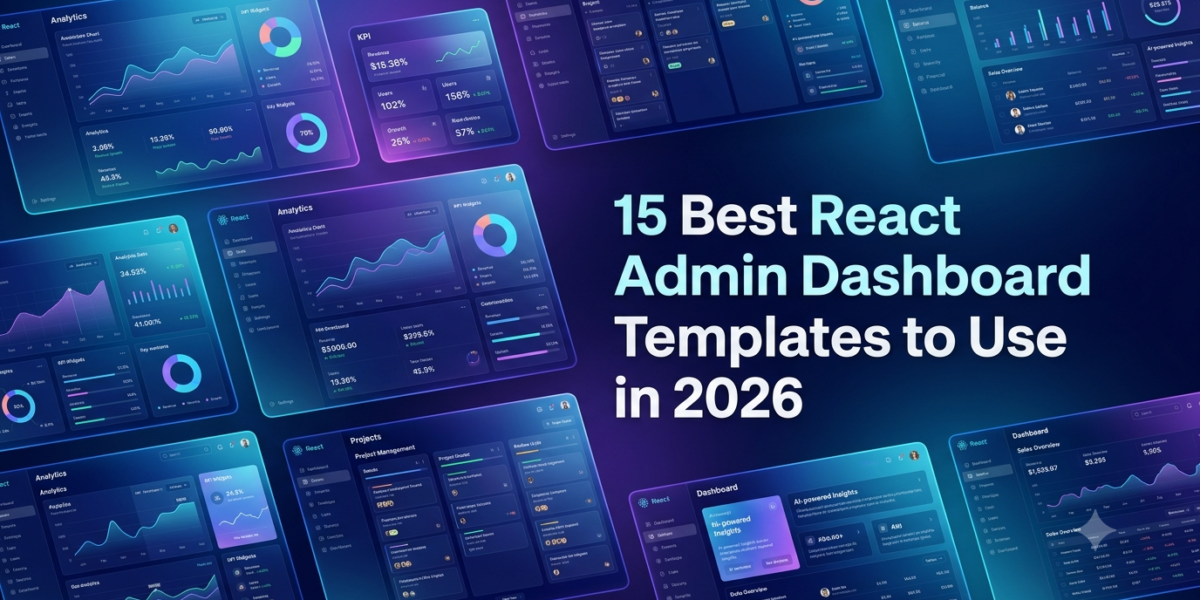
This guide covers the 15 best React admin dashboard templates worth using in 2026. Each pick is live, MIT-licensed, and recently updated. Browse the full React admin templates collection on MyCreativeTemplates for even more options.
TL;DR: Best React Admin Templates at a Glance
Short on time? Start with these by use case:
- Best free overall: Shadcn Admin (shadcn/ui, 11,000+ stars)
- Best for enterprise CRUD: React-Admin by Marmelab (24,000+ stars)
- Best free Material UI: Minimal UI Kit (React 19 + MUI v7)
- Best for Next.js SaaS: Devias Kit (Next.js + MUI)
- Best for analytics: Tremor (Tailwind blocks)
- Best premium pick: Vuexy (multi-framework)
Top 15 React Admin Dashboard Templates: Quick Comparison
All picks are ready for React 18 or 19. All are responsive. All have been updated in the past 6 months.
Sources: adminlte.io, tailadmin.com, colorlib.com.
| Template | Tech Stack | Stars | License | Best For |
|---|---|---|---|---|
| Shadcn Admin | React 19 + Vite + shadcn/ui | 11,000+ | MIT | Modern free dashboards |
| React-Admin | React + framework | 24,000+ | MIT | Enterprise CRUD apps |
| Minimal UI Kit | React 19 + MUI v7 | 2,700+ | MIT | Polished SaaS UI |
| Devias Kit | Next.js + React + MUI | 5,600+ | MIT | Next.js + auth |
| Berry Free | React + MUI v7 | 2,100+ | MIT | Best-looking free MUI |
| TailAdmin React | React 19 + Tailwind v4 | 1,900+ | MIT | Tailwind component coverage |
| Material Dashboard 2 | React + MUI | Free | MIT | Most downloaded MUI starter |
| Horizon UI | React + Chakra UI | Free | MIT | Chakra UI teams |
| Ant Design Pro | React + Ant Design | 37,900+ | MIT | Ant Design teams |
| CoreUI React | React 19 + Bootstrap 5 | 4,900+ | MIT | React + Bootstrap apps |
| Tremor Blocks | React + Tailwind | Free | Apache 2.0 | Analytics dashboards |
| Argon Dashboard React | React + Bootstrap | Free | MIT | Gradient-forward design |
| Mantis Free | React + MUI | Free | MIT | Clean MUI starter |
| SB Admin React | React + Bootstrap | Free | MIT | Learning and first projects |
| Vuexy (premium) | React 19 + MUI / Tailwind | Premium | Commercial | Production SaaS |
15 Best React Admin Dashboard Templates (Full Reviews)
1. Shadcn Admin: Best Free React Admin Template Overall
Shadcn Admin is the fastest-growing free React admin dashboard on GitHub. It has 11,000+ stars and weekly updates.
Tech: React 19 + Vite + shadcn/ui + Tailwind | Stars: 11,000+ | License: MIT
What you get:
- 10+ ready pages with a collapsible sidebar
- Global command search (Cmd+K) via cmdk
- Light, dark, and RTL modes built in
- TanStack Router for navigation
- Copy-paste components you fully own (no version lock-in)
Best for teams that want the most modern shadcn/ui setup with no compromise.
2. React-Admin: Best for Enterprise CRUD Apps
React-Admin from Marmelab is more of a framework than a template. It powers thousands of admin panels that need full CRUD over REST or GraphQL.
Tech: React + framework | Stars: 24,000+ | License: MIT
What you get:
- 180+ composable components
- Pluggable data providers for any backend
- Built-in auth and role-based access
- Battle-tested forms, lists, and edit views
Steeper learning curve, but huge time savings once your team knows the patterns. A solid pick if you want more than a plain React.js admin template can give you.
3. Minimal UI Kit: Best Free MUI React Admin Template
Minimal UI Kit lives up to its name. Clean type, generous spacing, and a design that looks premium out of the box.
Tech: React 19 + MUI v7 + Vite 6 | Stars: 2,700+ | License: MIT
What you get:
- Full analytics dashboard and user management pages
- Product listings and blog layouts
- Complete auth flows (login, register, reset)
- React 19 and MUI v7 on day one
One of the few free dashboard templates React picks that looks like a paid product.
4. Devias Kit: Best Free Next.js + MUI Starter
Devias Kit has been the go-to Next.js + MUI starter since 2019. Still rock solid in 2026.
Tech: Next.js + React + MUI | Stars: 5,600+ | License: MIT
What you get:
- Server-rendered routing via the App Router
- MUI v6 components are ready to style
- JWT-style auth flow built in
- Dashboard, account settings, and customer pages
Ships ready for Vercel, with SEO and server components working out of the box.
5. Berry: Best-Looking Free MUI Dashboard
Berry breaks the rule that admin dashboards have to look boring. Warm colours, soft corners, and styling that stands out the second you open the demo.
Tech: React + MUI v7 | Stars: 2,100+ | License: MIT
What you get:
- Full dashboard layout with charts and tables
- Form components and validation patterns
- Maintained by CodedThemes against the latest MUI
- Great fit for client-facing SaaS
Pick this when looks matter as much as features.
6. TailAdmin React: Best Tailwind Component Coverage
TailAdmin’s React version is the most generous free Tailwind dashboard in 2026. It ships 500+ UI components and 7 dashboard variants.
Tech: React 19 + Tailwind CSS v4 + Vite | Stars: 1,900+ | License: MIT
What you get:
- 7 dashboard layouts: Analytics, E-commerce, CRM, SaaS, Stocks, Logistics, Marketing
- AI pages for chat, image, and code generation
- Tailwind CSS v4 support from the start
- Utility-class styling keeps customization fast
One of the few templates ready for AI-first admin panels right now.
7. Material Dashboard 2: Most Downloaded Free MUI Template
Creative Tim’s Material Dashboard 2 is one of the most-downloaded free React admin templates ever. Solid for Material Design fans.
Tech: React + Material UI | License: MIT
What you get:
- 70+ frontend components
- Dashboard, profile, tables, and auth pages
- Classic Material Design look
Check the last commit date before betting on it long-term.
8. Horizon UI: Best Chakra UI Dashboard
Horizon UI is the standout free React admin panel for Chakra UI teams. Bold gradients, rounded corners, and high-contrast cards give it real personality.
Tech: React + Chakra UI | License: MIT
What you get:
- 70+ dark and light components
- Accessibility baked in via Chakra’s WAI-ARIA defaults
- Variants for Tailwind CSS and Next.js
- Companion Horizon AI Template for ChatGPT-style apps
9. Ant Design Pro: Best for Ant Design Teams
Ant Design Pro is the clear leader for any team on Ant Design. With 37,900+ GitHub stars, it is one of the most-starred admin templates for any framework.
Tech: React + Ant Design | Stars: 37,900+ | License: MIT
What you get:
- Out-of-the-box layouts and dozens of business pages
- Internationalization for 10+ languages
- Full TypeScript support
- Mock data layer for fast prototyping
Backed by Alibaba’s design team, so updates stay reliable.
10. CoreUI React: Best React + Bootstrap Dashboard
CoreUI React brings the CoreUI design system to React 19 on Bootstrap 5. The most reliable React + Bootstrap pairing on the free market.
Tech: React 19 + Bootstrap 5 | Stars: 4,900+ | License: MIT
What you get:
- Full admin layout and dashboard widgets
- Charts, responsive navigation, and form components
- Same design across React, Vue, Angular, and HTML
A solid pick for agencies that switch stacks per client.
11. Tremor Blocks: Best Analytics-First Dashboard
Tremor is not a full template. It is a focused library of React + Tailwind blocks for analytics dashboards. For data-heavy products, nothing free comes close.
Tech: React + Tailwind CSS | License: Apache 2.0
What you get:
- Pre-built KPI cards and area charts
- Bar lists, donut charts, and data tables
- Each block is copy-paste ready
Pair it with Shadcn Admin for a full analytics platform in a day.
12. Argon Dashboard React: Best Gradient-Forward Design
Argon is the React variant of Creative Tim’s Argon design system. Five frameworks share the same gradient-forward style: Bootstrap, React, Angular, Tailwind, and Next.js.
Tech: React + Bootstrap | License: MIT
What you get:
- 100+ components and 4 plugins
- 6 pages: dashboard, profile, tables, billing, RTL, auth
- SASS theming with one-file changes
A reliable React admin panel template free pick backed by a large community.
13. Mantis Free: Clean MUI Starter
Mantis is a free React admin dashboard built on MUI with a focus on clarity. A good fit for teams that want a base they can extend without fighting opinions.
Tech: React + MUI | License: MIT
What you get:
- Core pages for analytics and user management
- Authentication flow ready to wire up
- Minimal styling, easy to extend
14. SB Admin React: Most Beginner-Friendly
SB Admin from Start Bootstrap is the gentlest entry into the React admin world. Easy-to-read code and clear patterns for first-time builders.
Tech: React + Bootstrap | License: MIT
What you get:
- Working dashboard, login pages, and tables
- Charts and responsive navigation
- Code structure built for learning
The pick most likely to make sense to a developer building their first admin panel in react js.
15. Vuexy: Best Premium React Admin Template
Vuexy is the strongest premium React admin dashboard on the market. Available on MyCreativeTemplates, it ships with JavaScript and TypeScript versions, including Redux Toolkit, Auth0, and 10+ dashboard variants.
Tech: React 19 + MUI / Tailwind | License: Commercial
What you get:
- 100+ pages: CRM, e-commerce admin, calendar, kanban, chat, email
- Dedicated support and regular framework updates
- Same Vuexy design across React, Vue, Angular, Nuxt, and Laravel
The premium pick when free templates run out of room.
What is a React Admin Dashboard Template?
A React admin dashboard template is a ready-made admin interface built with React. It comes with the layout, sidebar, charts, tables, forms, and login pages already wired up.
Most React admin dashboard templates include:
- Responsive sidebar and top navigation
- Dashboard with KPI cards and charts
- Sortable data tables
- Forms with built-in validation
- Login, register, and password reset pages
- Dark mode and responsive breakpoints
Premium ones add CRM, calendar, kanban, and e-commerce admin layouts.
Why Use a React Admin Dashboard Template in 2026?
Three reasons developers reach for a template instead of building from scratch:
- Time saved: 2 to 3 weeks of setup work skipped on day one
- Proven patterns: Routing, state, theming, and auth done right from the start
- 2026 stack ready: Top picks now ship React 19, TypeScript 5, Vite 6, Next.js 16, and Tailwind v4
For an MVP, a free React admin dashboard template is enough. For a real SaaS with paying users, a premium pick like Vuexy pays for itself in saved hours.
Best Free React Admin Dashboard Templates in 2026
Every pick below is MIT-licensed for commercial use and updated within the past 6 months. The strongest free React admin dashboard options sorted by use case:
- Shadcn Admin: fastest-growing free repo on GitHub
- Minimal UI Kit: most polished free React admin template, free of paywalls
- Berry: best free MUI aesthetic
- Devias Kit: Best free Next.js + MUI starter with auth
- CoreUI React: Best free React + Bootstrap option
- Material Dashboard 2: Most downloaded free MUI starter
- TailAdmin React: The most complete free React dashboard template, free of license restrictions
Want more? Browse the full free React admin template collection on MyCreativeTemplates.
How to Choose the Right React Admin Dashboard Template
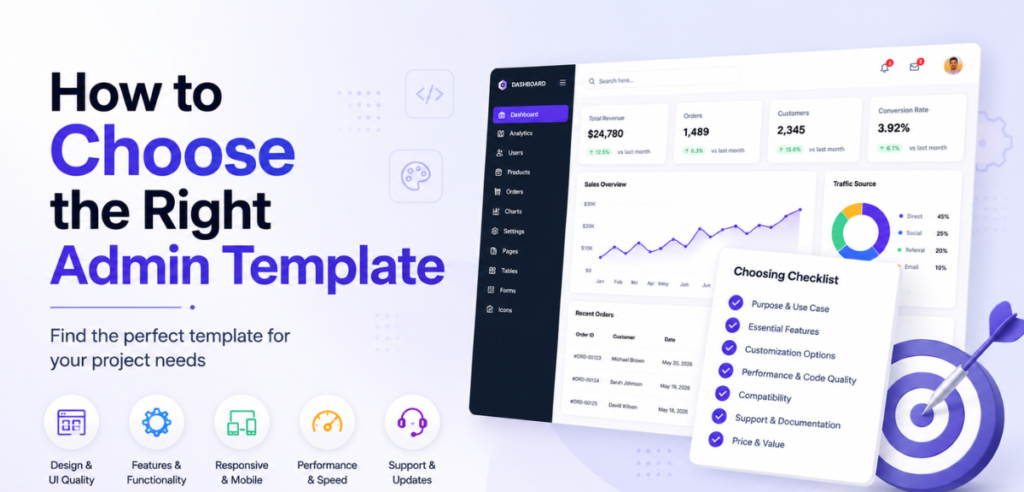
Pick the wrong one, and you waste more time than starting from zero. Run through this checklist first:
- Match your stack: Next.js project picks a Next.js template, not a Vite one
- Pick the UI library first: MUI, shadcn/ui, Chakra, Ant Design, or Bootstrap
- Check the license: MIT and Apache 2.0 allow commercial use
- Check the last commit date: anything older than 6 months needs an audit
- Count the pages: 10+ for an MVP, 50+ for a full SaaS
- Confirm TypeScript and dark mode: both are table stakes in 2026
- Preview on mobile: if the demo breaks on your phone, it will break in your product
Free vs Premium React Admin Dashboard Templates
Free React admin dashboard templates give you:
- A working dashboard layout
- 5 to 30 pre-built pages
- Core components: forms, tables, charts
- Community support via GitHub issues
- MIT license for commercial use
Premium templates add more:
- 50 to 150+ pages: CRM, billing, kanban, chat
- Multiple dashboard variants
- Advanced features: 2FA, CRUD scaffolding
- Dedicated support with priority fixes
- Guaranteed framework version updates
For a shipped SaaS, a premium template like Vuexy pays for itself in saved engineering hours.
How to Set Up a React Admin Dashboard Template
Most React admin dashboard templates follow the same simple steps:
- Clone the repo from GitHub
- Run npm install or pnpm install
- Start the dev server with npm run dev
- Update theme tokens (colors, fonts, logo) in the config file
- Replace mock data with your real API calls
- Run npm run build for production
6 Common Mistakes to Avoid
- Skipping the license file: Some ‘free’ templates allow personal use only.
- Downloading a ZIP instead of cloning: You lose the ability to pull updates.
- Ignoring the last commit date: Old templates carry security holes. Run npm audit before shipping.
- Forcing a UI library mismatch: A Chakra template inside an MUI app means rebuilding every component.
- Picking JavaScript over TypeScript: Every serious React admin dashboard template ships TypeScript now.
- Shipping without customization: If three apps look identical to yours, you lose brand equity.
Final Word
The right React admin dashboard template saves 2 to 3 weeks on day one. Pick wrong, and you spend those weeks fighting outdated code, dead repos, and UI libraries that do not fit your stack.
Two safe defaults:
- Shadcn Admin, if you are starting fresh with shadcn/ui and Tailwind
- Minimal UI Kit if your team works in MUI
- Vuexy, if you need a polished, premium pick with full support
Ready to start? Visit MyCreativeTemplates to browse the full collection of React admin templates. Working across stacks? Check out the Next.js admin templates, Vue admin templates, and Angular admin templates collections, too.
Frequently Asked Questions
Q1: What is a React admin dashboard template?
A React admin dashboard template is a pre-built React interface. It includes a layout shell, sidebar, charts, data tables, forms, and authentication pages. Developers use it to skip weeks of setup and start building product features right away.
Q2: Are free React admin templates good for production?
Yes. The strongest free React admin templates are production-ready, especially those on React 19 with active updates like Shadcn Admin, Minimal UI Kit, and Devias Kit. Always check the license, the last commit date, and run npm audit before shipping.
Q3: Which is the best React admin template in 2026?
It depends on your UI library. Shadcn Admin leads for shadcn/ui and Tailwind teams. Minimal UI Kit and Devias Kit are the best free MUI picks. Ant Design Pro wins for Ant Design teams. Vuexy is the strongest premium pick.
Q4: Can I use React admin templates for commercial projects?
Yes. Most React admin templates on this list use the MIT license, which allows commercial use, including client work, SaaS products, and internal tools. Always read the LICENSE file in the repo first. Premium templates include a clear commercial license on the product page.
Q5: Do React templates include authentication?
Most do. Templates like Shadcn Admin, Devias Kit, Berry, and Minimal UI Kit ship login, register, forgot password, and reset pages. The pages give you the UI only. You still need to wire them to your backend auth provider.
Q6: Are React admin templates responsive?
Yes. Every React admin template on this list is fully responsive across desktop, tablet, and mobile. The strongest options also include collapsible sidebars and mobile-friendly tables. Always test on a real device before shipping, since some handle small screens better than others.
Q7: How do I customize a React admin template?
Clone the repo, install dependencies with npm or pnpm, and start the dev server. Update theme tokens like colors and typography in the config file, swap mock data for real API calls, and extend components as needed. Modern templates keep styling separate from logic, which makes this easy.