
 Purchase Now
 Live Preview







 Purchase Now

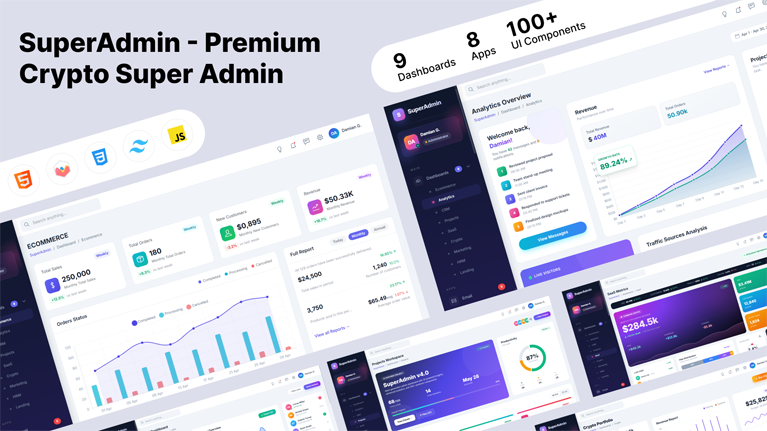
SuperAdmin is a complete, production-ready admin dashboard template built with TailwindCSS, vanilla JavaScript, and Chart.js. With over 92 hand-crafted pages, 9 unique dashboards, 8 full-featured applications, and 30+ UI elements, SuperAdmin gives developers, agencies, and SaaS founders everything needed to launch a beautiful admin panel in days instead of months. The template uses a zero-build approach: pure HTML, CSS, and JavaScript with CDN-hosted dependencies, so you can drop it into any backend stack — PHP, Node.js, Python, Ruby, .NET, Laravel, Django, Express, or any other framework — without configuring webpack or running npm install.
Template Overview
SuperAdmin ships with 92+ premium pages organized into nine logical sections. Every page is fully responsive, mobile-first, and tested across desktop, tablet, and mobile devices. The design system uses TailwindCSS utility classes with custom design tokens defined in a single style.css file, making global theming and customization simple. All interactivity is handled through a centralized app.js using HTML5 data attributes and event delegation, so the codebase remains clean and easy to extend without inline scripts or jQuery.
Nine Unique Dashboards
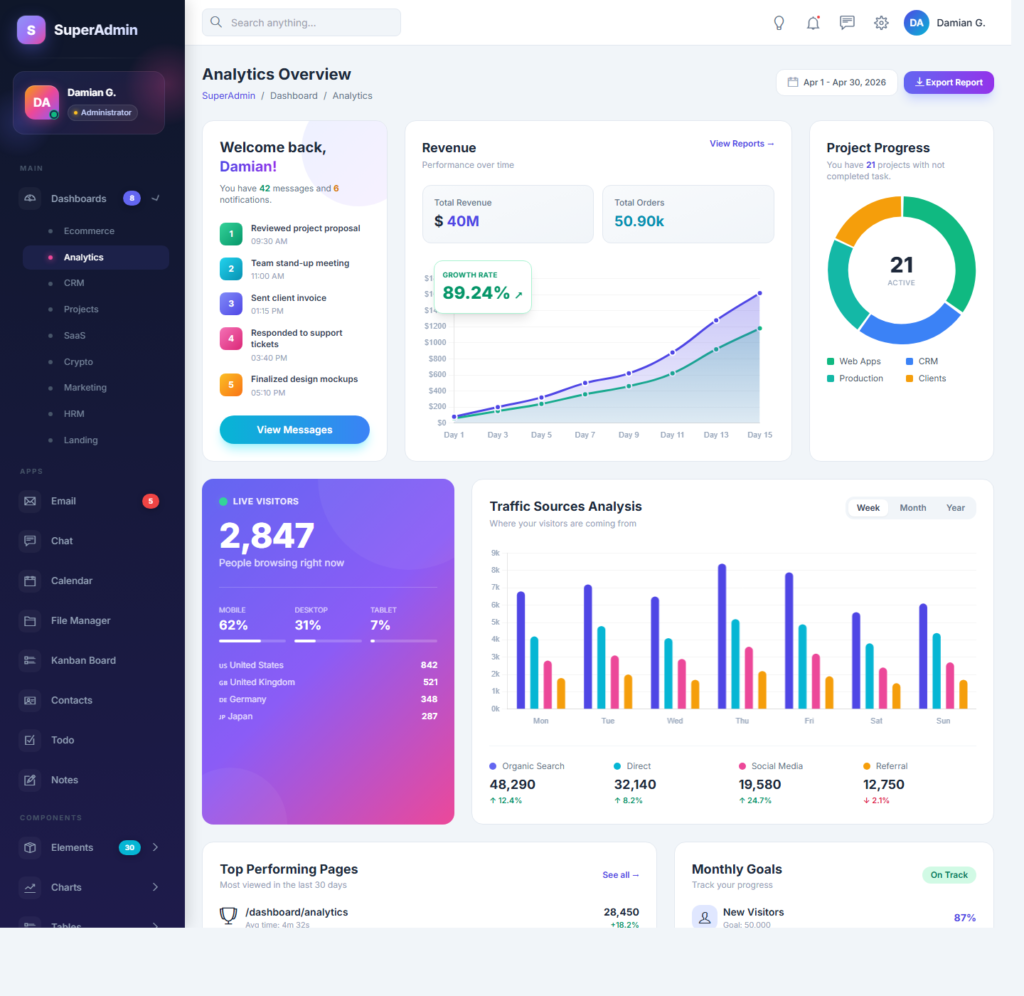
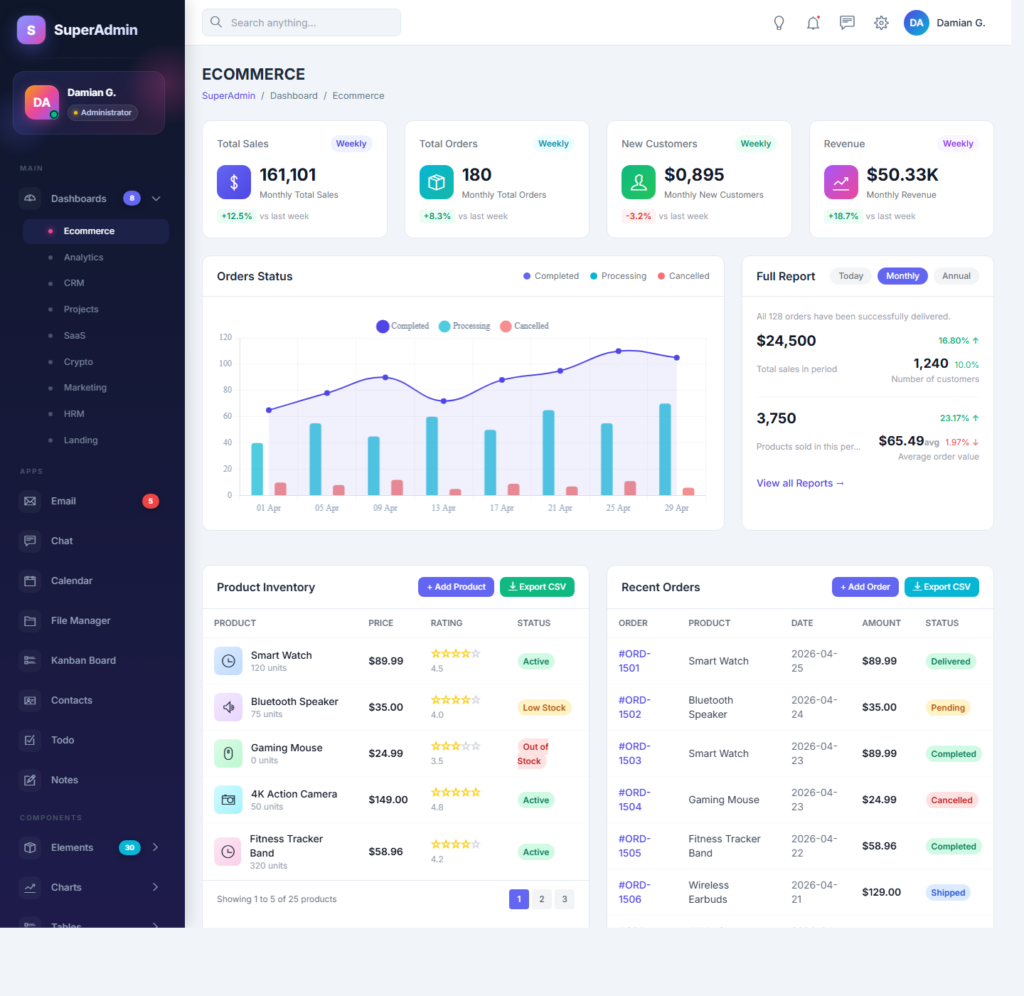
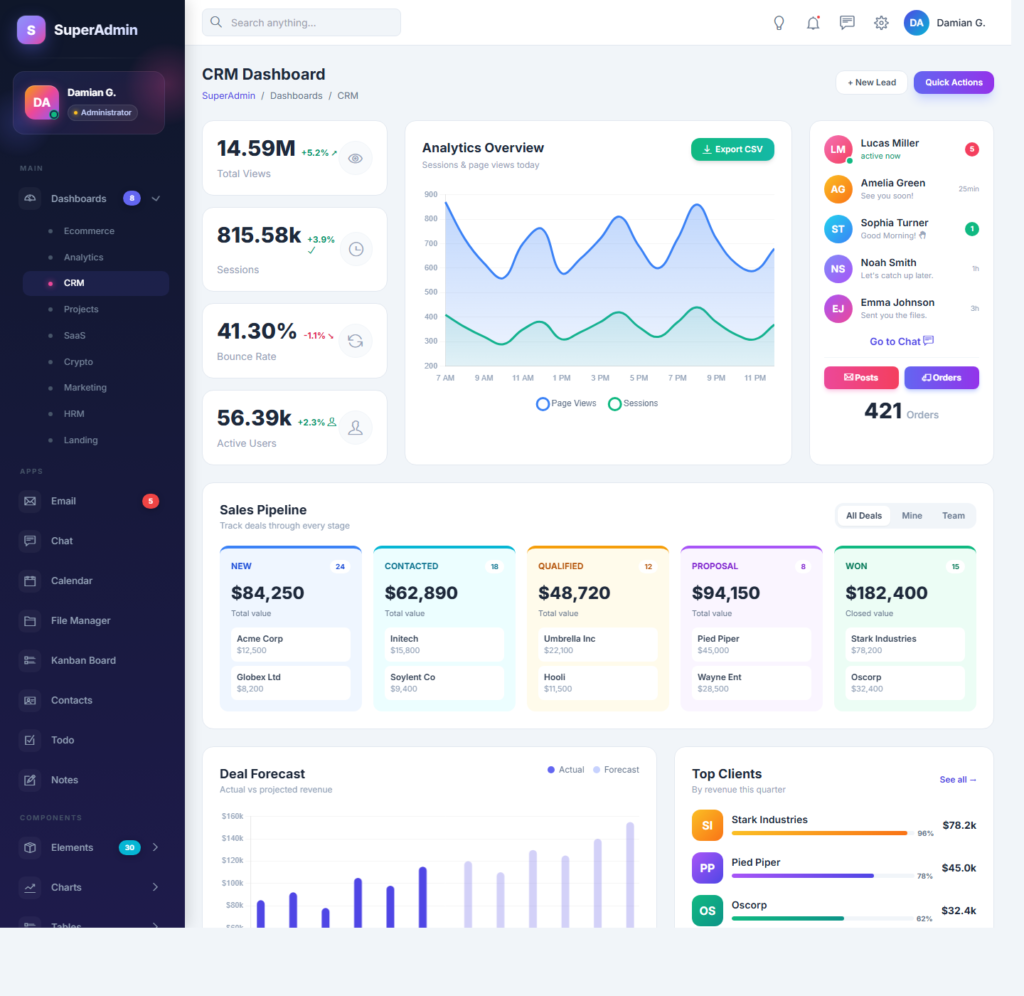
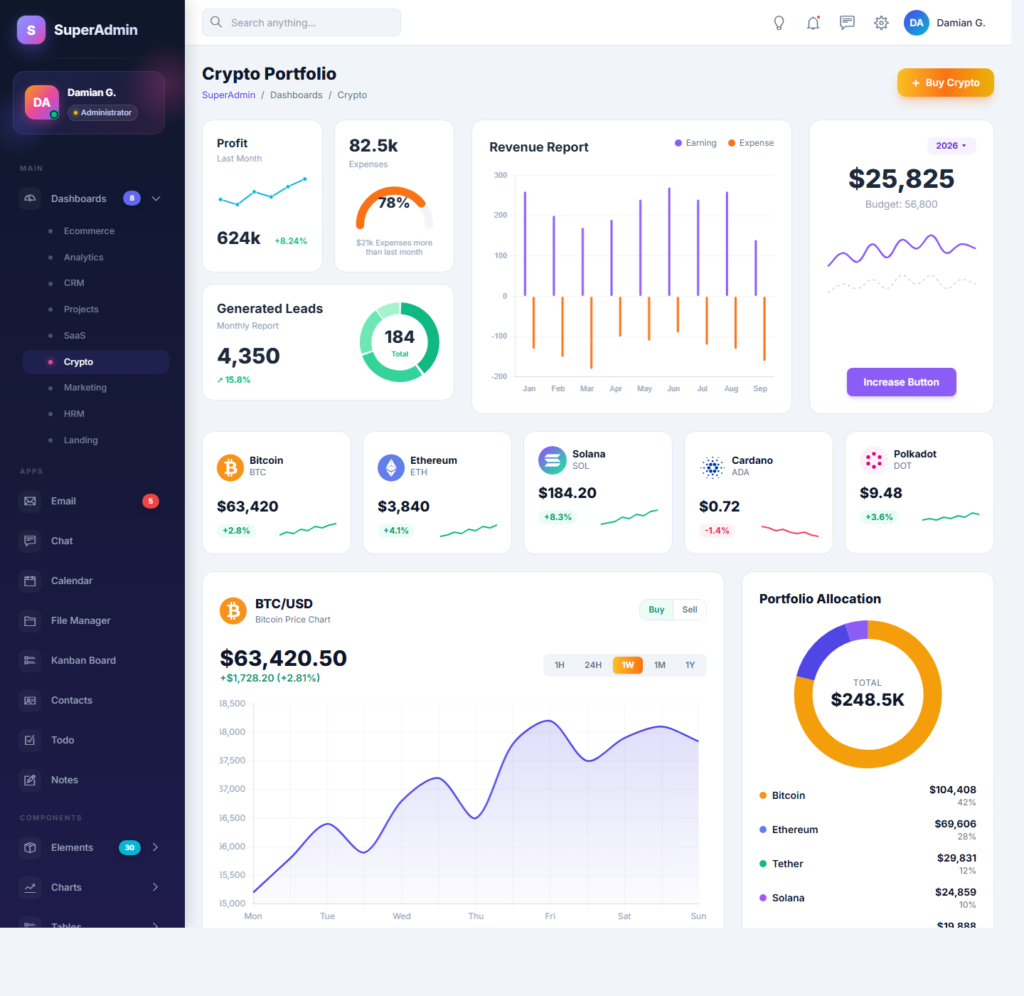
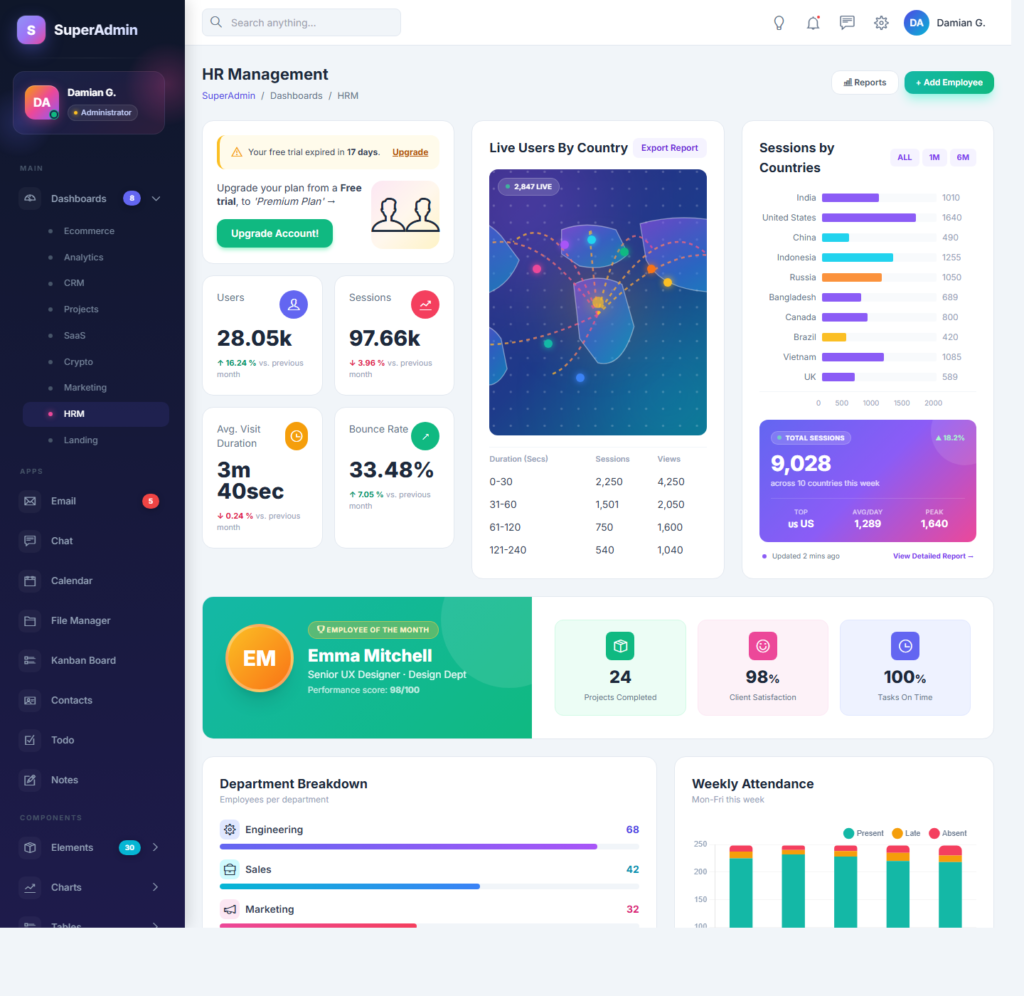
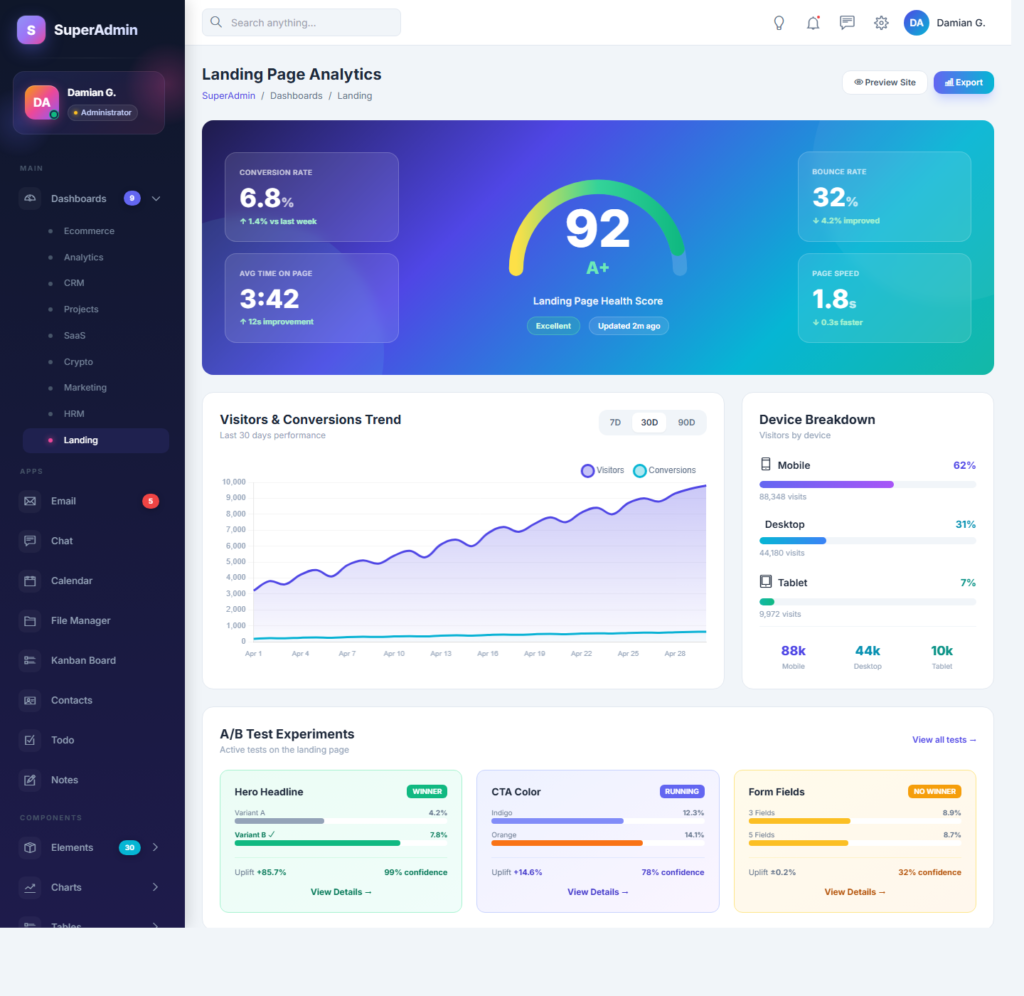
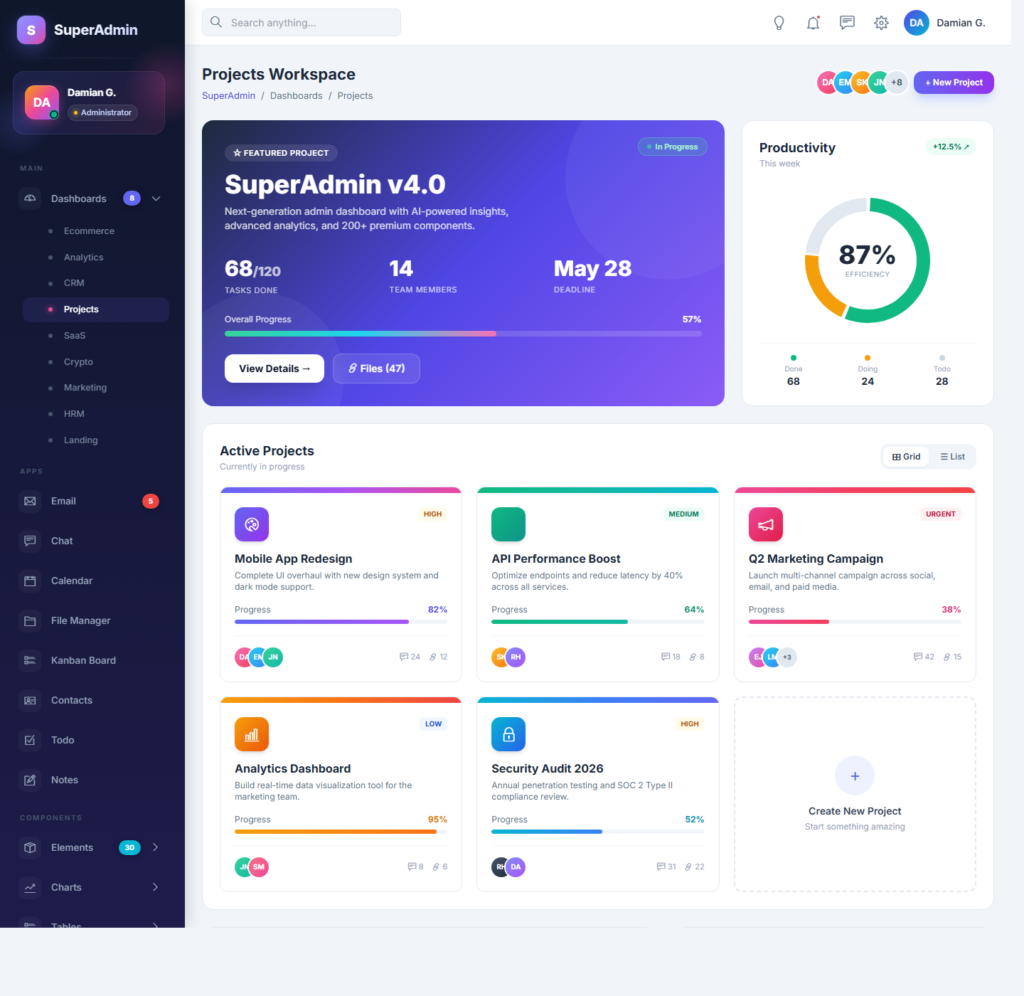
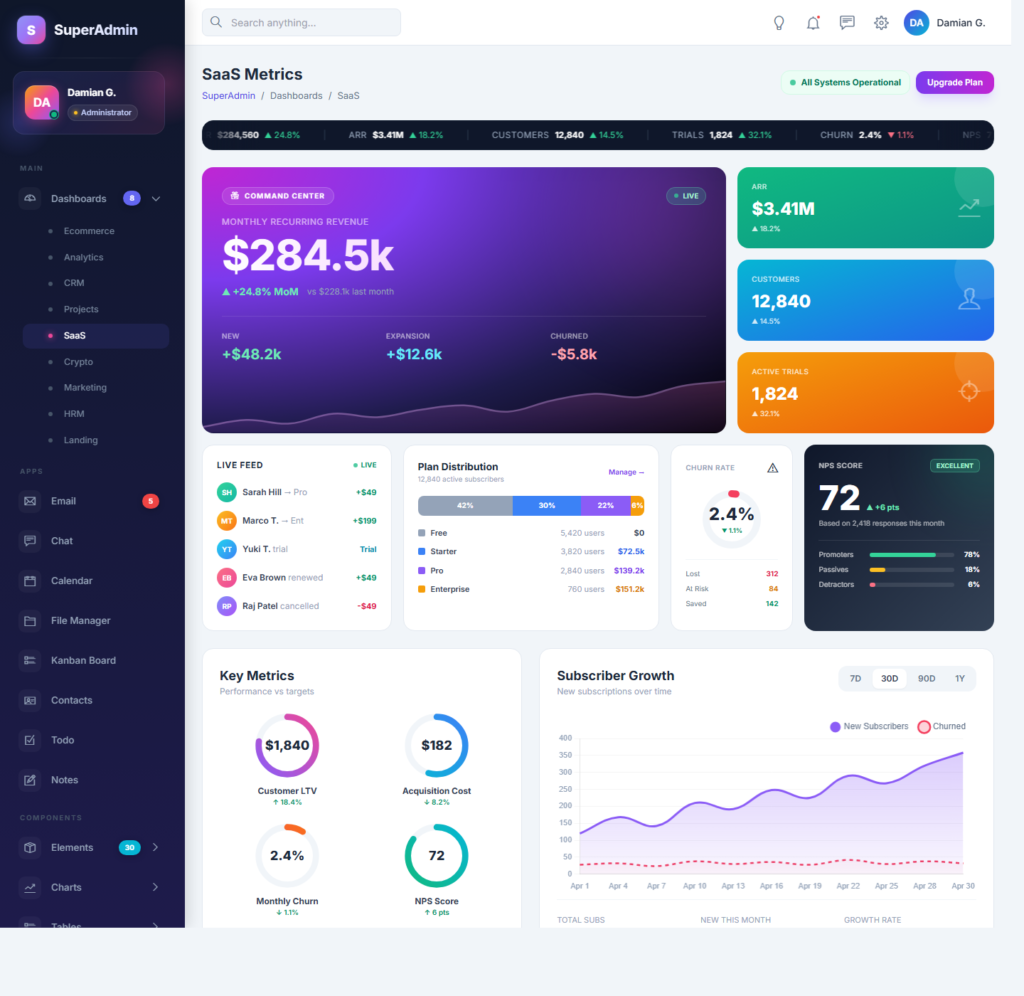
SuperAdmin includes nine completely different dashboard layouts, each designed for a specific business use case. The Ecommerce Dashboard tracks total sales, orders, new customers, and revenue with a product inventory table, recent orders list, and worldwide transactions. The Analytics Dashboard features a 3-column hero with messages list, revenue chart, and project progress donut, plus a live visitors panel, traffic sources analysis, and top performing pages. The CRM Dashboard offers a sales pipeline kanban, deal forecast chart, top clients leaderboard, recent activity timeline, and upcoming meetings cards. The Projects Dashboard showcases a featured project banner with productivity ring, active projects grid with progress bars, task velocity chart, budget allocation, project roadmap, and team stars leaderboard. The SaaS Metrics Dashboard uses a unique bento-grid layout with a live ticker strip, MRR command center, ARR/Customers/Trials tiles, conversion funnel, plan distribution, and NPS score. The Crypto Portfolio Dashboard displays profit/expenses cards with semi-circle gauge, generated leads donut, revenue report bipolar bar chart, BTC/USD trading chart, allocation donut, transactions table, watchlist with real coin icons, news feed, and staking rewards. The Marketing Hub Dashboard features 5 stat cards including bar sparklines, earning reports with category buttons, sales radar chart, campaign performance, conversion funnel, audience demographics, A/B test results, and content performance. The HR Management Dashboard includes a 3-column free trial banner with stat cards, live users by country map, sessions by countries bars, employee of the month spotlight, department breakdown, weekly attendance chart, leave requests, upcoming birthdays, payroll summary, and recent hires. The Landing Analytics Dashboard presents a glassmorphism health score gauge with floating mini-cards, visitors and conversions trend chart, device breakdown, A/B experiments, Core Web Vitals gauges, click heatmap preview, conversion sources, and CTA performance.
Eight Production-Ready Applications
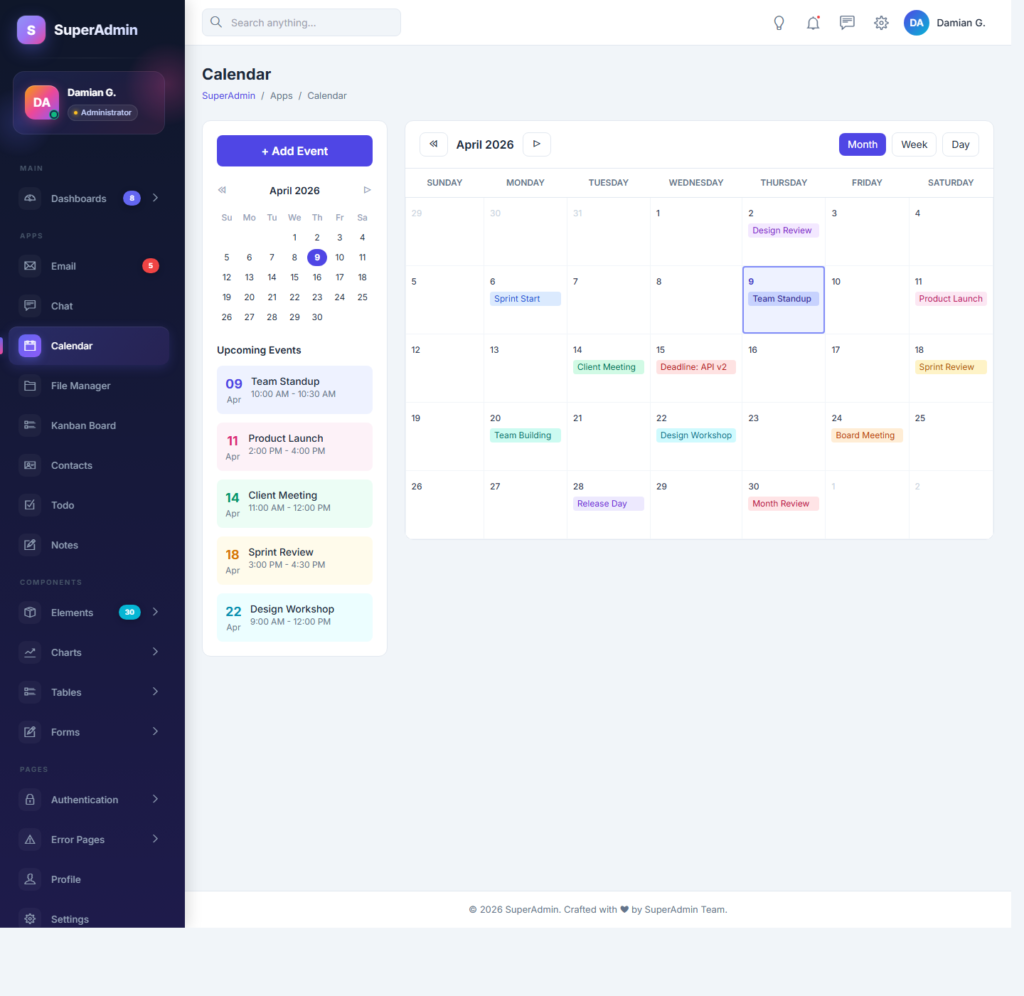
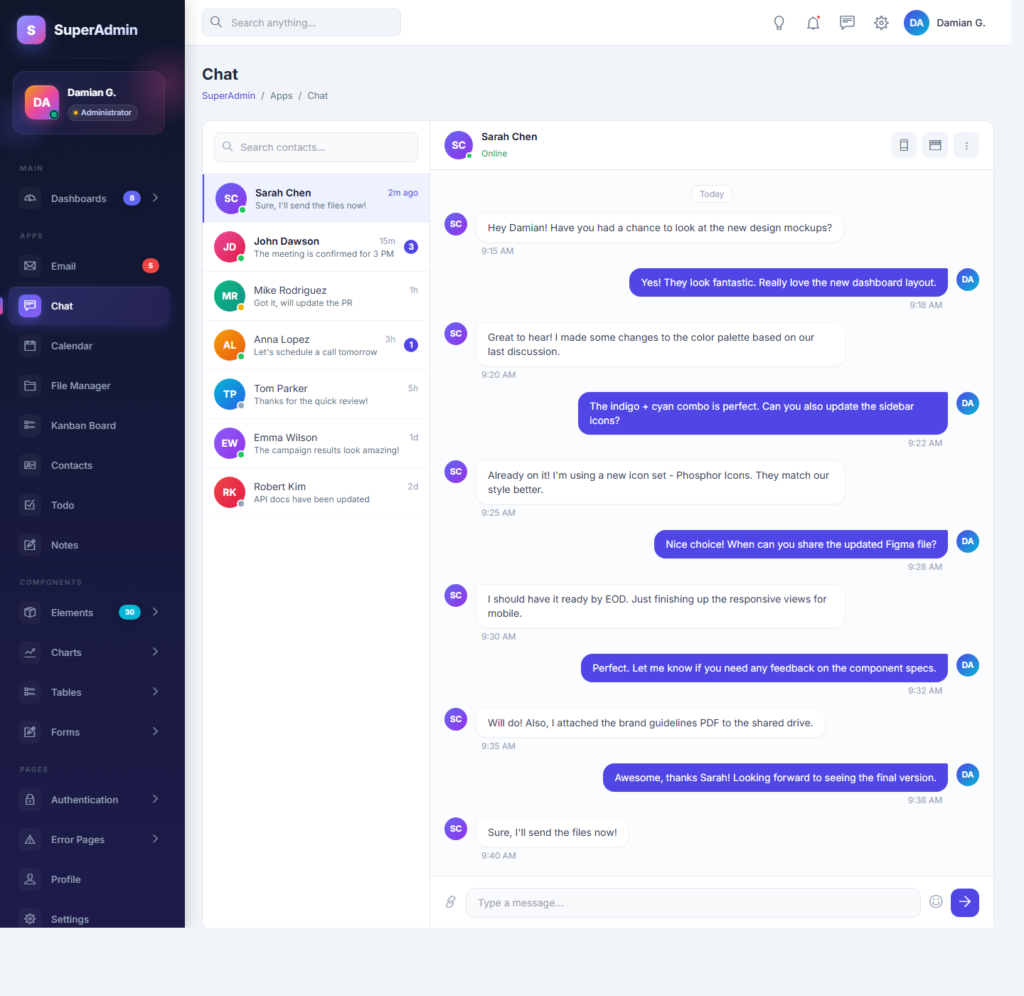
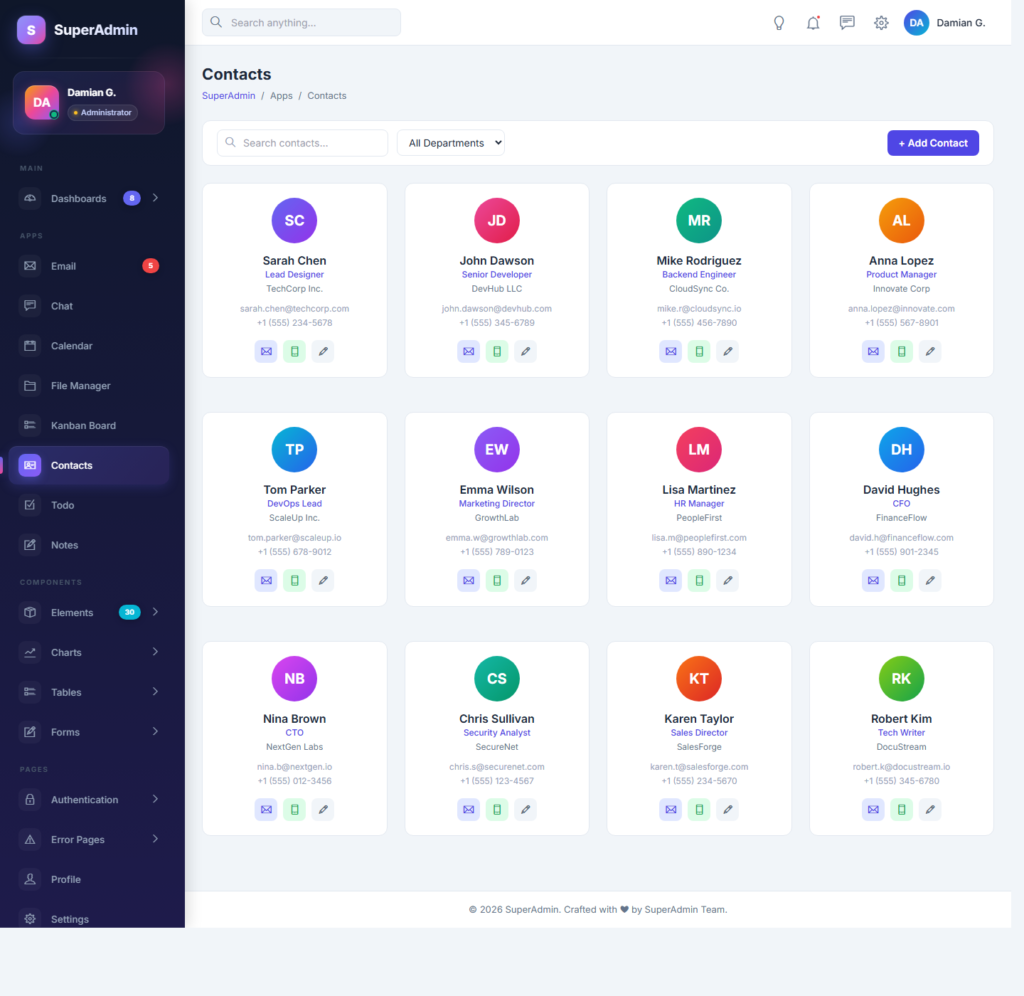
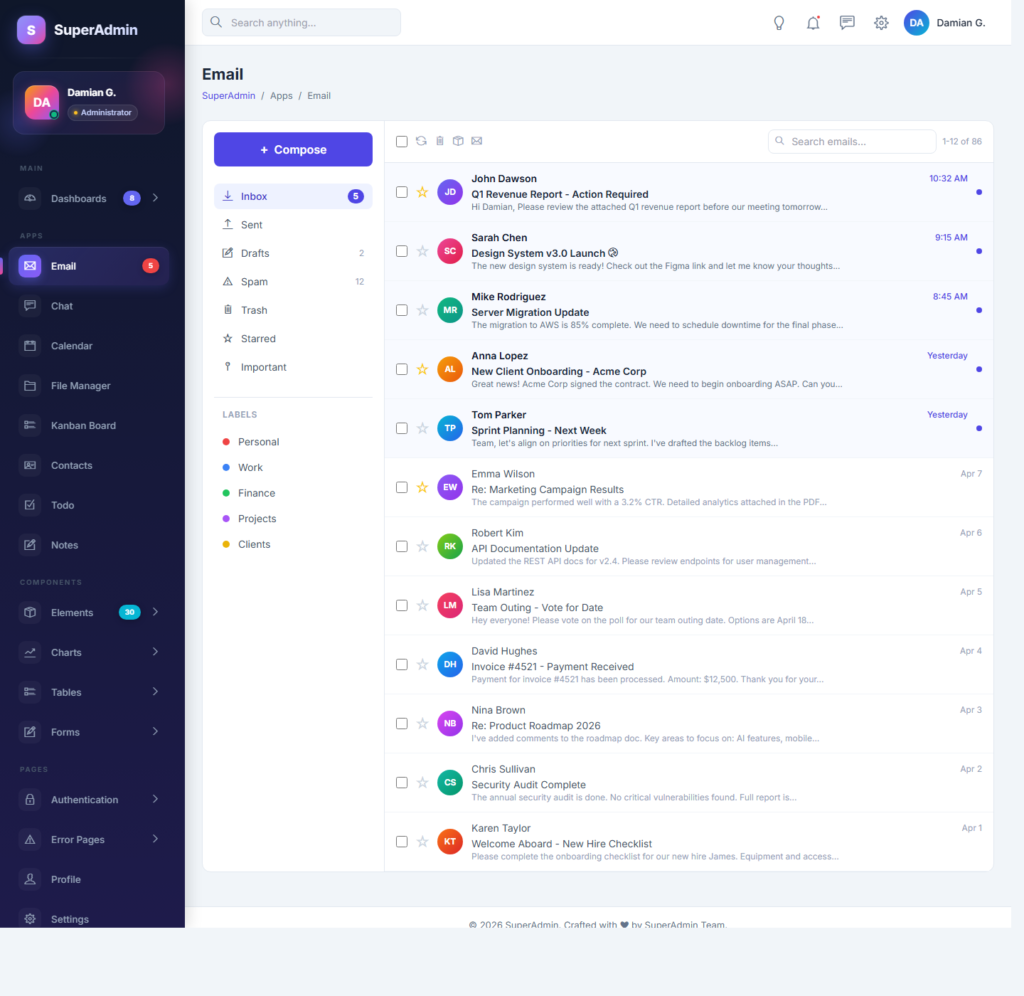
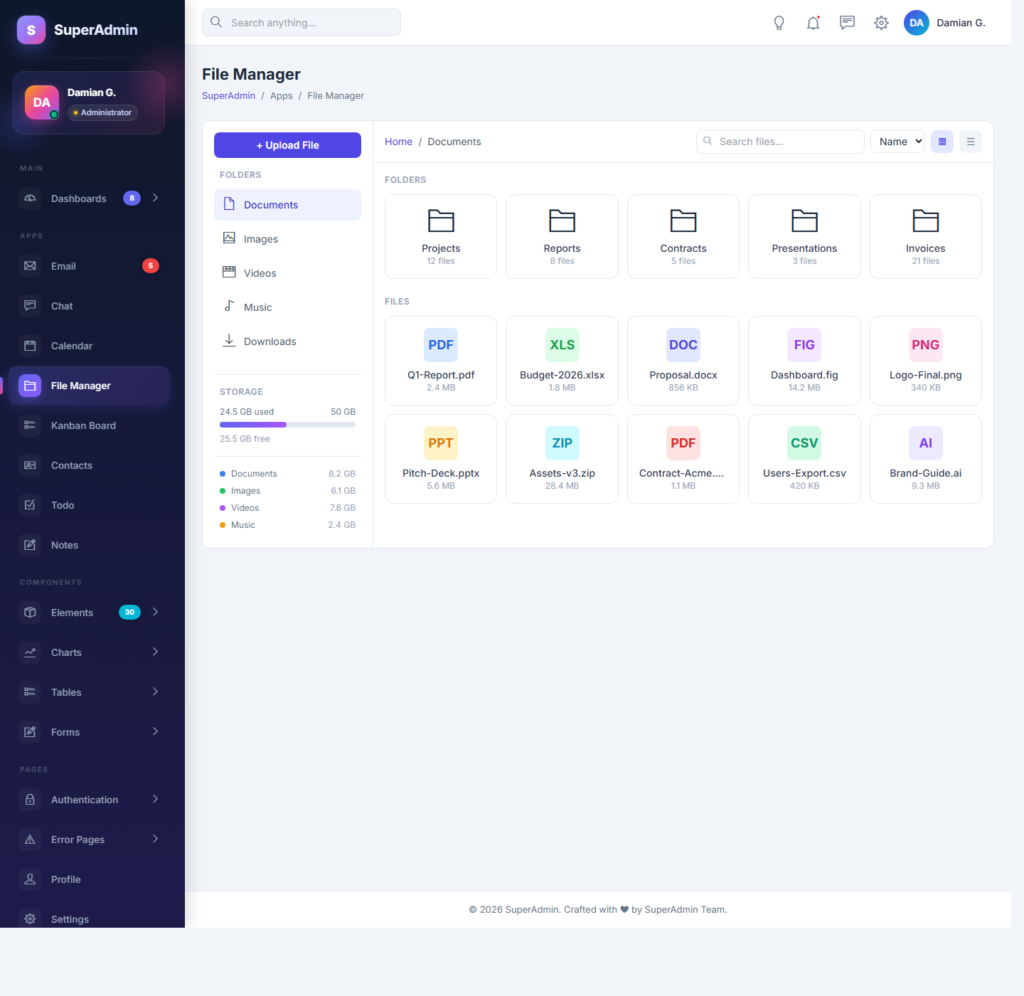
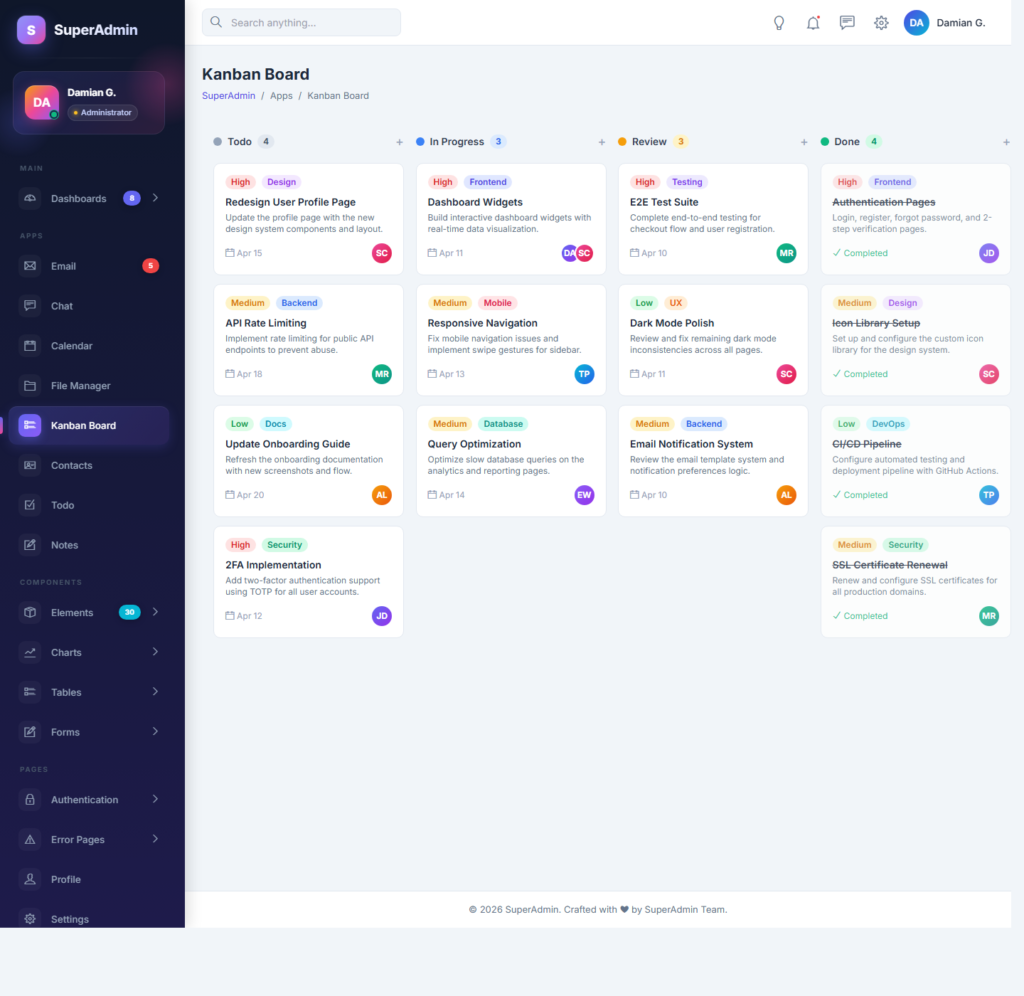
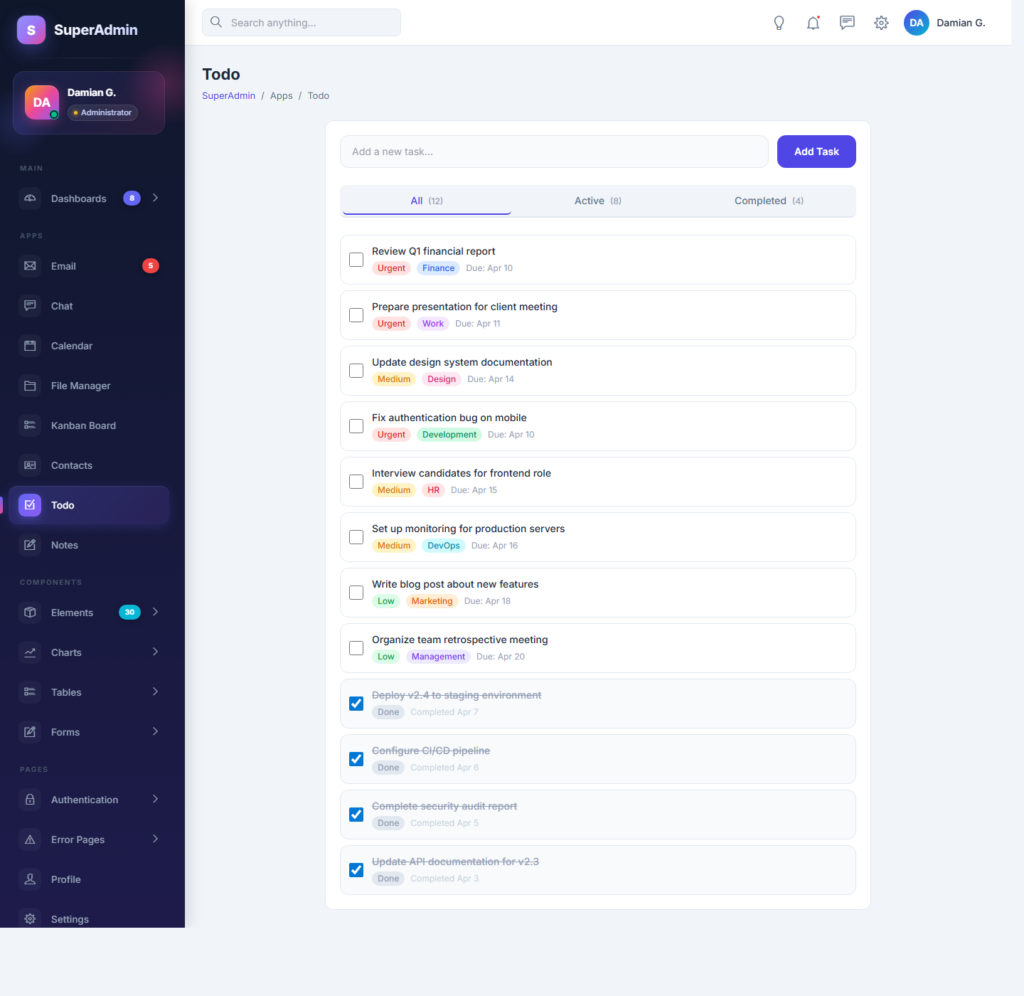
The template includes eight fully designed application pages ready to wire up to any backend. The Email App provides a 3-pane inbox with folder navigation including Inbox, Sent, Drafts, Spam, and Trash, label tagging, sender avatars, read and unread states, search, compose modal, batch actions, and 12+ realistic email items. The Chat Application delivers a contact list with online status indicators, conversation threads, message bubbles with timestamps, voice and video call buttons, and a message composer with attachment and emoji support. The Calendar App shows a monthly grid with multi-color events, an upcoming events sidebar, mini month navigation, and quick event creation. The File Manager features a folder tree, file grid with type-specific colored icons, breadcrumb navigation, grid and list view toggles, and a storage usage progress bar. The Kanban Board offers four status columns (Todo, In Progress, Review, Done) with 14 sample cards displaying priority badges, assignee avatars, and due dates. The Contacts App displays 12+ contact cards with gradient avatars, role, company, email, phone, and quick action buttons. The Todo App provides task management with checkboxes, filter tabs, priority badges, due dates, and category color tags. The Notes App uses a masonry grid of color-coded note cards with category tags and date stamps.
30+ UI Elements and Components
SuperAdmin ships with thirty-plus reusable UI components: Alerts with 12 variations, Badges with 50+ examples, Buttons in solid, outline, and gradient styles, Cards in 12 layout variations, Carousel with multiple display styles, Collapse and accordion patterns, Dropdowns with click and hover triggers, 12-column responsive Grid system, Image styles, List groups, 12 different Modal types including warning, pricing, image lightbox, and profile modals, Navbars in light, dark, and colored variants, Pagination styles, Popovers, Progress bars and circular progress, Spinners and loaders, Tabs in 7 styles including pill, bordered, underlined, and vertical, Toast notifications with auto-dismiss, Tooltips in four directions, Typography styles, Breadcrumbs, Avatars with sizes, status indicators, badges, and groups, Ribbons, Vertical and horizontal Timelines, Star Ratings with custom icons, Dividers, Color palettes, Shadow systems, Border utilities, and Sizing utilities.
Five Chart Types and Five Table Styles
The Charts section demonstrates five Chart.js chart types including Area Charts with gradient fills, Bar Charts with rounded corners, Line Charts with smooth curves, Pie and Doughnut Charts, and Mixed Charts combining bars and lines. The Tables section includes Basic Tables, advanced Data Tables with search and pagination, Responsive Tables that transform on mobile, Editable Tables with inline editing, and Pricing Tables with feature comparisons.
Five Form Variations and Premium Wizards
SuperAdmin includes Basic Forms with all input types, Form Validation with real-time feedback and password strength meter, Form Wizards including a vertical 4-step registration wizard, a colorful horizontal 4-step checkout wizard, and a 5-step vertical onboarding wizard with side-by-side navigation, Rich Text Editors with toolbar, and File Upload pages with drag-and-drop support.
Six Authentication Pages with Split-Screen Design
The authentication suite features a premium split-screen layout with a dark gradient branding panel on the left (45% width) and a clean form panel on the right (55% width). Pages include Login with social authentication buttons, Register with password strength meter, Forgot Password, Reset Password with requirement checklist, Lock Screen with user avatar, and Two-Step Verification with OTP digit inputs that auto-advance.
Five Error Pages and Additional Pages
The error pages section covers 404 Not Found, 500 Internal Server Error, 503 Service Unavailable, Maintenance Mode, and Coming Soon with countdown timer. Additional general pages include Profile with side-by-side identity card layout, Settings with working tabs, Invoice generator, Pricing tables, FAQ accordion, Image Gallery with working lightbox, Search Results, Team directory, Blog listing and detail pages, Notifications, Activity Log, Testimonials, Sitemap, Widgets showcase, Maps, Icons reference, and a blank Starter page for custom development.
Modern Technology Stack
SuperAdmin is built on TailwindCSS 3 utility-first framework loaded via CDN for rapid prototyping. Chart.js 4 powers all data visualizations with smooth animations and responsive scaling. Themify Icons provide 320+ ready-to-use icons throughout the interface. The crypto dashboard integrates the Cryptocoins icon font for authentic Bitcoin, Ethereum, Cardano, and other coin logos with Solana, Polkadot, and Chainlink rendered as inline SVG. Google Fonts Inter provides modern, readable typography. Real Unsplash photographs are used for user avatars, gallery images, blog post featured images, and team member portraits. The template requires zero build tools, zero npm packages, and zero server-side processing for the frontend.
Premium Design Features
SuperAdmin features a premium dark navy sidebar with gradient brand logo, glassmorphism user card with online status indicator, hover-only scrollbar that does not shift content width, smooth submenu animations with display block toggling, custom scrollbar gutter for stable layout, hover-triggered topbar dropdowns for notifications, messages, quick apps grid, and user profile menu, lightbox image gallery with keyboard navigation including arrow keys and escape, infinite-scroll marquee live ticker for SaaS metrics, and consistent design tokens across all 92+ pages.
Clean Code Architecture
The template follows modern best practices: zero inline JavaScript event handlers, zero inline script tags, all interactivity centralized in assets/js/app.js using event delegation and HTML5 data attributes such as data-toggle-password, data-dismiss-parent, data-modal, data-tab, data-wizard-action, and data-gallery-src. CSS is organized in assets/css/style.css with no duplicate class definitions and clear section comments. All chart initializations are wrapped in IIFEs with element-existence guards so they only run on their target page. The codebase uses semantic HTML5, accessible ARIA patterns where applicable, and consistent class naming conventions.
Browser Compatibility and Performance
SuperAdmin works in all modern browsers including Chrome, Firefox, Safari, Edge, and Opera. The template is mobile-first responsive with breakpoints for tablet and desktop. The sidebar collapses to a hamburger menu on small screens with an overlay backdrop. Tables transform into card layouts on mobile. Charts resize fluidly. All interactions use CSS transitions and transforms for smooth 60fps animations.
Use Cases
SuperAdmin is perfect for SaaS application admin panels, ecommerce store backends, CRM and sales platforms, project management tools, marketing analytics dashboards, cryptocurrency trading interfaces, HR management systems, customer support portals, learning management systems, fintech applications, healthcare admin panels, real estate dashboards, restaurant management, and any modern web application that needs a beautiful admin interface.
Support and Updates
The template includes 6 months of premium support with bug fixes, customization help, and free lifetime updates as new features ship. The standard license covers single end-product use, while the extended license covers SaaS applications with multiple end users.







 Live Preview