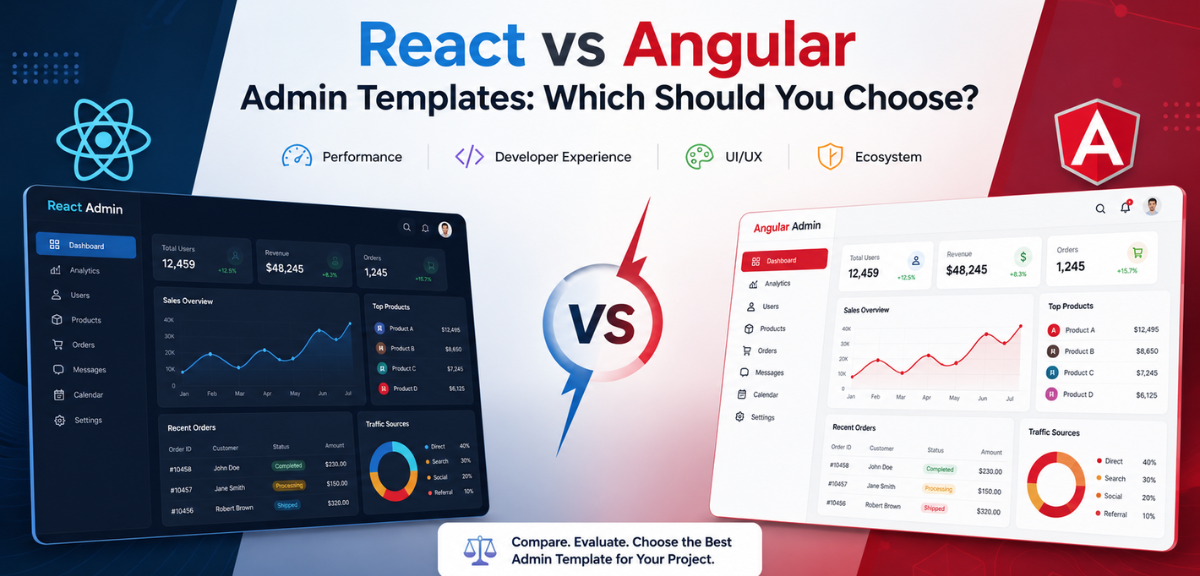
Picking a frontend framework for your admin dashboard is one of those decisions that feels bigger than it probably is. React and Angular both have strong ecosystems, large communities, and plenty of mature admin templates available. But they are different tools with different strengths, and the right choice depends a lot on what you are actually building.
This guide compares React and Angular admin dashboard templates across the areas that matter most: architecture, performance, customization, feature sets, and the kinds of projects where each one makes sense.
The State of React and Angular in 2026
Both frameworks have changed significantly in the past two years. It is worth knowing what each looks like today before you compare them.
React in 2026
React 19 brought Server Components to stable release, changing how teams think about data fetching and rendering. The React Compiler (previously called React Forget) automates memoization in most cases, which means fewer manual useMemo and useCallback calls cluttering your components. Next.js remains the standard meta-framework for production React apps. Vite has become the default for client-side-only builds.
The ecosystem is still fragmented by design. You still choose your own state manager, router, and form library. That flexibility is both React’s greatest strength and its biggest source of decision fatigue.
Angular in 2026
Angular 17 and 18 brought the biggest quality-of-life improvements in Angular’s history. Standalone components are now the default, eliminating the NgModule boilerplate that made Angular feel heavy. Signals are built into the core, providing fine-grained reactivity that is easier to reason about than zone.js change detection. The new control flow syntax (@if, @for) replaces structural directives with something cleaner.
Angular is genuinely pleasant to use in 2026. The reputation for being heavy and bureaucratic is outdated.
What is Angular?
Angular is a TypeScript-based front-end framework maintained by Google. It is designed for large-scale, data-heavy web applications where strict architecture and long-term maintainability come first.
Angular follows an opinionated, module-based structure. Every application is organized into NgModules, which group components, services, and code into functional units. This makes it easier to enforce consistent patterns across teams. According to the React vs Angular comparison on AceInfoway, Angular’s rigid architecture is one of its biggest strengths for enterprise projects and its steepest barrier for solo developers.
Key characteristics of Angular:
- TypeScript-first by default. No optional typing; it is enforced throughout.
- Module-based architecture that clearly separates concerns
- Built-in dependency injection for managing services
- Ivy rendering engine for fast compilation and efficient change detection
- Reactive forms and built-in routing included out of the box
- Dependency injection system built into the core
Core Features of Angular Admin Templates
Angular admin dashboard templates are pre-built projects that take full advantage of the framework. Templates Angular admin dashboard templates include:
- NgModule-based project structure with lazy-loading support
- Reactive forms for complex form management and validation
- Pre-built role-based access control (RBAC) patterns
- Angular Material or PrimeNG UI components
- Built-in HTTP client for REST API or GraphQL integration
- Support for Angular 17 and its standalone component API
- Dark mode and theming via Angular CDK or custom CSS variables
- Pre-configured routing with guards and resolvers
What is React?
React is a JavaScript library maintained by Meta. It is component-based, flexible, and intentionally unopinionated about how you structure your application. You pick the libraries, state manager, and routing solution that fit your project.
React uses a virtual DOM to batch and minimize re-renders, keeping interfaces responsive even with frequent data updates. React 18 added concurrent rendering features that further improve performance for complex UIs.
Key characteristics of React:
- JavaScript or TypeScript: you choose how strictly you type your code
- Flexible, composable component model
- Vast ecosystem: Redux, Zustand, React Query, TanStack Router, and more
- Virtual DOM for efficient rendering and UI updates
- Largest front-end community with consistent library updates
- Server-side rendering support through Next.js
Core Features of React Admin Templates
React admin templates vary more than Angular ones because the ecosystem is less opinionated. That said, most mature React admin templates include:
- Component-based layout system with reusable UI blocks
- State management via Redux Toolkit, Zustand, or React Query
- TanStack Table or AG Grid for data-heavy views
- Recharts, Chart.js, or ApexCharts for analytics dashboards
- React Router or TanStack Router for client-side navigation
- Tailwind CSS or Material UI for styling
- Authentication scaffolding with JWT or OAuth integration
- Responsive layouts and dark mode support
React vs Angular Admin Templates: Key Differences
Here is a side-by-side comparison of what separates the two frameworks when applied to admin dashboard templates:
| Feature | React Admin Templates | Angular Admin Templates |
|---|---|---|
| Language | JavaScript / JSX | TypeScript (strict) |
| Learning Curve | Moderate | Steep |
| Architecture | Flexible, component-based | Strict, module-based |
| Performance | Fast (virtual DOM) | Fast (Ivy compiler) |
| Best For | Startups, MVPs, small teams | Enterprise, large teams |
| State Management | Redux, Zustand, Context | NgRx, Services |
| TypeScript Support | Optional | Built-in, enforced |
| Community | Very large | Large |
| Free Templates | Yes | Yes |
| Premium Templates | Yes | Yes |
- Performance
| Metric | React 19 | Angular 17+ |
| Initial bundle (simple app) | ~65 KB gzipped | ~180 KB gzipped |
| Initial bundle (50+ routes) | 150-250 KB | 180-300 KB |
| Time to Interactive (3G) | ~1.3s | ~2.1s |
| Re-render (10k rows) | Fast with memo/Compiler | Fast with OnPush/Signals |
| Dev server rebuild | ~0.3s (Vite) | ~1.2s (esbuild improving) |
| SSR | Mature (Next.js) | Mature (Angular Universal) |
React uses a virtual DOM to batch updates and reduce direct DOM manipulation. This keeps rendering efficient in dashboards with frequently changing data, including live analytics panels, real-time order tracking, and high-frequency chart updates.
Angular uses the Ivy compiler, which reduces bundle sizes and enables tree-shaking. Its OnPush change detection strategy limits re-renders to only the components that actually changed, which matters for large component trees.
For standard admin dashboard workloads like data tables, charts, and form-heavy interfaces, you will not see a meaningful performance gap between the two. The difference surfaces at very large scale with thousands of nested components, which is rarely a practical concern for most projects.
Admin dashboard templates are optimized for production performance in both React and Angular. Browse the full collection here.
- Ease of Use
React has a lower barrier to entry for developers who already know JavaScript. The component model is intuitive and you can start building within hours of opening a React template. The tradeoff is more upfront decisions about libraries and structure.
Angular has a steeper learning curve. You need to understand TypeScript, decorators, dependency injection, NgModules, and the Angular CLI before you are productive. Once your team knows the framework, patterns in an Angular template are consistent and predictable across the entire project.
For solo developers or small teams new to admin dashboard development, React templates are faster to get started with. For larger teams where consistency matters more than flexibility, Angular templates provide the enforced structure that pays off over time.
- Learning Curve
React has a gentler start. You can understand components, props, state, and useEffect in a few days and ship something useful within a week. The hard part comes later: once your app grows, you hit the ecosystem wall and have to make architectural decisions about routing, state, data fetching, and folder structure that React itself does not answer for you.
Angular has a steeper ramp. Before you ship your first feature, you need to understand TypeScript, decorators, dependency injection, the CLI, and Angular’s component model. For developers coming from object-oriented backgrounds like Java or C#, it clicks faster. For JavaScript generalists, the initial investment is real.
The long-term picture flips. Angular’s structure means a developer joining an Angular project six months in can navigate the codebase immediately. A React project’s structure depends entirely on the choices the first team made, and those choices vary widely.
- Flexibility vs Convention
This is the most practically important difference between the two frameworks.
React leaves almost every architectural decision to you. Which router you use, how you manage state, how you fetch data, how you structure folders: all of it is your call. That freedom means you can pick the best tool for each specific problem. It also means two React projects can look completely different, which creates onboarding challenges as teams change.
Angular makes those decisions for you. One router, one HTTP client, one forms library. Every Angular developer in the world knows where to find these things in an Angular project. That consistency is genuinely valuable when you have multiple developers working in the same codebase over multiple years.
For admin templates specifically: convention tends to win. A consistent, well-documented Angular template is easier to hand off, extend, and maintain than a React template with unusual architecture choices. That said, if your team has strong React preferences, the ecosystem for React admin templates is large enough that you can find well-structured options.
- TypeScript and Code Quality
Angular is TypeScript by default and by requirement. The framework is built in TypeScript and every API expects typed code. This is a significant advantage for large teams and long-lived projects: editors give you better autocomplete, refactoring tools work reliably, and type errors surface at compile time rather than in production.
React works well with TypeScript but does not require it. Many React projects use plain JavaScript. If you are starting a new React project in 2026, choosing TypeScript is the right call, but the lack of enforcement means you will encounter mixed-typing in older codebases and third-party templates.
For teams that care about long-term code quality, Angular’s TypeScript-first approach removes a class of problems before they occur.
- Ecosystem and Libraries
React has the largest frontend ecosystem by a significant margin. There are more npm packages, more UI component libraries, more state management options, more community tutorials, and more third-party integrations available for React than for any other frontend framework. If you need a specific component, chart type, or integration, there is almost certainly a React library for it.
Angular’s ecosystem is smaller but more curated and stable. Angular Material, PrimeNG, and NgRx are the dominant choices. They are well-maintained and deeply integrated with the framework. There are fewer options but the ones that exist are reliable, well-documented, and designed to work together.
The tradeoff: React’s ecosystem changes faster. Libraries that were popular in 2021 are sometimes deprecated or replaced by 2026. Angular’s recommended libraries change less frequently, which makes long-term maintenance more predictable.
Real-World Use Cases
Scenario 1: SaaS Startup Dashboard
A three-person team building a project management SaaS needs to move fast. They want flexibility to integrate with multiple third-party APIs and may pivot features frequently. React is the better choice here. The ecosystem gives them components for almost anything they need, and the team can use Next.js for any public-facing pages alongside the admin panel.
Scenario 2: Enterprise Internal Tool
A financial services company needs a trading dashboard with real-time data streams, complex cross-field form validation, and role-based access for 200 internal users across three departments. The team has 12 developers and will rotate engineers across projects. Angular’s built-in forms, HTTP client, dependency injection, and strict structure make onboarding straightforward and keep the codebase consistent as the team changes.
Scenario 3: Agency Building Multiple Client Dashboards
A development agency building admin dashboards for multiple clients benefits from Angular templates because each project follows the same structure. Developers moving from one client project to another do not need to relearn folder conventions, state patterns, or routing approaches.
Scenario 4: Data-Heavy Analytics Platform
A team building an analytics platform with custom chart types, complex table filtering, and heavy data transformations will find React’s ecosystem more useful. Libraries like TanStack Table, Recharts, and React Query give precise control over data handling and rendering optimization.
When to Choose React Admin Templates?
React admin templates are a good fit when:
- Your team has strong JavaScript experience and wants flexibility
- You are building a startup product or MVP where iteration speed matters
- Your project has custom or unusual UI requirements that benefit from a rich ecosystem
- You want to integrate with Next.js for server-side rendering
- Your dashboard is data-heavy and you plan to use React Query or TanStack Table
- You prefer to pick your own state management solution
- Your team size is small to medium and you want less framework overhead
React also works well when the admin panel is just one part of a larger React application. Keeping the whole frontend on one framework reduces context switching and lets you share components between public-facing pages and internal dashboards.
When to Choose Angular Admin Templates?
Angular admin templates are a better fit when:
- You are building a large-scale enterprise application
- Your team is big and consistency across developers matters
- You want everything included: routing, forms, HTTP, testing scaffolding
- You are working in a TypeScript-heavy environment
- Your project involves complex role-based access control or multi-level permissions
- You need long-term maintainability with a stable, opinionated structure
- Your team already knows Angular or is coming from a .NET or Java background
Angular also tends to be a better choice when the project will be handed off to different developers over time. The strict conventions mean a new developer joining the team can navigate the codebase without needing to understand every decision that was made.
What to Look for in Any Admin Dashboard Template?
Even if you go with React or Angular, a good admin template should cover these basics:
- Responsive layout that works across desktop, tablet, and mobile
- Dark and light mode with a consistent color system
- Authentication pages: login, register, forgot password, two-factor
- Data table components with sorting, filtering, and pagination
- Charts and analytics components for reporting views
- Form components with validation built in
- Clear folder structure and modular component organization
- Documentation that explains setup, theming, and customization
- Active maintenance and updates for the framework version it targets
Premium templates usually add more pages, more components, more layout variants, and dedicated support. Free templates are useful for prototypes or learning, but they often lack the breadth of components you need for a real production dashboard.
Best Admin Dashboard Templates (2026)
Each MyCreativeTemplates template is production-ready, fully responsive, and comes with detailed documentation.
React Admin Templates
- React 18 with hooks and concurrent rendering support
- Pre-built pages: dashboard, analytics, user management, settings, authentication
- Data tables with sorting, filtering, and pagination
- Chart components: line, bar, pie, and area visualizations
- Dark mode and multiple color themes
Angular Admin Templates
- Angular 17 with standalone component and NgModule support
- Angular Material or PrimeNG UI components
- Reactive forms with built-in validation
- Role-based access control starter patterns
- Lazy-loaded routing for large applications
The Bottom Line
React and Angular are both solid choices for admin dashboard templates. React is more flexible and better for teams that want to move fast or need a large ecosystem. Angular is more structured and better for large teams, enterprise projects, and codebases that need to stay consistent over time.
The template you pick matters less than how well it matches your team’s workflow. A well-built Angular template in the hands of a team that knows Angular will always outperform a React template the team is still figuring out, and vice versa.
Explore admin dashboard templates for React and Angular to find the one that fits your project and get started without building from scratch.
Frequently Asked Questions
- Which is better for admin dashboards: React or Angular?
React is better when your team is JavaScript-first and needs flexibility and speed. Angular is better when you need strict TypeScript architecture and consistent patterns across a large team. MyCreativeTemplates offers production-ready React and Angular admin templates for both scenarios.
- Are React admin templates easier to use than Angular?
React admin templates have a lower learning curve for developers familiar with JavaScript. Angular requires TypeScript knowledge plus familiarity with NgModules and dependency injection. For beginners or small teams, React templates are faster to set up and customize.
- Which framework is faster for dashboards?
Both frameworks deliver fast, responsive dashboards in production. React uses a virtual DOM; Angular uses the Ivy compiler. For typical dashboard workloads, the performance difference is negligible. At very large scale, differences may appear, but they are rarely the deciding factor when choosing between React and Angular templates.
- Can beginners use Angular admin templates?
Yes, but Angular has a steeper learning curve than React. Beginners should expect to learn TypeScript, Angular modules, decorators, and dependency injection first. Angular admin templates include detailed documentation to help developers get up to speed faster.
- Is React better for startups than Angular?
React is generally a better fit for startups. The flexibility, JavaScript familiarity, and large ecosystem let small teams move fast. React admin templates are built with this use case in mind: fast setup, clean structure, and ready to customize.
- Which has better performance: React or Angular?
Both are highly performant for admin dashboard use cases. React’s virtual DOM minimizes re-renders; Angular’s Ivy compiler produces smaller bundles. In practice, performance differences between React and Angular templates are rarely decisive.
- Are there free templates available for both?
Yes. MyCreativeTemplates provides free admin dashboard templates for both frameworks. Browse free React admin templates and free Angular admin templates: free tiers include core UI components, page layouts, and authentication screens.